30
VQT2M51
Preparation
Setup
5
Adjusting LCD monitor
You can operate by directly touching the
LCD monitor (touch screen) with your finger.
It is easier to use the stylus pen (supplied)
for detailed operation or if it is hard to
operate with your fingers.
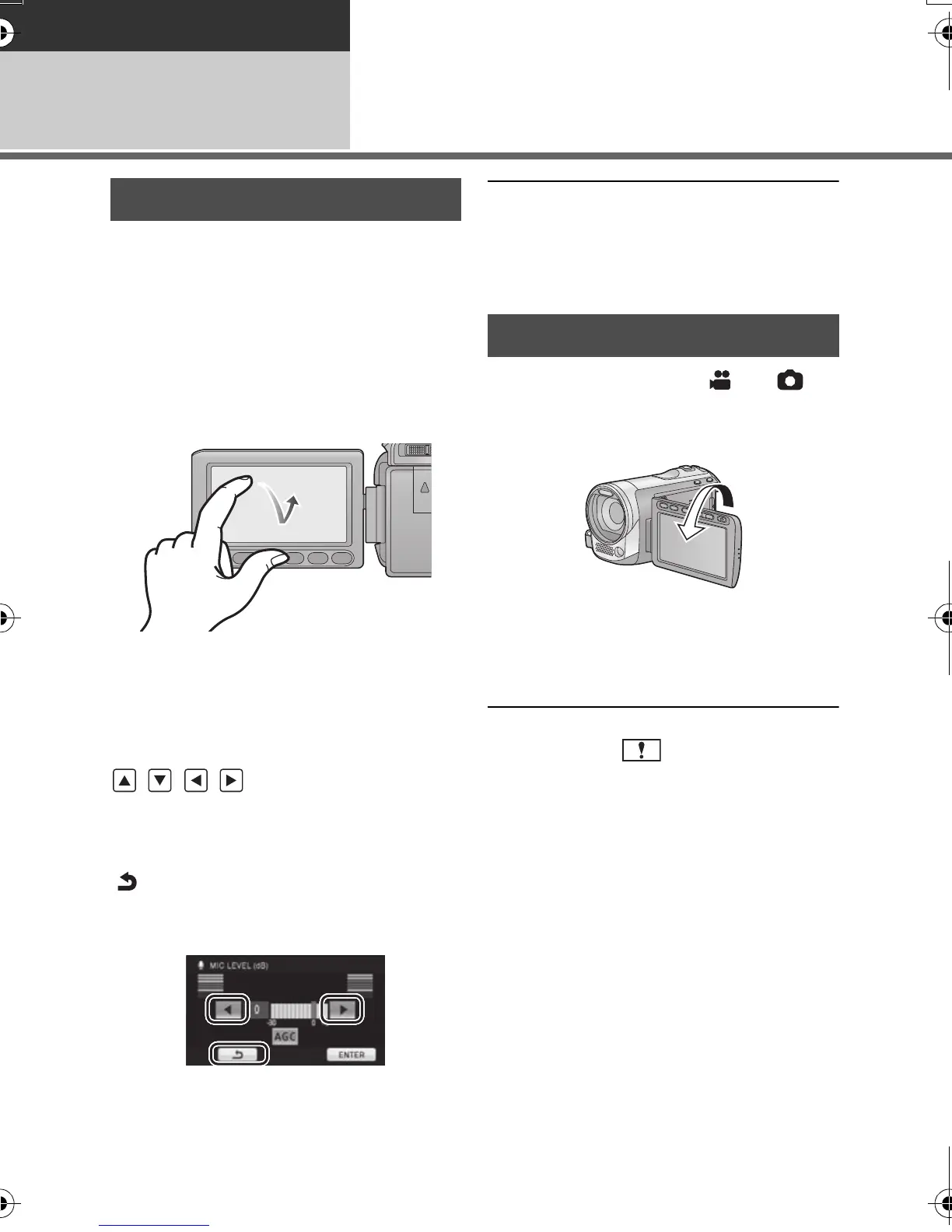
∫ Touch
Touch and release the touch screen to select
icon or picture.
≥ Touch the center of the icon.
≥ Touching the touch screen will not operate
while you are touching another part of the
touch screen.
∫ About the operation icons
///:
These icons are used to switch the menu
and thumbnail display page, for item
selection and setting etc.
:
Touch to return to the previous screen
such as when setting menus
≥ Do not touch on the LCD monitor with
hard pointed tips, such as ball point pens.
≥ Perform the touch screen calibration when
the touch is not recognized or wrong
location is recognized. (l 49)
¬ Change the mode to or .
Rotate the LCD monitor towards
the lens side.
≥ The image is horizontally flipped as if you
see a mirror image. (However the image
recorded is the same as a normal
recording.)
≥ Only some indications will appear on the
screen. When appears, return the
direction of the LCD monitor to normal
position and check the warning/alarm
indication. (l 125)
How to use the touch screen
Recording Yourself
HDCSD60_TM60_HS60-P_PC-VQT2M51_eng.book 30 ページ 2010年1月18日 月曜日 午前11時33分















 To Next Page