29
VQT3K35
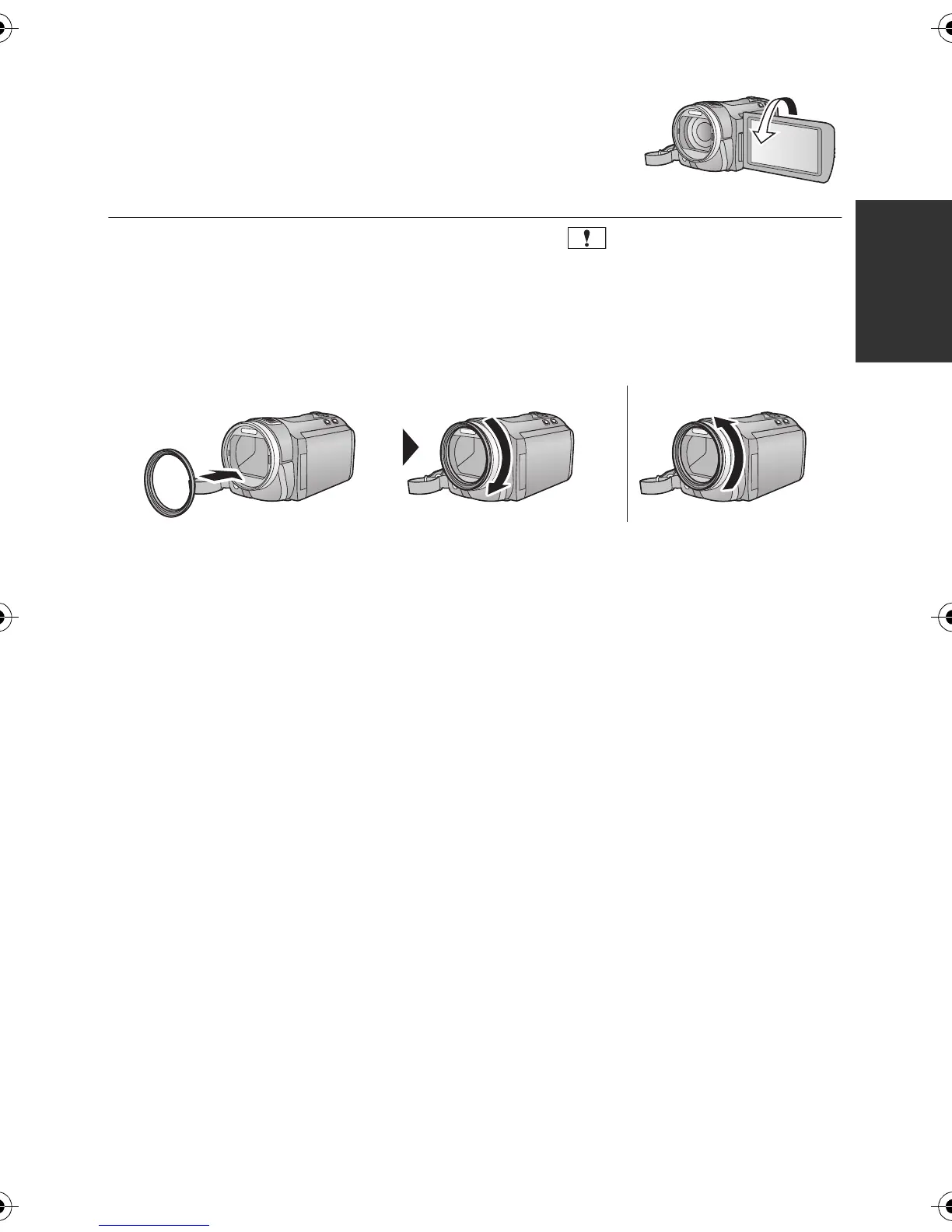
∫ To recording yourself
Rotate the LCD monitor towards the lens side.
≥ The image is horizontally flipped as if you see a mirror image.
(However the image recorded is the same as a normal
recording.)
≥ Only some indications will appear on the screen. When appears, return the direction
of the LCD monitor to normal position and check the warning/alarm indication. (l 134)
∫ Attaching/Removing the lens hood
This will reduce the extra light entering the lens in bright sunlight or backlight etc., making it
possible to take clearer pictures.
A Attaching the lens hood
B Removing the lens hood
≥ If you use the Filter Kit (optional), the Conversion Lens (optional) or the 3D Conversion
Lens (optional), remove the lens hood.
HDCSD800P-VQT3K35_mst.book 29 ページ 2010年12月20日 月曜日 午前9時4分















 To Next Page