39
VQT3K35
≥ Touch (left side)/ (right side) of on the Touch Menu to display . (l 26)
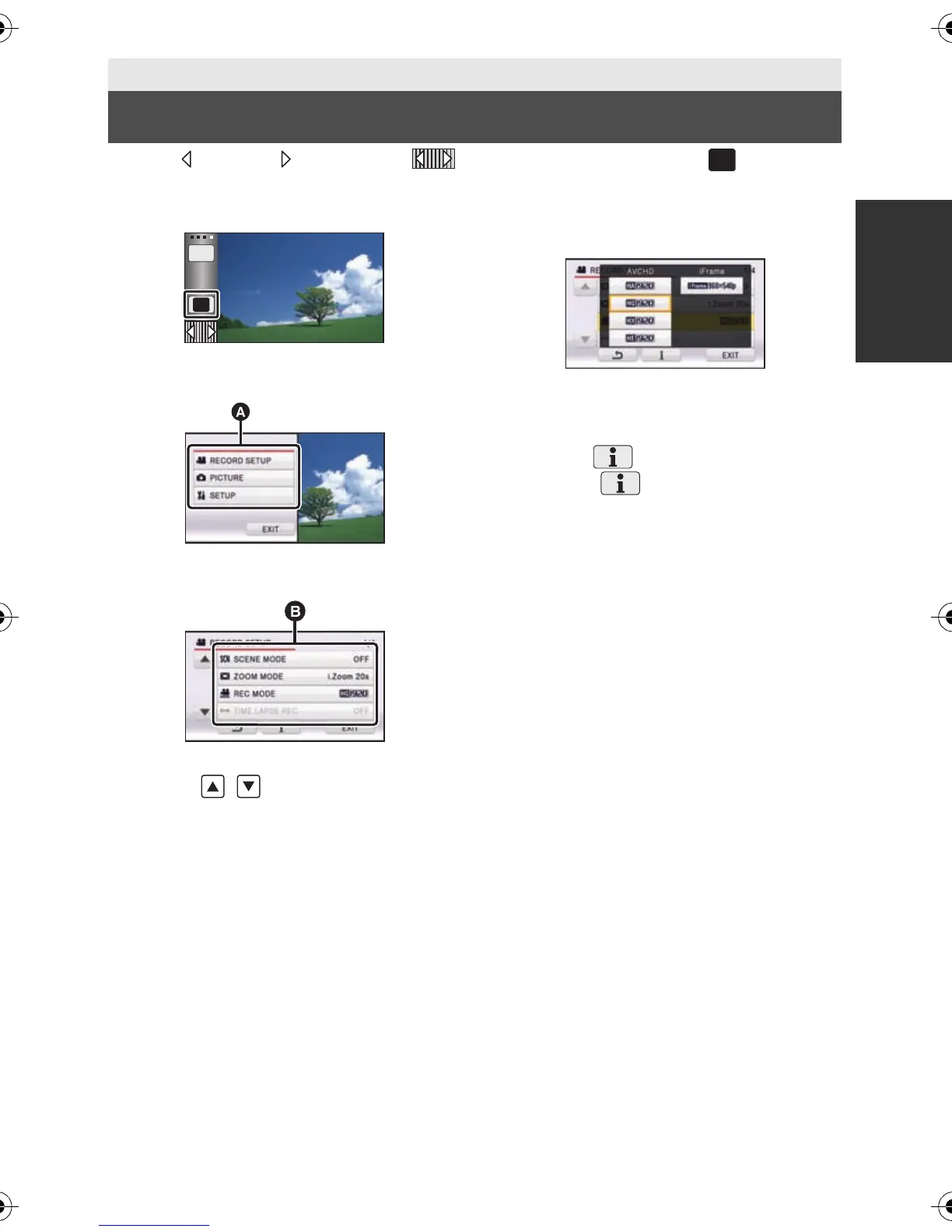
1 Touch [MENU].
2 Touch the top menu A.
3 Touch the submenu B.
≥ Next (previous) page can be displayed by
touching / .
4 Touch the desired item to enter
the setting.
5 Touch [EXIT] to exit the menu
setting.
∫ About guide display
After touching , touching the submenus
and items will cause function descriptions and
settings confirmation messages to appear.
≥ After the messages have been displayed,
the guide display is canceled.
Basic
Using the menu screen
MENU
Q.
MENU
HDCSD800P-VQT3K35_mst.book 39 ページ 2010年12月20日 月曜日 午前9時4分















 To Next Page