55
VQT3K35
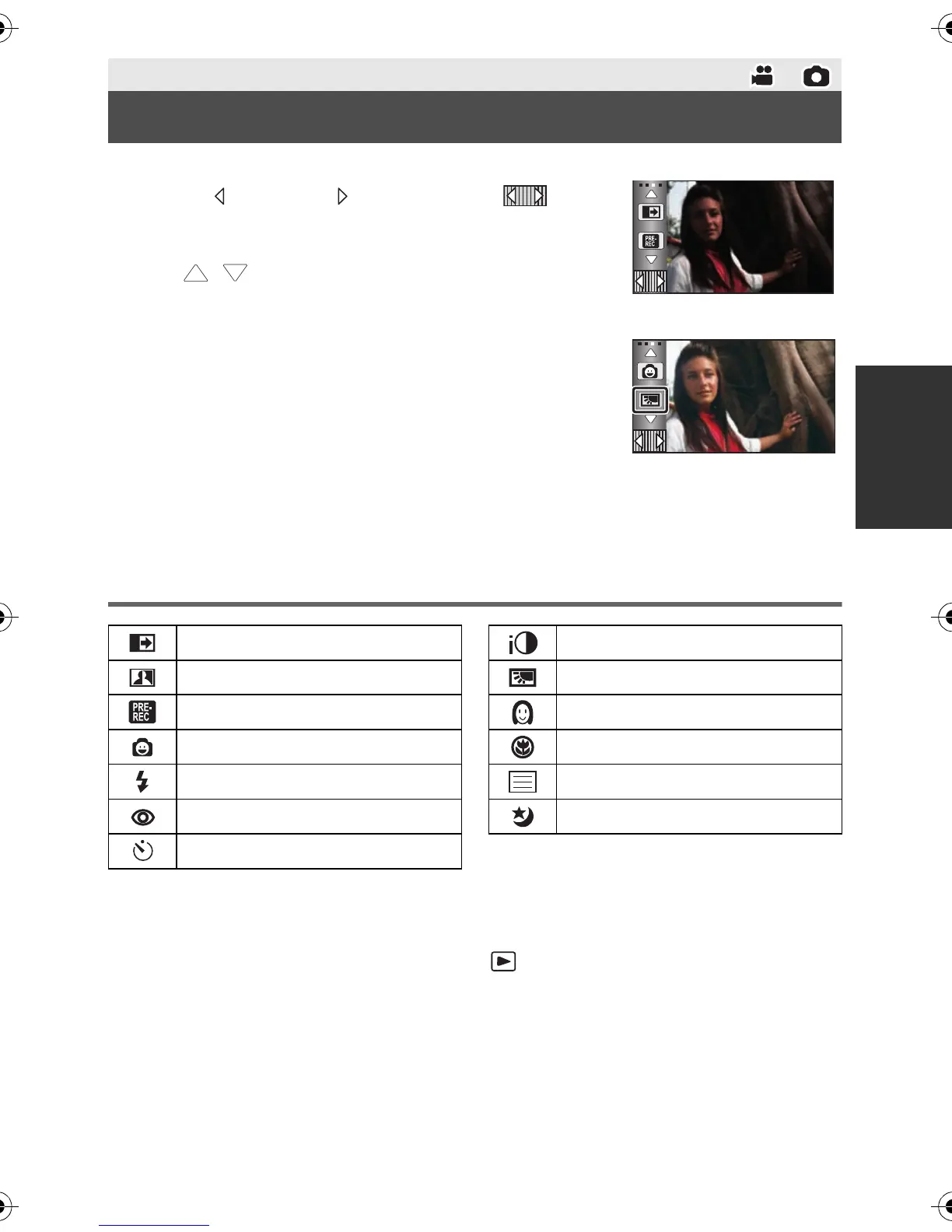
Select the operation icons to add different effects to the images to be recorded.
1 Touch (left side)/ (right side) of on
the Touch Menu to display the operation
icons. (l 26)
≥ Touch / on Touch Menu to switch pages upward or
downward.
2 (e.g. Backlight compensation)
Touch an operation icon.
≥ Select the operation icon again to cancel the function.
≥ Refer to the respective pages for cancelled the following
functions.
jSmile shot (l 57)
jBuilt-in flash (l 57)
jSelf-timer (l 58)
jGuideline (l 59)
Operation icons
*1 Not displayed in Still Picture Recording Mode.
*2 Not displayed in the Intelligent Auto Mode.
*3 Not displayed in Motion Picture Recording Mode.
≥ If you turn off the unit or change the mode to , PRE-REC, Backlight compensation,
Color night rec, Self-timer and Tele macro functions are canceled.
≥ If you turn off the unit, the Fade function is canceled.
≥ It is possible to set from the menu.
(Except for the PRE-REC)
Advanced (Recording)
Recording functions of operation icons
Fade
*1
Intelligent contrast control
*1, 2
PRE-REC
*1
Smile shot
*1
Built-in flash
*3
Red-Eye Reduction
*2, 3
Self-timer
*3
Intelligent exposure
*2, 3
Backlight compensation
Soft skin mode
*2
Tele macro
Guideline
Color Night Rec
*1, 2
HDCSD800P-VQT3K35_mst.book 55 ページ 2010年12月20日 月曜日 午前9時4分















 To Next Page