10
VQT3J17
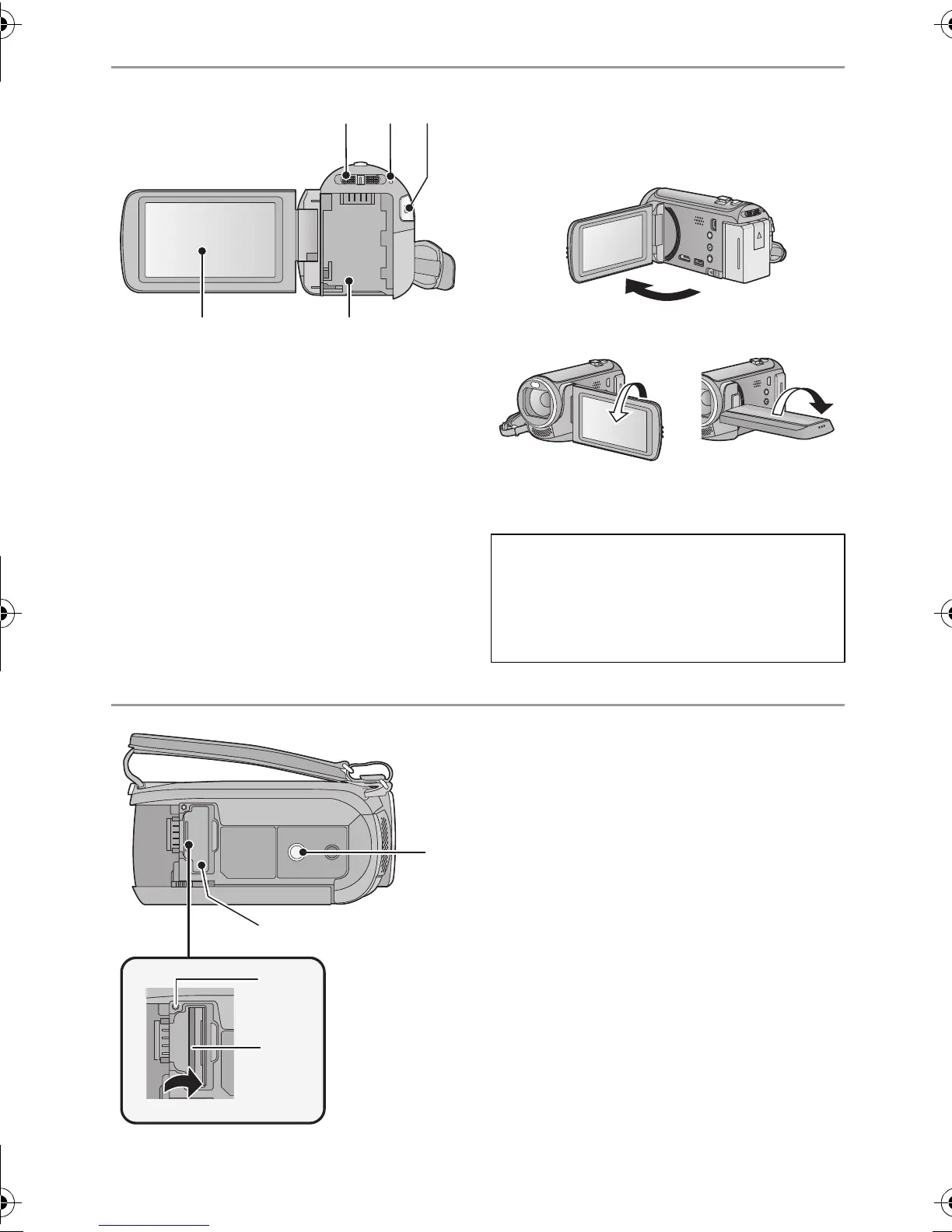
14 Mode switch (l 19)
15 Status indicator (l 18)
16 Recording start/stop button (l 24)
17 LCD monitor (Touch screen) (l 19)
≥ It can open up to 90o.
≥ It can rotate up to 180o A towards the lens
or 90o B towards the opposite direction.
18 Battery holder (l 12)
19 Tripod receptacle
≥ If you attach a tripod which has 5.5 mm
(0.22 q) screw or larger, it may damage
this unit.
20 SD card cover (l 17)
21 Access lamp [ACCESS] (l 17)
22 Card slot (l 17)
Due to limitations in LCD production
technology, there may be some tiny bright
or dark spots on the LCD monitor screen.
However, this is not a malfunction and
does not affect the recorded picture.
HDC-SD80_TM80_HS80-PU-VQT3J17_eng.book 10 ページ 2011年1月5日 水曜日 午後1時51分














 To Next Page