19
VQT3J17
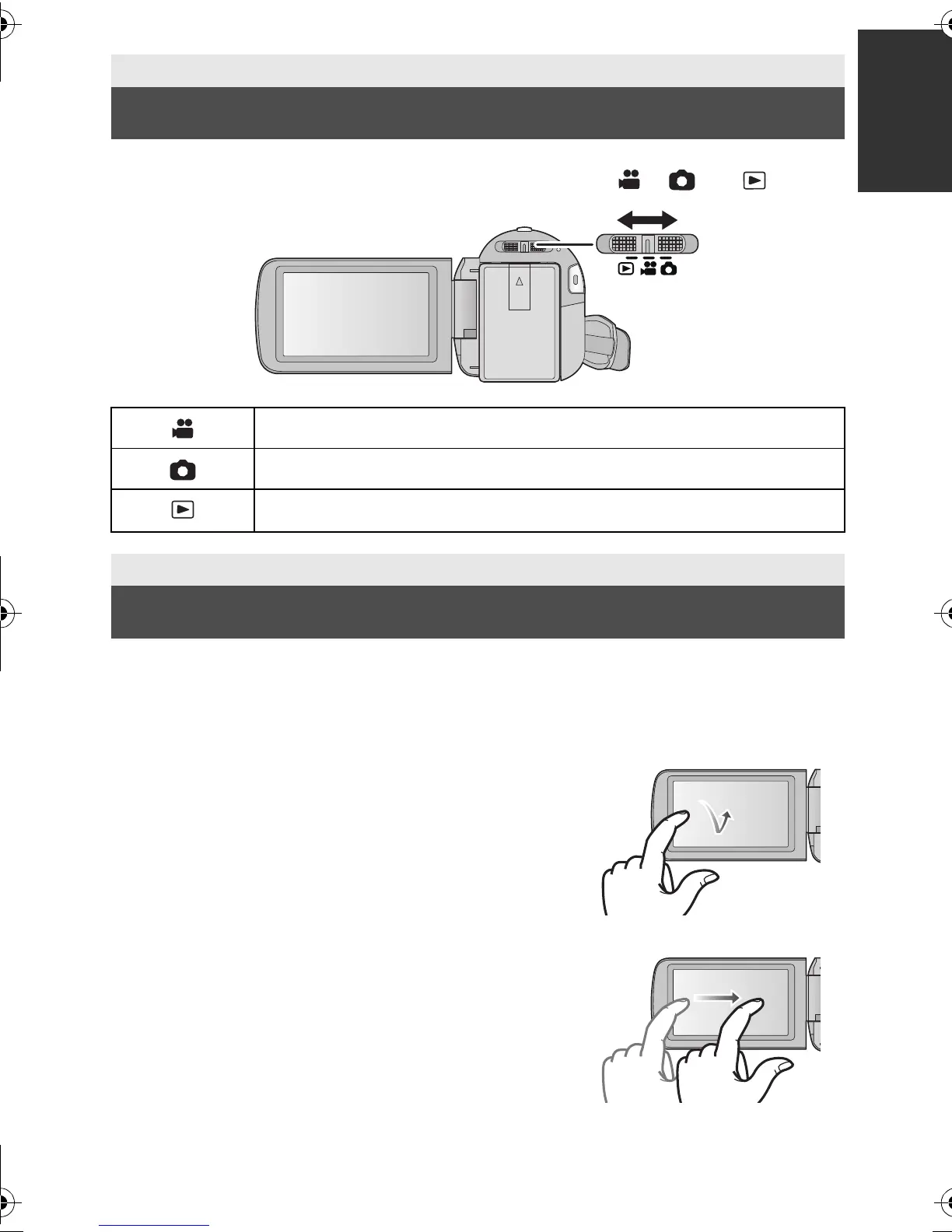
Change the mode to recording or playback.
Operate the mode switch to change the mode to , or .
You can operate by directly touching the LCD monitor (touch screen) with your finger.
It is easier to use the stylus pen (supplied) for detailed operation or if it is hard to operate with
your fingers.
∫ Touch
Touch and release the touch screen to select icon or
picture.
≥ Touch the center of the icon.
≥ Touching the touch screen will not operate while you
are touching another part of the touch screen.
∫ Slide while touching
Move your finger while pressing on the touch screen.
Preparation
Selecting a mode
Motion Picture Recording Mode (l 24)
Still Picture Recording Mode (l 26)
Playback Mode (l 30, 68)
Preparation
How to use the touch screen
HDC-SD80_TM80_HS80-PU-VQT3J17_eng.book 19 ページ 2011年1月5日 水曜日 午後1時51分














 To Next Page