27
VQT3J17
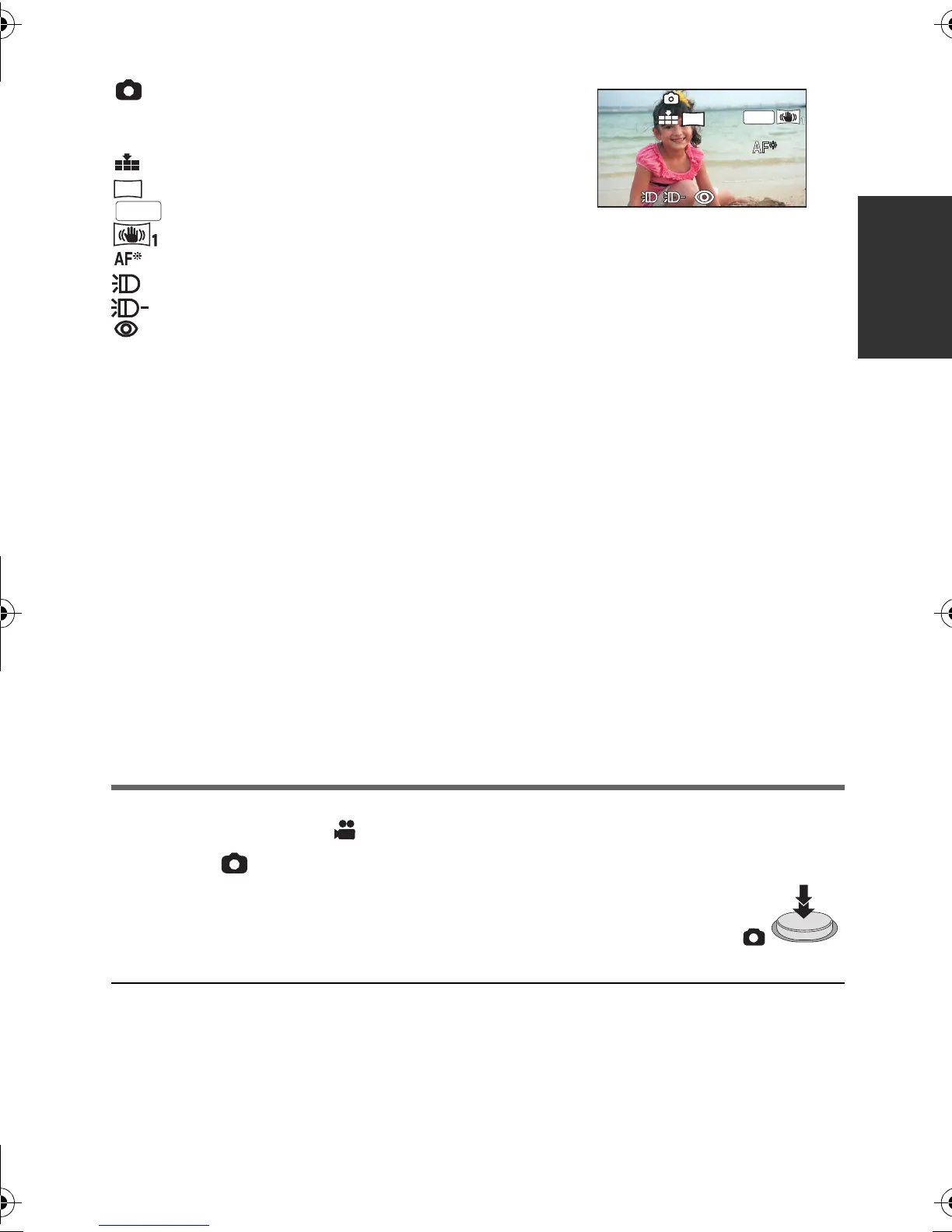
∫ About the screen indications in Still Picture Recording
:
Still picture operation indicator (
l 115
)
R3000: Remaining number of still pictures
(Flashes in red when [0] appears.)
: Quality of still pictures (l 62)
: Size of still pictures (l 61)
:
MEGA optical image stabilizer (
l 26
)
: Optical image stabilizer (l 42)
: AF assist lamp (l 63)
: Photo light (l 49)
: Photo light level (l 49)
: Red-eye reduction (l 50)
∫ About the focus indication
≥ The focus indication indicates the status of the Auto focus.
≥ The focus indication does not appear in Manual Focus Mode.
≥ The focus indication does not appear or has difficulty focusing in the following cases.
jWhen close subjects and far subjects are included in the same scene
jWhen the scene is dark
jWhen there is a bright part in the scene
jWhen the scene is filled with only horizontal lines
∫ About the focusing area
When there is a contrasting object ahead or behind the subject in the focus area, the subject
may not be focused. If so, move the contrasting object out of the focus area.
≥ Focus area is not displayed in the following conditions.
jWhen the Intelligent Auto Mode (Portrait) is used
jWhen AF/AE tracking is used
jWhen the Extra Optical Zoom is used
jWhen it is necessary to turn on the AF assist lamp (l 63)
Recording still pictures in Motion Picture Recording Mode
You can record still pictures even in Motion Picture Recording Mode.
¬ Change the mode to .
Press the button fully (press to the bottom) to take the picture.
≥ It is possible to record still pictures while recording motion pictures.
(Simultaneous recording)
≥ Remaining number of recordable pictures is displayed while still pictures
are being recorded.
≥ Photo light, Red-eye reduction, Self-timer (l 50) do not work.
≥ While recording motion pictures or during the PRE-REC operation, image quality is
different from ordinary still pictures so that motion picture recording takes preference over
still picture recording.
≥ If simultaneous recording is used while recording a motion picture, the recordable time
remaining will shorten. If the unit is turned off or the mode switch operated, the recordable
time remaining may lengthen.
≥ Screen display will disappear
when no function is performed for
a specific period of time. To
display it again, touch the screen.
(It is not displayed when the AF/
AE tracking or the Touch Shutter
is set.)
3
M
HDC-SD80_TM80_HS80-PU-VQT3J17_eng.book 27 ページ 2011年1月5日 水曜日 午後1時51分















 To Next Page