75
VQT3J17
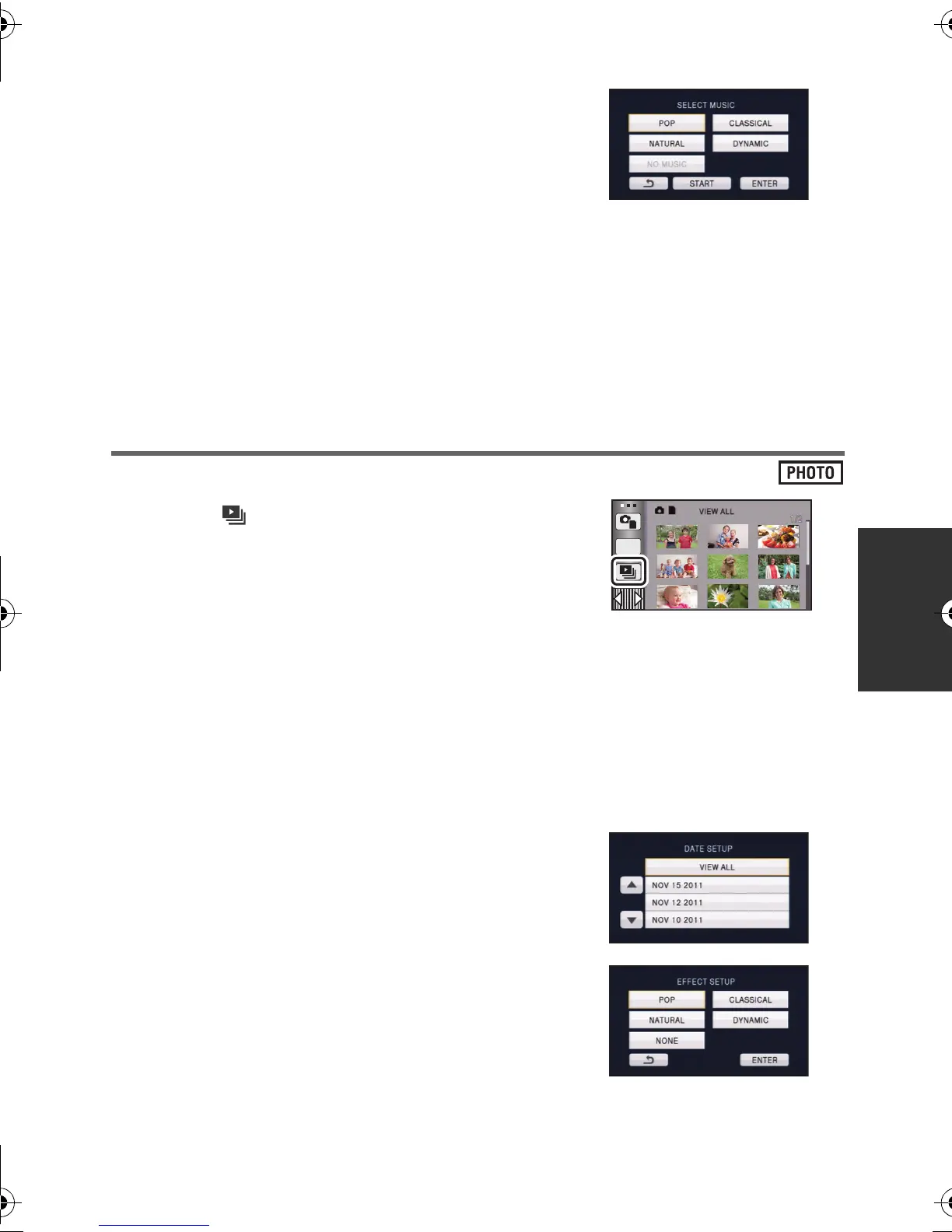
∫ Music setting
1 Touch your favorite music.
≥ When [EFFECT SETUP] is set to [NONE], you will be
able to select [NO MUSIC]. When [NO MUSIC] is
selected, the audio recorded at the time of shooting is
played back.
≥ To adjust the volume of music during playback or
audio testing, operate the volume lever. (l 32)
2 Touch [ENTER].
To test the music audio
Touch [START].
≥ Touch the other music option to change the music to be tested.
≥ When you touch [STOP], the music playback stops.
Changing the playback settings and playing back the
slide show
1 Touch . (l 20)
2 (Only when you would like to change the settings)
Touch [SET] to select the item to change.
3 (When [DATE SETUP] is selected)
Touch the playback date.
(When [EFFECT SETUP] is selected)
Touch the desired effect.
≥ When the effect setting is changed, music setting will
be set the same as the effect setting. (To set the effect
setting and music setting to different settings, change
the music setting after setting the effect setting.)
≥ [SLIDE INTERVAL] cannot be set, when [EFFECT SETUP] is set.
[DATE SETUP]: Select the date to be played back.
[EFFECT SETUP]: Select the effect for playback.
[SLIDE INTERVAL]: Selects the interval between still pictures at playback.
[MUSIC SELECT]: Select the music to be played on playback.
ALL
HDC-SD80_TM80_HS80-PU-VQT3J17_eng.book 75 ページ 2011年1月5日 水曜日 午後1時51分















 To Next Page