76
VQT3J17
(When [SLIDE INTERVAL] is selected)
Touch the interval of playback for the slide show.
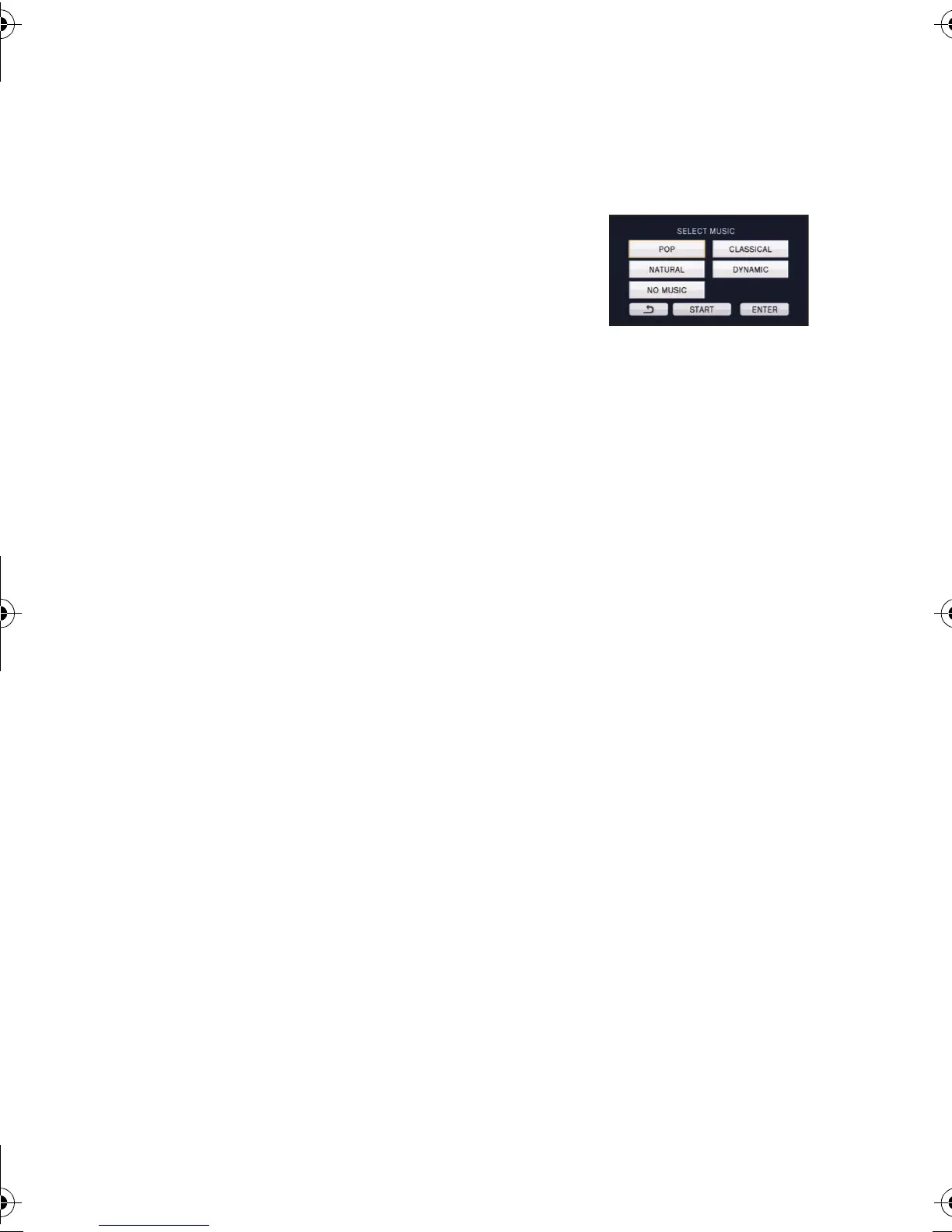
(When [MUSIC SELECT] is selected)
Touch the desired sound.
≥
To adjust the volume of music during playback of the slide
show or audio testing, operate the volume lever. (
l
32)
≥ Touch [ENTER].
(To test the music audio)
Touch [START] and start the audio testing.
≥ Touch the other music option to change the music to be tested.
≥ When you touch [STOP], the music playback stops.
4 Touch [START].
5 Select the playback operation. (l 30)
≥ When the playback is finished or stopped, the screen to select [REPLAY],
[SELECT AGAIN] or [EXIT] is displayed. Touch the desired item.
[SHORT]: Approx. 1 second
[NORMAL]: Approx. 5 seconds
[LONG]: Approx. 15 seconds
HDC-SD80_TM80_HS80-PU-VQT3J17_eng.book 76 ページ 2011年1月5日 水曜日 午後1時51分














 To Next Page