31
VQT3J17
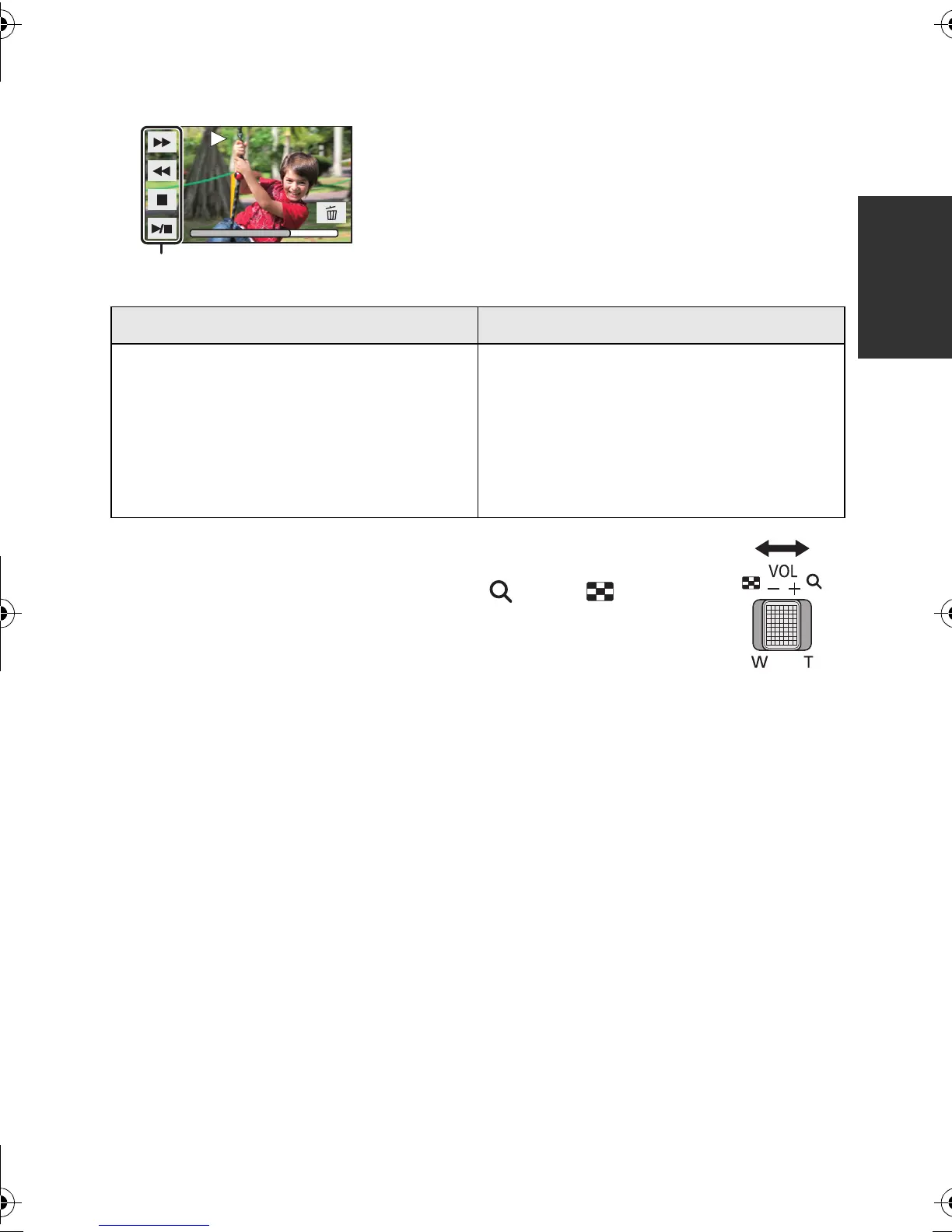
5 Select the playback operation by touching the operation icon.
∫ Change the thumbnail display
While the thumbnail is displayed, the thumbnail display changes in the
following order if the zoom lever is operated to side or side.
20 scenes () 9 scenes () 1 scene () Highlight & Time frame index*
(l 70)
* Highlight & Time frame index can only set in Motion Picture Playback
Mode.
Even in Motion Picture Playback Mode, [FACE] and [HIGHLIGHT] cannot be used when
[
iFrame
]
is selected.
≥ 9 scenes display returns if the unit is turned off or the mode is changed.
≥ By displaying in 1 scene or pressing and holding the thumbnail in the 20 scenes or 9
scenes display, recording date and time are displayed when playing back motion pictures,
and recording date and file number when playing back still pictures.
C Operation icon
≥ Operation icons and screen display will disappear
when no function is performed for a specific period of
time. To display them again, touch the screen.
Motion picture playback Still picture playback
1/;: Playback/Pause
6: Rewind playback
5: Fast forward playback
∫: Stops the playback and shows
the thumbnails.
1/;: Slide show (playback of the still
pictures in numerical order)
start/pause.
2;: Plays back the previous picture.
;1: Plays back the next picture.
∫: Stops the playback and shows
the thumbnails.
0h01m30s0h01m30s0h01m30s
HDC-SD80_TM80_HS80-PU-VQT3J17_eng.book 31 ページ 2011年1月5日 水曜日 午後1時51分














 To Next Page