1. Introduction and Installation
8
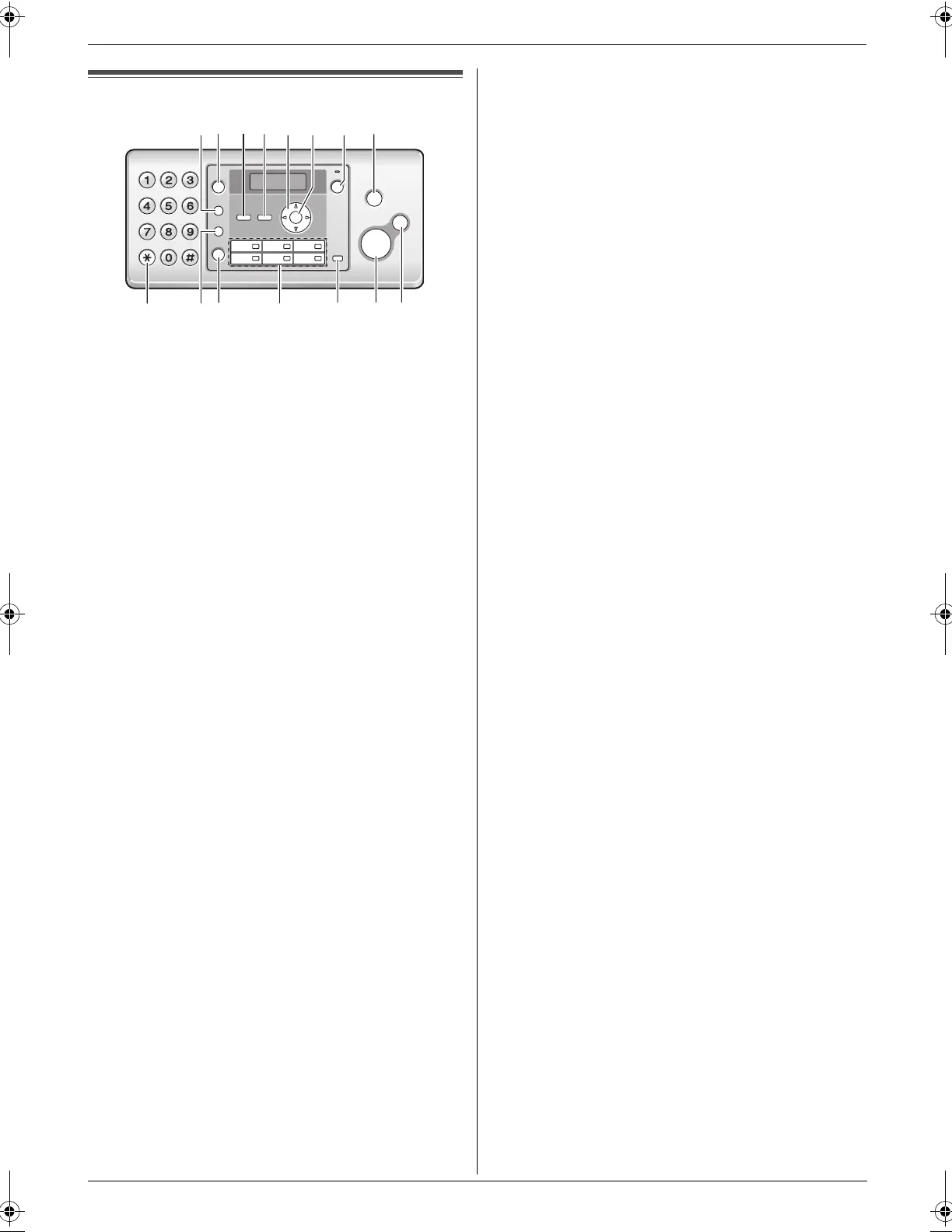
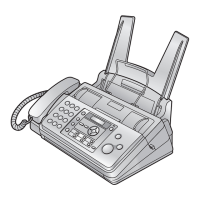
Finding t he Controls
1.3 Button descriptions
A {R}
L To access special telephone services or for
transferring extension calls.
L The recall time can be changed (feature #72 on
page 34).
B {REDIAL}{PAUSE}
L To redial the last number dialled. If the line is busy
when you make a phone call using the
{MONITOR} button, or when you send a fax, the
unit will automatically redial the number 2 or more
times.
L To insert a pause during dialling.
C {CALLER ID}
L To use Caller ID features (page 17).
D {MENU}
L To start or exit programming.
E Navigator key
{A}{B}{^}{V}{<}{>}{PHONEBOOK}{VOLUME}
L To adjust volume (page 14).
L To search for a stored item (page 16, 21).
F {SET}
L To store a setting during programming.
G {AUTO ANSWER}
L To turn the auto answer setting ON/OFF (page
24, 25).
H {STOP}
L To stop an operation or programming session.
L To erase a character/number.
I {TONE}
L To change from pulse to tone temporarily during
dialling when your line has rotary/pulse service.
J {HANDSET MUTE}
L To mute your voice during a conversation. Press
again to resume the conversation.
K {MONITOR}
L To initiate dialling without lifting the handset.
L Station keys
L To use the one touch dial feature (page 16, 21).
M {BROADCAST}
L To send a document to multiple parties (page 22).
N {FAX START}
L To send or receive a fax.
O {COPY}
L To copy a document (page 27).
IK
M
N
O
J
L
FP701FX-PFQX2792ZA-en.book Page 8 Friday, July 13, 2007 3:34 PM




 To Next Page