1.5 Before Leaving Your Desk
User Manual 77
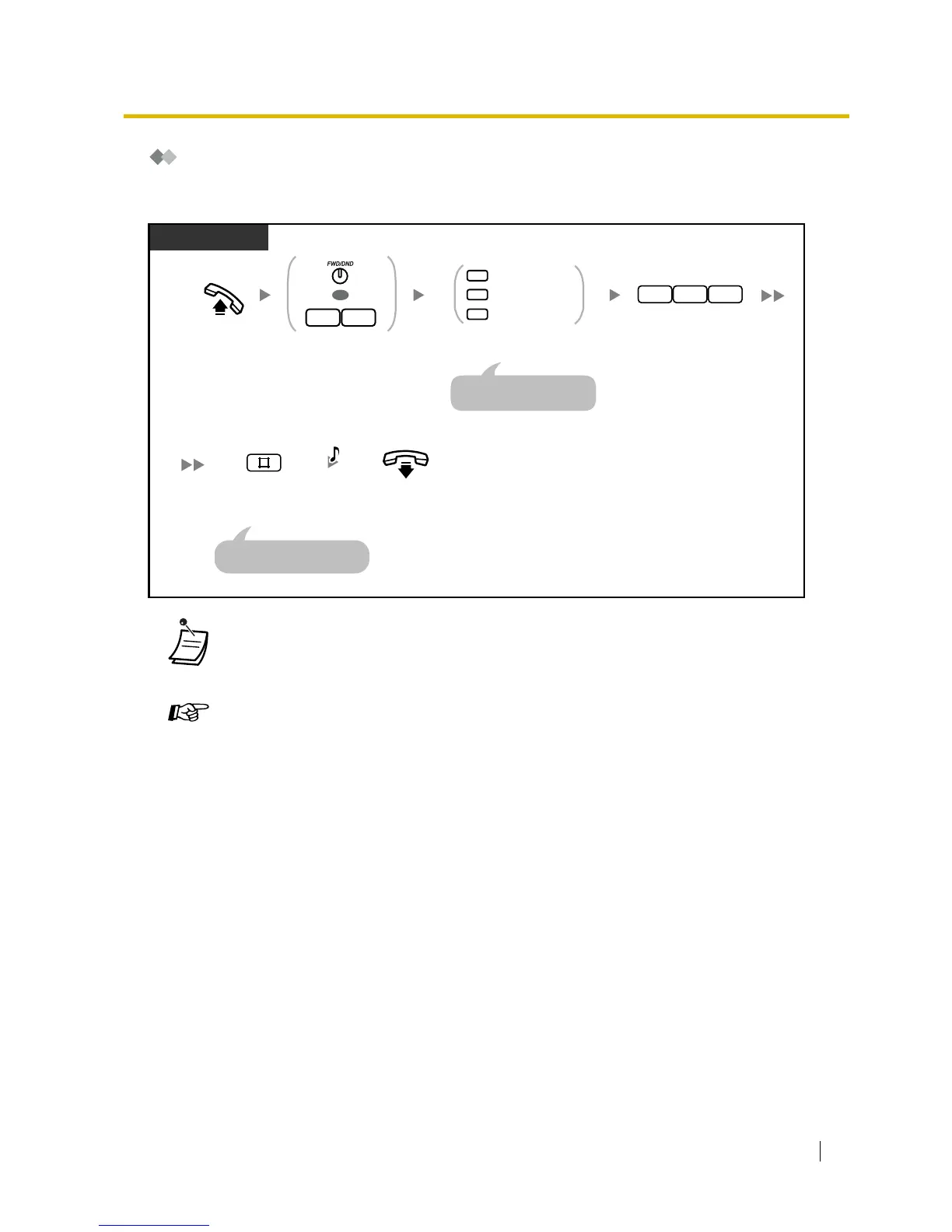
Forwarding Your Calls to Built-in Voice Message
To set/cancel
• Setting this feature also cancels other types of Call Forwarding (FWD)/Do Not Disturb
(DND).
Customising Your Phone
• 3.1.3 Customising the Buttons
Create or edit an FWD/DND (Call Forwarding/Do Not Disturb).
Off-hook.
PT/SLT
Press FWD/DND
or enter 71.
Enter 725.
17
OR
7 2 5
Enter required number.
1
0
2
Busy/No Answer
All Calls
Cancel
For "Cancel", go on-hook
directly after entering "0#".
On-hook.
C.Tone
Enter #.
An SLT user can enter "0"
instead of "#".










 To Next Page