EasyManua.ls Logo

Panasonic KX-TGM420AZ - User Manual

Panasonic KX-TGM420AZ
76 pages
Print Icon
To Next Page IconTo Next Page
Loading...
Operating Instructions
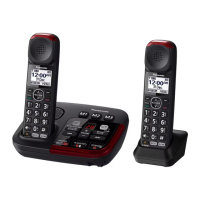
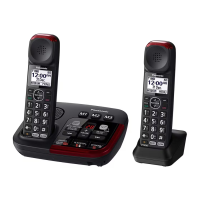
Amplified Digital Cordless Phone with Answering Machine
Model No. KX-TGM420AZ
KX-TGM422AZ
Before initial use, see “Getting Started”
on page 12.
Thank you for purchasing a Panasonic product.
Please read these operating instructions before using the unit and save them for
future reference.
To
use
this
unit
in
your country, first change the unit’s region setting to match
your country (page 47).
0605_TGM42xAZ OI_ver002.pdf 1 5/6/2016 5:01:39 PM

Questions and Answers

  • A
    Anthony ParkerSep 23, 2025
    Why does my Panasonic Cordless Telephone unit not emit the specified number of rings?
    • N
      norma38Sep 23, 2025
      If the unit does not emit the specified number of rings, it may be because the first ring is turned off. If the first ring is turned off (“No”), the number of rings decreases by 1 from the specified number of rings.
  • A
    Anthony ChristianAug 23, 2025
    What to do if my Panasonic Cordless Telephone handset beeps and/or flashes?
    • G
      gavin48Aug 23, 2025
      If the handset beeps and/or flashes, it usually indicates that the battery charge is low. Fully charge the batteries to resolve this issue.
  • D
    dominguezjamesAug 25, 2025
    What to do if I cannot hear a dial tone on my Panasonic Cordless Telephone?
    • T
      tim76Aug 26, 2025
      If you cannot hear a dial tone, check that the base unit’s AC adaptor and telephone line cord are properly connected. If the connections are correct, disconnect the base unit from the telephone line and connect the line to a known working telephone. If the working telephone operates properly, contact our service personnel to have the unit repaired. If the working telephone does not operate properly, contact your phone service provider.
  • S
    Samuel RichardAug 27, 2025
    How to fix time shifted on Panasonic Cordless Telephone?
    • D
      David HallAug 27, 2025
      If the time on your unit has shifted, it may be due to incorrect time information from the incoming Caller ID. Set the time adjustment to “Manual” (off).
  • S
    Sara JonesAug 27, 2025
    Why does my Panasonic Cordless Telephone handset not ring?
    • T
      Tyler RyanAug 27, 2025
      If the handset does not ring, check if the ringer volume is turned off and adjust it accordingly. Also, ensure that night mode is turned off. Finally, check if the ringer volume has been turned off by pressing and holding 0; if so, press and hold 0 again to turn it on.
  • E
    ehickmanSep 18, 2025
    What to do if liquid entered the handset/base unit of my Panasonic Cordless Telephone?
    • K
      kathleenryanSep 18, 2025
      If liquid or moisture has entered the handset/base unit, disconnect the AC adaptor and telephone line cord from the base unit. Remove the batteries from the base unit and handset and leave to dry for at least 3 days. After the handset/base unit are completely dry, reconnect the AC adaptor and telephone line cord. Insert the batteries and charge fully before use. If the unit does not work properly, contact an authorised service centre.
  • S
    Shirley EllisSep 15, 2025
    What to do if I cannot operate the answering system remotely on my Panasonic Cordless Telephone?
    • C
      chavezdominicSep 15, 2025
      If you cannot operate the answering system remotely, first ensure that the remote access code is set. If it is set, you may be entering the wrong code; check your current code in the remote access code setting. Also, verify that the answering system is turned on.
  • B
    Brandon PerrySep 16, 2025
    What to do if I cannot register a handset to a base unit on my Panasonic Cordless Telephone?
    • P
      patricia97Sep 17, 2025
      If you cannot register a handset to the base unit, it may be because the maximum number of handsets (6) is already registered. Cancel unused handset registrations from the base unit.
  • K
    karlsaundersSep 6, 2025
    Why is caller information announced late on my Panasonic Cordless Telephone?
    • M
      mcomptonSep 6, 2025
      Caller information may be displayed or announced late depending on your phone service provider; the unit may display or announce the caller’s information at the 2nd ring or later. Also, move closer to the base unit.
  • L
    Lonnie MyersSep 4, 2025
    What to do if the Panasonic Cordless Telephone handset does not turn on?
    • C
      christine43Sep 4, 2025
      If the handset does not turn on even after installing charged batteries, place the handset on the base unit or charger to turn it on.

Summary

Important Information

For Your Safety

Provides critical safety warnings and precautions for using the product.

Medical Precautions

Details precautions related to medical devices and RF energy exposure.

Important Notice

Provides a critical notice regarding operation during power failure.

Important Safety Instructions

Basic safety precautions to reduce risks of fire, shock, and injury.

Getting Started

Setting Up Connections

Step-by-step guide for connecting the base unit and charger.

Handset Battery Charging

Instructions for charging the handset batteries before initial use.

Accessibility

Hearing Aid Compatibility

Details how to use the phone with hearing aids.

Volume Booster

Describes how to increase the volume for clearer listening.

Speech Booster

Allows increasing the volume of your voice heard by the other party.

Making;Answering Calls

Making Calls

Instructions on how to make calls using the handset and speakerphone.

Answering Calls

Instructions on how to answer calls using the handset or base unit.

Transferring Calls and Conference Calls

Handset Call Transfer

Procedures for transferring calls between handsets.

Intercom

Making an Intercom Call

Instructions for initiating intercom calls between units.

Call Block

Call Block Functionality

Details on how to block calls in various situations.

Blocking Unwanted Callers

How the unit blocks callers based on the call block list entries.

Storing Unwanted Callers

Methods for blocking specific numbers, ranges, or unknown IDs.

Phonebook

Phonebook Entries

Information on adding and managing phonebook entries.

Finding and Calling from Phonebook

How to search and make calls from the phonebook.

Memory Dial

Assigning phone numbers to dial keys for quick access.

Caller ID Service

Using Caller ID Service

Overview of Caller ID compatibility and subscription requirements.

Caller ID Features

Details on displayed caller information and logged calls.

Caller List Management

Viewing, calling back, and managing the caller list.

Answering System

Turning Answering System On;Off

How to activate or deactivate the answering system.

Recording Greeting Message

Step-by-step guide for recording your own greeting message.

Listening to Messages

Instructions for playing new, all, or voicemail messages.

Erasing Messages

Methods for erasing individual or all recorded messages.

Remote Operation

Accessing messages and settings remotely via phone.

Useful Information

Listening to Voicemail Messages

Procedure to listen to messages via phone provider's service.

Error Messages

Lists common error messages and their solutions.

Troubleshooting Guide

Helps resolve common problems with the phone unit's operation.

Making;Answering Calls & Intercom Issues

Solves problems encountered during calls and intercom usage.

Caller ID;Talking Caller ID Issues

Troubleshoots problems with caller information display and announcement.

Answering System Troubleshooting

Resolves issues with message recording, remote operation, and rings.

Panasonic KX-TGM420AZ Specifications

General IconGeneral
Answering SystemDigital
Caller IDYes
SpeakerphoneYes
Volume ControlYes
DisplayLCD
Hearing Aid CompatibleYes
DECT 6.0 TechnologyYes
AmplificationUp to 40 dB
Remote AccessYes
Call ScreeningYes
Message ForwardingNo
Message AlertYes
Power SourceAC Adapter
Battery BackupYes
Battery LifeUp to 10 hours
RangeUp to 1000 feet

Related product manuals