EasyManua.ls Logo

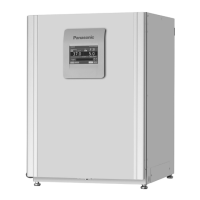
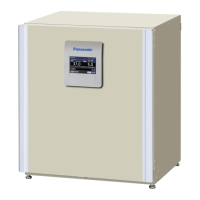
Panasonic MCO-170M Series - User Manual

Panasonic MCO-170M Series
104 pages
Print Icon
To Next Page IconTo Next Page
Loading...
Please read the operating instructions carefully before using this product, and save the operating
instructions for future use.
See page 101 for all model numbers.
MCO-170M
MCO-170MUV
MCO-170MUVH
Series
O
2
/CO
2
Incubator
MCO-170M
MCO-170MUV
MCO-170MUVH
O
perat
i
ng
I
nstruct
i
ons

Table of Contents

Questions and Answers

  • C
    crawfordmarisaAug 13, 2025
    Why is the gas density slow to recover in my Panasonic MCO-170M?
    • J
      Janet GarnerAug 13, 2025
      If the gas density recovers slowly even when the gas pressure is normal, the HEPA filter might be clogged. In this case, it is recommended to contact our sales representative or agent.
  • C
    Cathy HinesAug 17, 2025
    Why is gas not being injected into my Panasonic Accessories?
    • J
      James WilliamsonAug 17, 2025
      Gas is not injected until the temperature of the CO sensor becomes stable enough, approximately 1 hour after turning ON the power switch or recovering from a power failure. Please wait for an hour.
  • W
    walterruizAug 20, 2025
    What to do if H O decontamination cannot be performed on my Panasonic MCO-170M?
    • A
      Andre BlackAug 20, 2025
      If the UV lamp is burned out, H O decontamination cannot be performed. Please, check the UV lamp.
  • J
    Jeffrey MezaAug 25, 2025
    What to do if “Err34: H2O2 Volume” is activated during H O decontamination cycle in Panasonic Accessories?
    • K
      Kendra WallerAug 25, 2025
      If the total operating time of the H O generator exceeds 5,000 hours, it may be the end-of-life of the generator. Replace the H O generator.
  • C
    Charles SilvaAug 28, 2025
    Why does the UV lamp light when the outer door is open on my Panasonic Accessories?
    • A
      April ThomasAug 28, 2025
      Check if something is pushing the door switch.
  • N
    Nicholas TuckerAug 31, 2025
    How to troubleshoot a Panasonic MCO-170M incubator that does not operate at all?
    • K
      Katie WeberAug 31, 2025
      Ensure the incubator is plugged in. Also, check for any power outages or tripped circuit breakers that may have interrupted the power supply.
  • G
    gregorysimpsonSep 4, 2025
    What to do if the outer door does not open on my Panasonic MCO-170M Accessories?
    • J
      James FoleySep 4, 2025
      Either turn ON the power switch or use the accessory unlock key to override the electric lock.
  • D
    Denise RobinsonSep 8, 2025
    What to do if the chamber humidity does not rise in my Panasonic Accessories?
    • S
      Shelia LawsonSep 8, 2025
      Ensure there is enough sterile distilled water in the humidifying pan. Add more if necessary.

Summary

Introduction to Operating Instructions

Safe Operation and Precautions

General Safety Precautions

General safety advice, warning symbols, and precautions for safe usage.

Incubator Labels and Environment

Explanation of incubator labels and required environmental conditions for operation.

Incubator Components and Interface

Unit Components Overview

Detailed breakdown of the incubator's physical parts and their labels.

LCD Touch Panel Interface

Explains the main display screen and its various fields and indicators.

Remote Alarm Terminal

Describes the terminal for remote alarm notification and its connection.

Installation Guidelines

Installation Site Selection

Guidelines for choosing a suitable location, considering environmental factors and safety.

Unit Installation Procedures

Step-by-step instructions for unpacking, cleaning, and assembling the incubator.

Gas Cylinder Connection

Detailed steps for connecting CO2 and N2/O2 gas cylinders for proper gas supply.

Pre-Operation Procedures

Initial Cleaning Method

Procedures for thoroughly cleaning the incubator chamber and components before initial use.

Inner Attachment Handling

Instructions for safely removing and reinstalling internal components for cleaning or maintenance.

Filling Humidifying Pan

Step-by-step guide on how to fill the humidifying pan with water correctly.

Optimizing Cultivation

Culture Precautions

Guidelines for optimal incubator use to ensure successful and contamination-free cultures.

Contamination Prevention

Strategies and environmental considerations to prevent microbial contamination within the incubator.

Basic Operation and Parameters

Correct Operation Startup

Procedure to start trial or actual operation of the incubator.

LCD Touch Panel Basic Operation

How to navigate and interact with the LCD touch panel for basic functions.

Setting Basic Parameters

Guide to setting temperature, CO2/O2 density, alarms, and other core parameters.

Key Lock Management

Procedures for enabling, disabling, and managing the key lock function for security.

Automatic Gas Changeover

Explains the automatic switching between N2/O2 gas cylinders when one becomes empty.

Manual Gas Line Changeover

Instructions for manually switching between gas supply lines A and B.

Alarms and Logging

Alarm Parameter Configuration

How to set and configure various alarm conditions and delays for safety.

Operation and Alarm Log Management

Procedures for setting log intervals, displaying, and exporting operation/alarm data.

Advanced Parameters and Features

System Display and Time Settings

Guide to setting system clock, LCD brightness, and sleep mode for optimal interface use.

UV Lamp Operation and Settings

Instructions for using the UV lamp, setting its ON period, and 24-hour mode.

H2 O2 Decontamination and Safety

Detailed steps for H2O2 decontamination, precautions, and unlock key usage.

Electric Lock Functionality

How to set up and use the electric lock, including user-ID management and auto-lock features.

Gas Auto Changer and Calibration Options

Setup and operation of gas auto changer and STD gas calibration kit.

Maintenance and Support

Routine Maintenance Schedule

Guidelines for regular cleaning and maintenance of the incubator.

Troubleshooting Guide

Common issues, symptoms, and countermeasures for resolving incubator problems.

Unit Disposal Information

Procedures and safety warnings for the proper disposal of the unit.

Technical Specifications

Product Specifications

Detailed technical specifications including dimensions, power, and environmental requirements.

Performance Data

Information on temperature, CO2, and O2 control ranges and variations.

Panasonic MCO-170M Series Specifications

General IconGeneral
BrandPanasonic
ModelMCO-170M Series
CategoryAccessories
LanguageEnglish

Related product manuals