Keep all parts that are not used during installation, as they may be needed later if the unit is moved or
the faucet is changed.
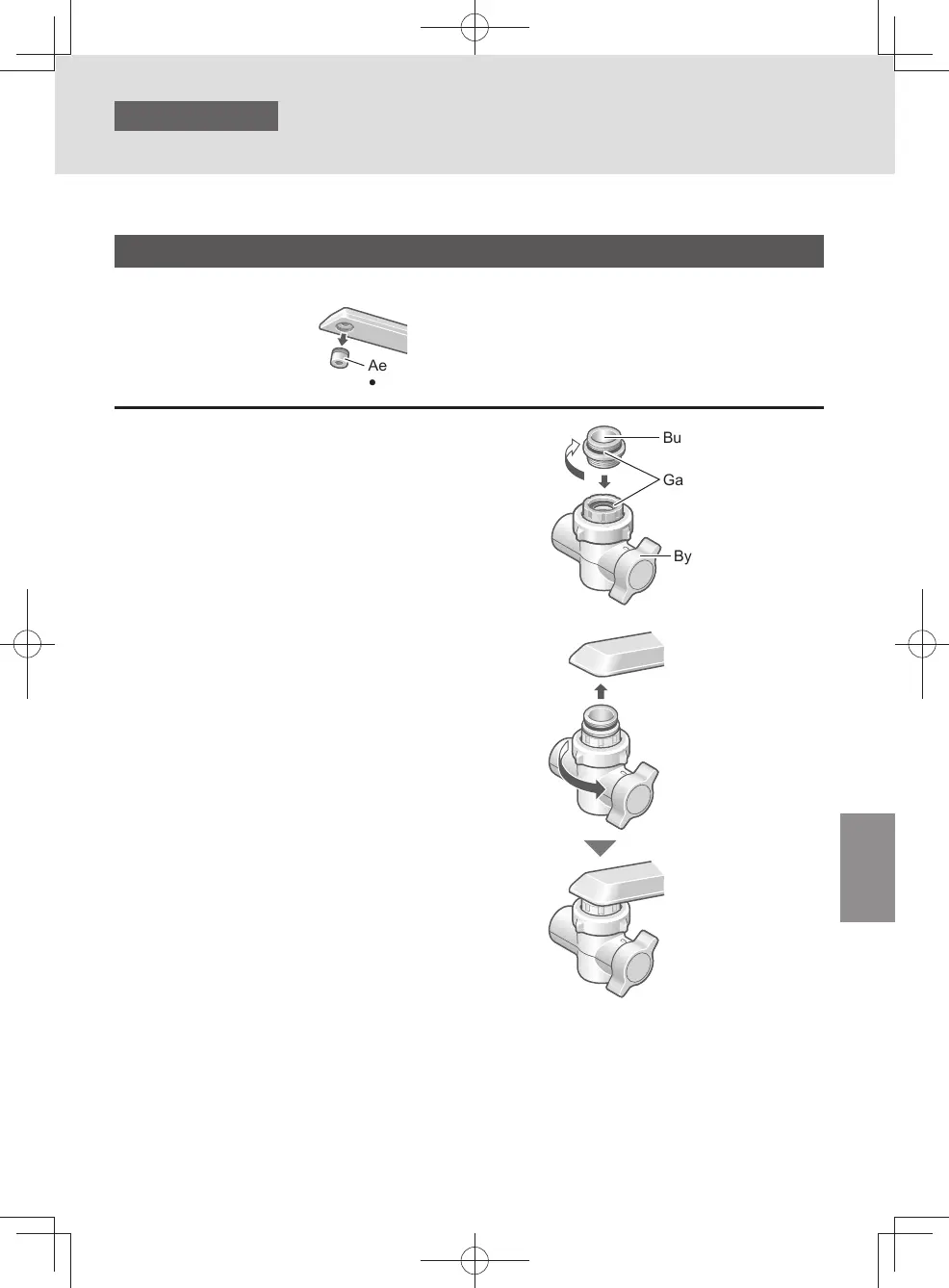
Aerator (not used)
y
Do not use the removed aerator.
y
Water faucet to which the bypass selector can be installed with an accessory.
Inside-screwed faucet
1
Screw in the bushing. Insert it into
the bypass selector.
Bushing (Accessory)
Gasket
Bypass selector
2
Attach the bypass selector and
tighten it securely.
z
The bypass selector should be screwed straight.
Screwing it at an angle may strip the threads,
resulting in water leaks.
z
Do not use any tools.
(Doing so may damage the nut.)
When water leak occurs after attaching the nut
and adaptor
Use the gasket attached on the faucet.
Installation 4
Attach the bypass selector
(continued)
EN11
TK-CS500_01_EN.indd 10TK-CS500_01_EN.indd 10 2024/03/21 14:52:332024/03/21 14:52:33



 To Next Page