Installation 4
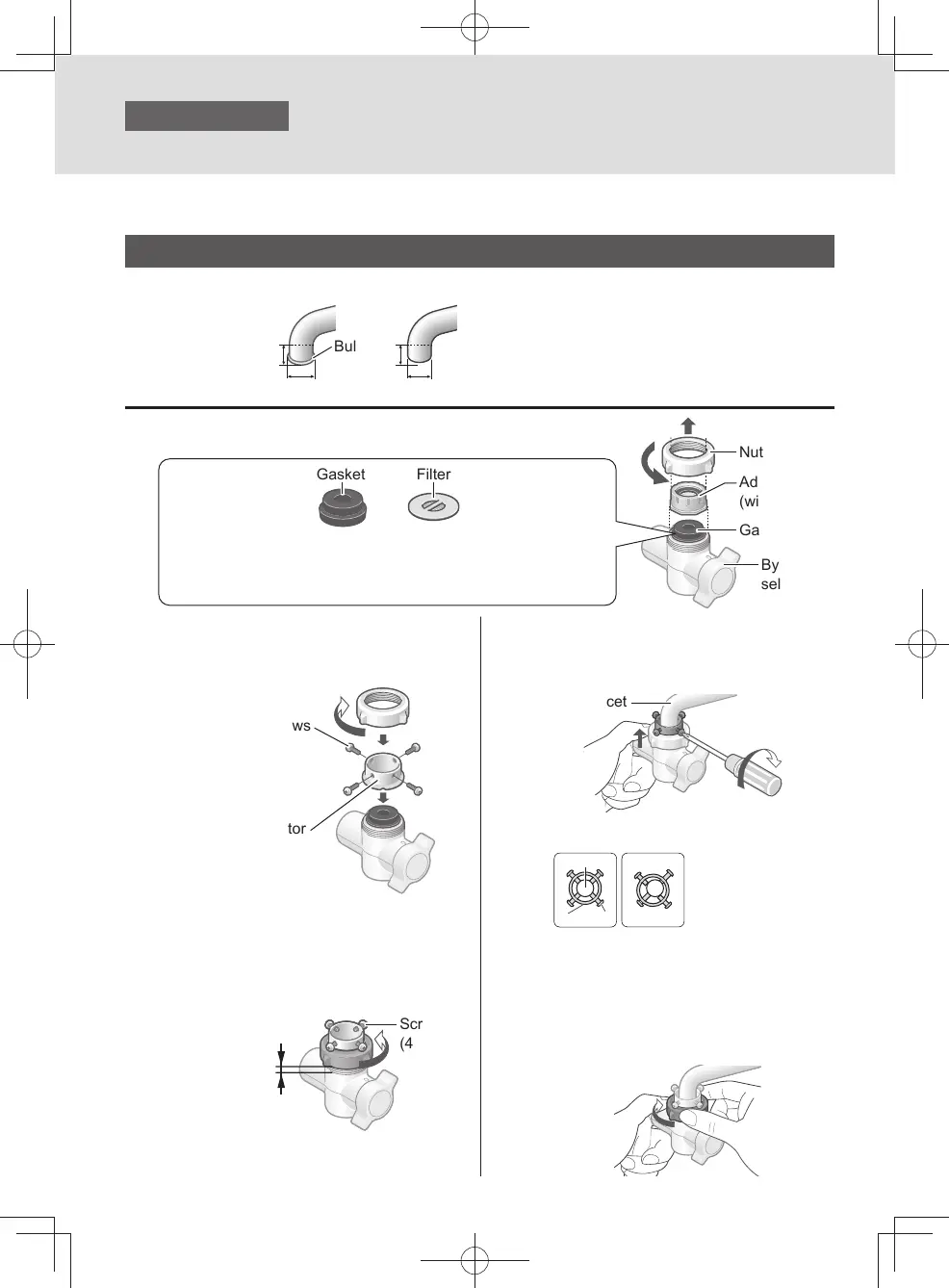
Attach the bypass selector
(continued)
①
11 mm or more
②
13 mm or more, less than 24 mm
y
Water faucet to which the bypass selector can be installed with an accessory.
Faucet without an aerator
1
Remove the nut and adaptor.
2
Insert the installation adaptor,
and tighten it with the nut.
Remove the screws
(4 pcs.)
Installation adaptor
(Accessory)
3
Tighten the 4 screws
temporarily and loosen the nut
to leave a 3 to 4 mm gap.
3 – 4 mm
Screws
(4 pcs.)
4
Push the bypass selector
against the faucet and install
the 4 screws as shown below.
Water faucet
z
Top view
①
Water faucet
②
Installation adaptor
③
Screws
②
③
< OK > < NG >
5
Tighten the nut until the bypass
selector does not turn.
z
Do not use any tools. (Doing so may
damage the nut.)
z
Make sure the bypass selector is
not inclined.
Nut
Gasket and Filter
Do not remove the gasket and the lter inside the bypass selector.
If these are removed, return them to the original position.
Make sure foreign matter is not attached to the lter and the gasket
is not inclined.
Gasket
Bypass
selector
Adaptor
(with gasket)
①
Bulge
Keep all parts that are not used during installation, as they may be needed later if the unit is moved or
the faucet is changed.
EN12
TK-CS500_01_EN.indd 11TK-CS500_01_EN.indd 11 2023/12/22 9:04:452023/12/22 9:04:45



 To Next Page