Replacing the Cartridge
(continued)
4
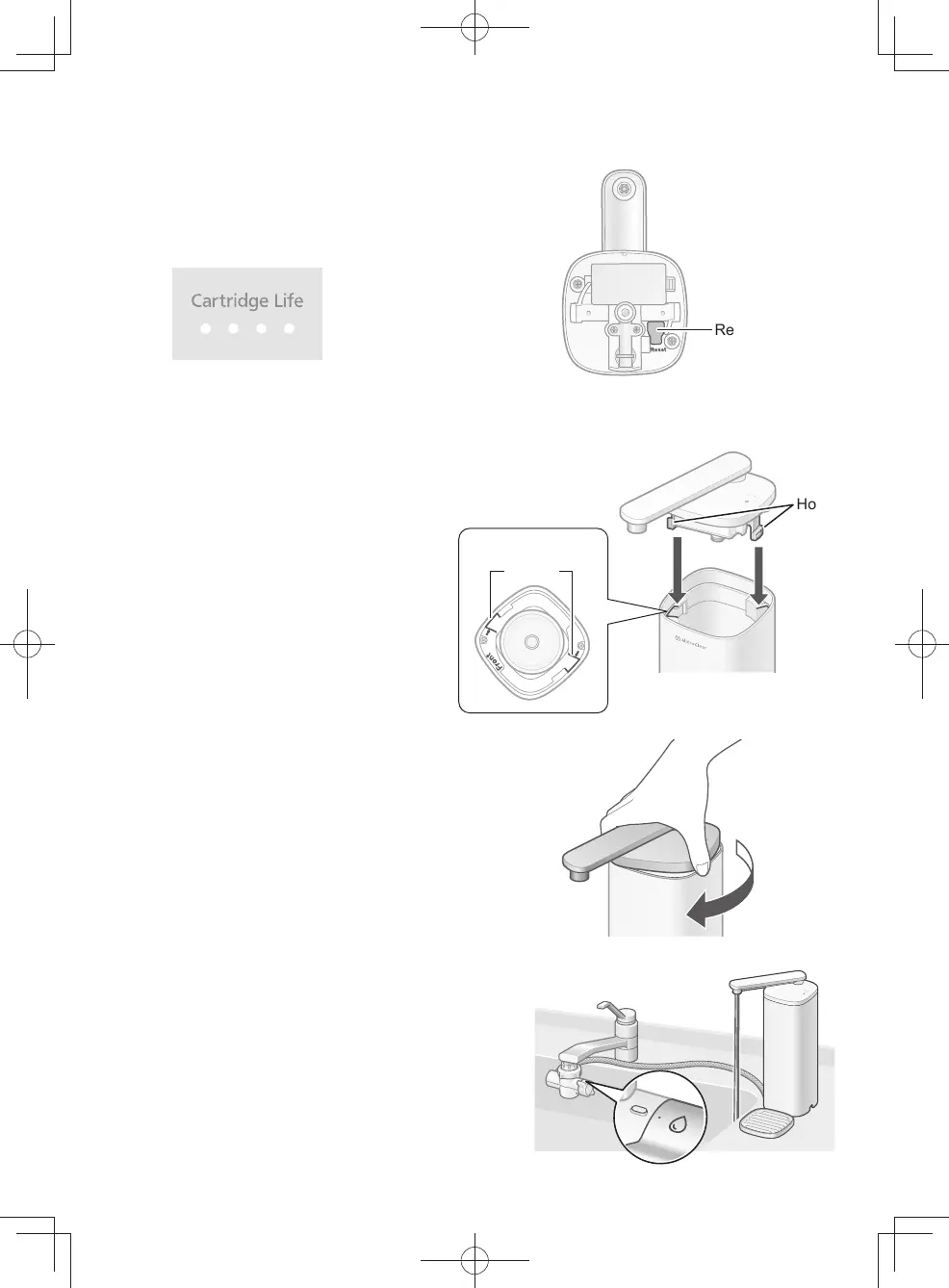
Press the reset button
(for approx. 3 seconds).
z
The four dots of the cartridge life indicator light.
(Approx. 3 seconds) (P. EN18)
z
Be sure to press reset button even when it is
replaced earlier than the replacement timing.
(To display the next replacement timing correctly)
Reset button
5
Attach the cover.
❶
Match the two hooks of the cover with the two
cutouts of the main unit.
Hook
❶ ❶
Top view
Cutout
❷
Turn the cover until it stops.
❷
6
Open the faucet, and
run puried water through the main
unit.
(for about 3 or 4 minutes)
EN20
TK-CS500_01_EN.indd 19TK-CS500_01_EN.indd 19 2024/03/21 14:52:382024/03/21 14:52:38



 To Next Page