21 File setting
21 File setting
21.1 Position, rotate and mirror all objects in a file
In the “File settings” tab, you can position, rotate or mirror all objects in a marking file.
• Go to the “Marking settings” screen and select “File settings”.
• You can specify different parameters to correct the marking position.
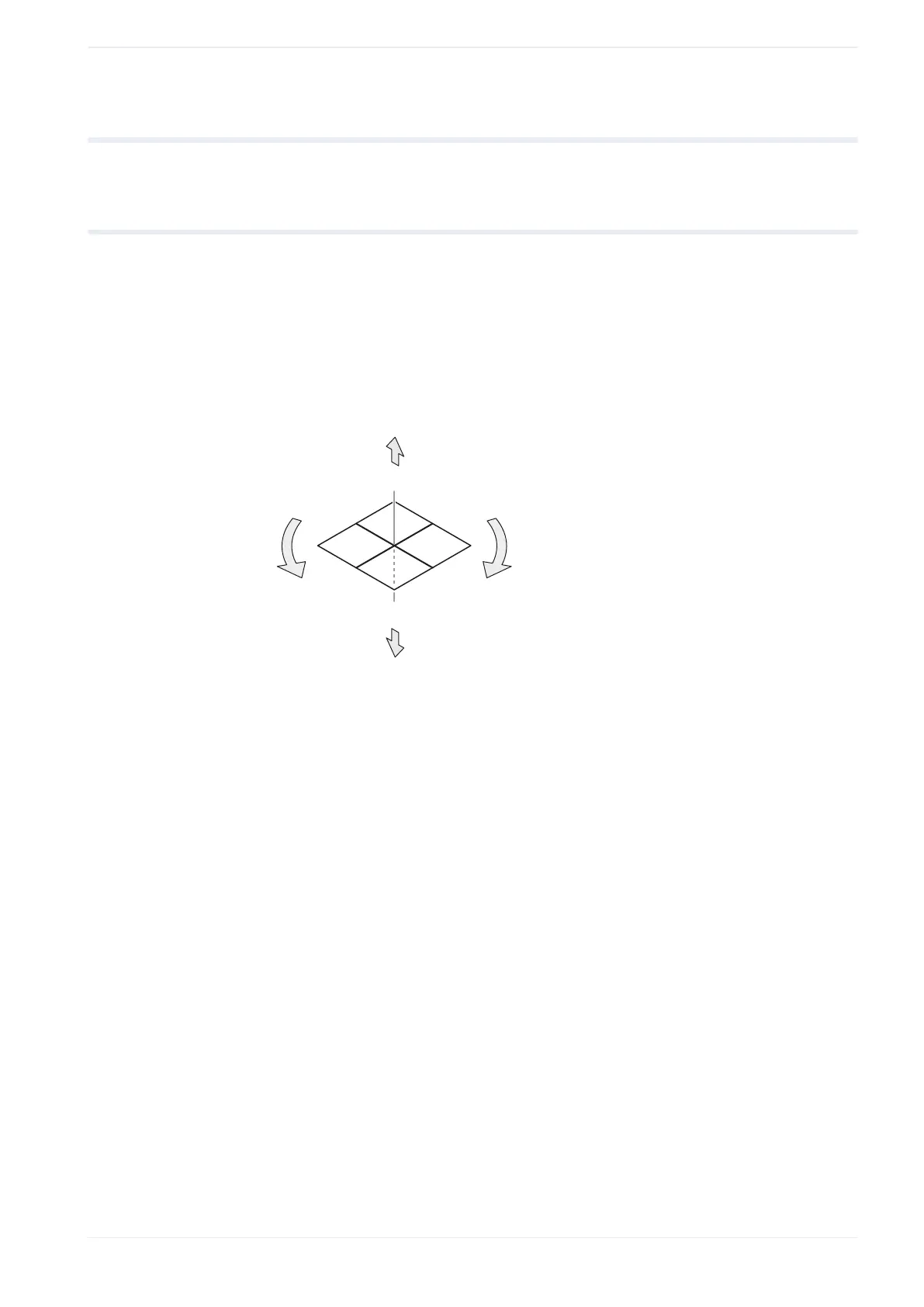
The following figure shows these parameters.
The reference point of the movement is the center of the marking field.
+Y
-Z
+X
-X
+Z
+
-
-Y
(1)
(2)
(3)
(5)
(4)
(1)
X-movement
(2)
Y-movement
(3)
Z-movement
(4)
Rotation (-)
(5)
Rotation (+)
• “X-movement [mm]”, “Y-movement [mm]”:
Enter a value to move all marking data in a file along the x-axis and y-axis.
The orientation of the x- and y-axis is defined by the head direction setting.
• “Z-movement [mm]” (LP-GS except LP-GS051-L):
Enter a value to position all marking data in the file along the z-axis.
• “Rotation movement [°]”:
Specify an angle to rotate all marking data in the file. The rotation center is the center
of the marking field. Enter a positive value for counterclockwise rotation and a negative
value for clockwise rotation.
• “X-axis mirroring”, “Y-axis mirroring”:
Select the axis across which you want all objects in a file to be mirrored. You can mirror
the objects across the x-axis, the y-axis or both.
ME-NAVIS2-OP-1 223



 To Next Page