3 Laser Marker NAVI smart basics
3 Laser Marker NAVI smart basics
3.1 User interface overview
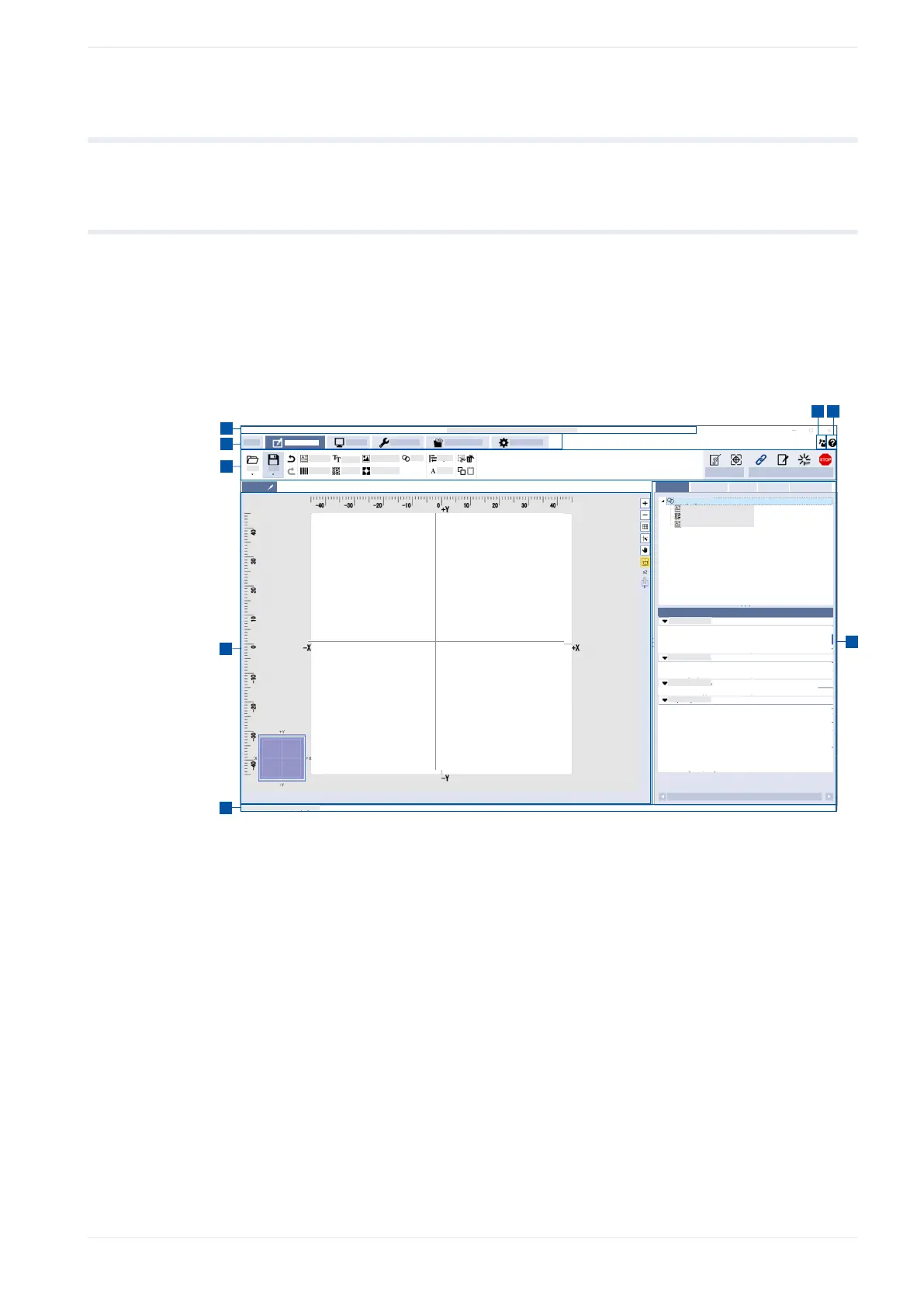
To create and edit marking files or configure the laser marking system, Laser Marker NAVI
smart provides various user interface elements, such as tools in the ribbon, icons, tabs and
screens.
The most important user interface elements are explained using the “Marking settings”
screen as an example.
1
2
3
4
5
6
78
(1)
Title bar
(2)
Screen tabs
(3)
Ribbon
(4)
Marking image editor
(5)
Status bar
(6)
Tabs to set the marking data
(7)
Help
(8)
User selection
Title bar (1)
The title bar across the top shows the version number of Laser Marker NAVI smart
and connection status “Online”, “Offline” (editing a marking file in offline mode) or
“Backup” (editing a backup in offline mode).
ME-NAVIS2-OP-1 31












 To Next Page