Network
60
- ENGLISH
Settings
Computer operation
Connection can be made with wired LAN. However, conrm to your system administrator on network settings
before changing any settings.
Turn on the computer.1 )
Make the network setting according to your system administrator.2 )
If the projector settings are the default settings (See page 57), the computer can be used with the
following network settings.
DHCP Off
IP address
192.168.10.10 0
Subnet mask 255.255.255.0
Default gateway 192.168.10.1
DNS 1/DNS 2 NONE
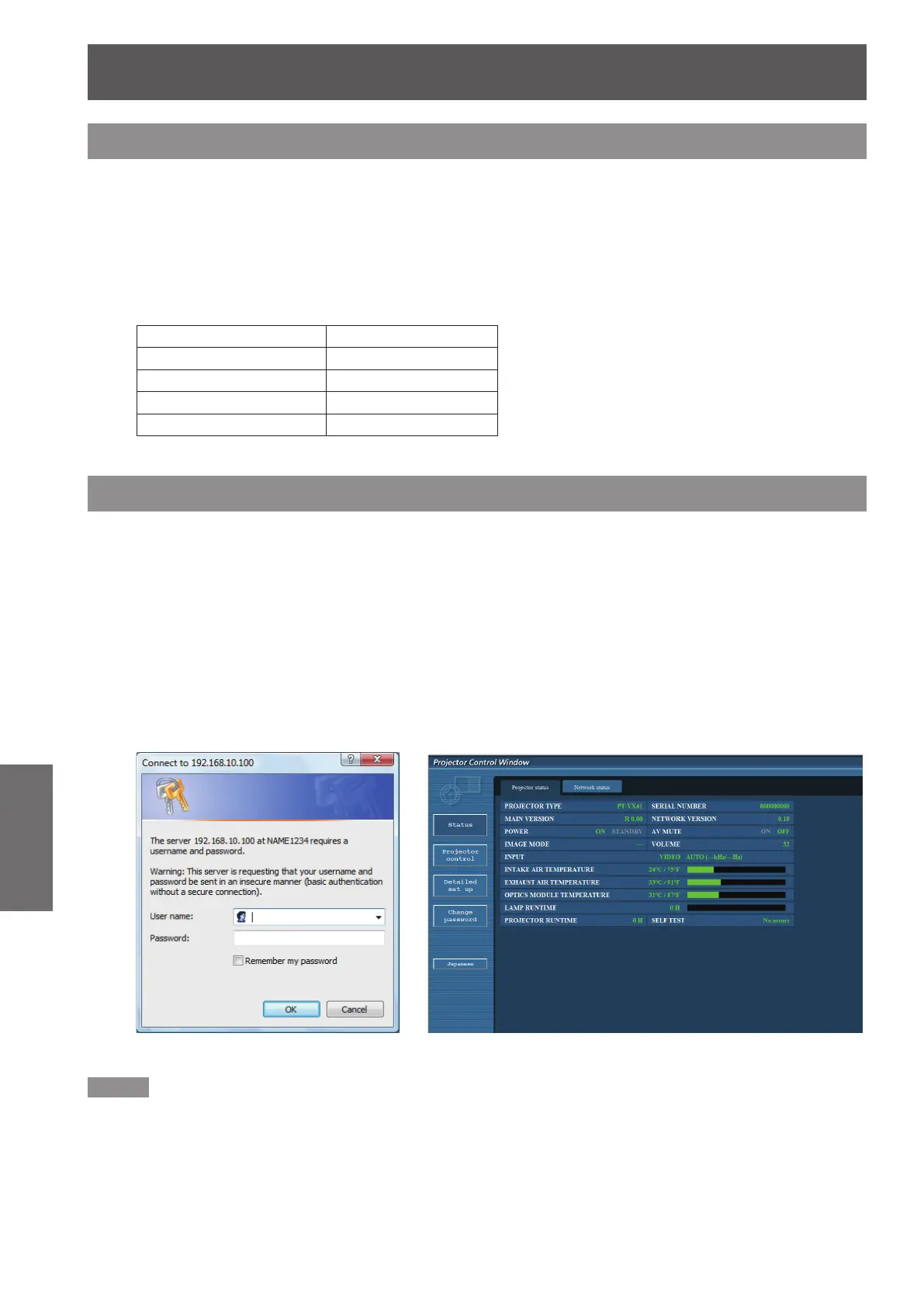
Accessing from the Web browser
Activate the Web browser in the personal computer.1 )
Enter the IP address set by the projector into the URL input eld of the Web browser.2 )
Enter your3 ) “User name” and “Password”.
z
The factory default settings are user1 (user privileges)
or admin1 (administrator privileges) for the use name
and panasonic (lowercase letters) for the password.
Click [OK] to display the Projector 4 )
status page.
z
“Projector status” page is displayed.
Note
Avoid activating two or more Web browser simultaneously to work out setting or control actions.
z
Change the password rst of all.
z
Administrator privileges enable the use of all functions. User privileges enable the use of only “Projector status”,
z
“Network status”, “Basic control”, and “Change password”.
If you want to control the projector using a Web browser, set [Network control] in the network menu to [On].
z
There are some control items used with the JavaScript function in the setting pages. If the web browser is set
z
not to use this JavaScript function, it may not control the projector properly.










 To Next Page