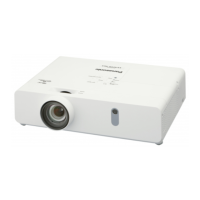
PT-VW345NZ
PT-VX415NZ
Accessories
Make sure the following accessories are provided with your projector. Numbers enclosed < > show the number of accessories.
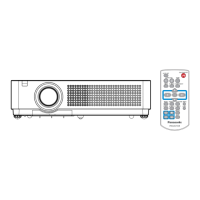
Wireless remote control unit <1>
(N2QAYA000068) (N2QAYA000067)
CD ROM <1>
(TXFQB02VLK6)
Power cord
(TXFSX02UXRZ)
AAA/R03 or AAA/LR03 battery <2>
(
for remote control unit)
(TXFSX02UYAZ) VGA cable <1>
(K1HY15YY0012)
(TXFSX02UFEZ) String <1>
(6103504711)
(TXFSX02UTRZ) Lens cap <1>
(TKKL5568)
Attention
f After unpacking the projector, discard the power cord cap and packaging material properly.
f Do not use the supplied power cord for devices other than this projector.
f For lost accessories, consult your dealer.
f Store small parts in an appropriate manner, and keep them away from young children.
Note
f The type and number of the power cord depend on the country in which you purchased the product.
f The model numbers of accessories are subject to change without prior notice.
f The supplied string is used for lens cap, refer to “Attaching the Lens Cap” (
Æ
page 119).
22 -
ENGLISH
Chapter 1 Preparation - Precautions for use



 To Next Page


