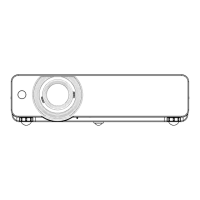
ON(G)/STANDBY(R) indicator
The <ON(G)/STANDBY(R)> indicator informs you the status of the power. Conrm the status of the <ON(G)/STANDBY(R)>
indicator before operating the projector.
Indicator status Status
Off The power cord is unplugged.
Red
Lit
The power cord is plugged.
The [STANDBY MODE] is set to [ECO] when the projector is in standby mode and the cooling is
completed.
Blinking
The power is switched off (in standby mode). The [STANDBY MODE] is set to [NETWORK].*
1
The power is switched off (in standby mode). The [STANDBY MODE] is set to [NORMAL].*
2
Orange Lit
The projector is cooling down.
The power is switched off after a while. (Changes to the standby mode.)
Green
Lit Projecting.
Blinking
The power is on and the lamp is not working. The [POWER MANAGEMENT] is set to
[READY].*
3
The lamp starts work. The projector will project image after a while.*
4
*1: The indicator will light as the following order:
2.75 seconds (light) → 0.25 seconds (off) → 0.75 seconds (light) → 0.25 seconds (off)
*2: The indicator will light as the following order:
2.75 seconds (light) → 0.25 seconds (off)
*3: The indicator will light as the following order:
2.0 seconds (light) → 2.0 seconds (off)
*4: The indicator will light as the following order:
0.5 seconds (light) → 0.5 seconds (off)
<ON(G)/STANDBY(R)> indicator
ENGLISH
-
41
Chapter 3 Basic Operations - Powering on/off



 To Next Page


