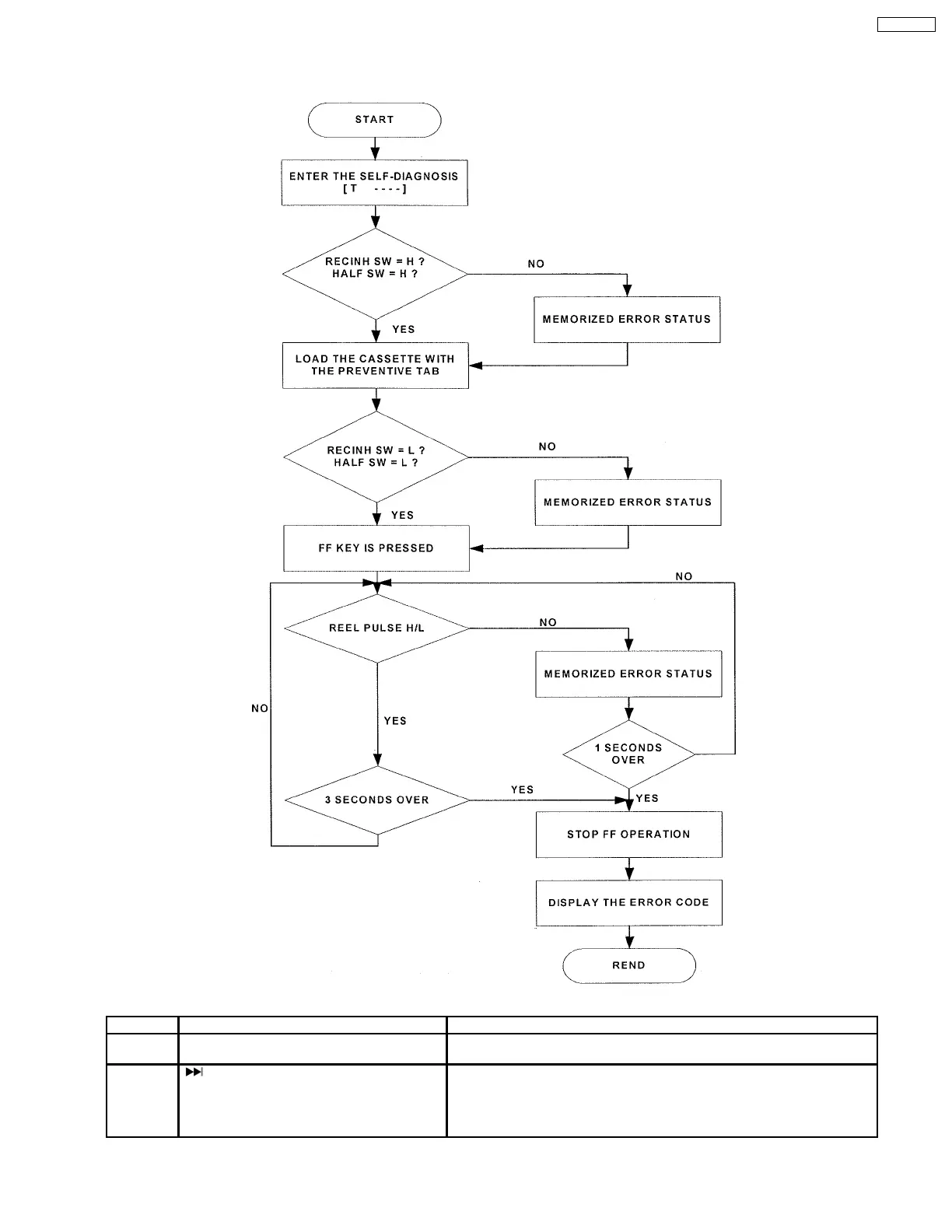
by the software.
5. After the tape stops, the Error codes will be displayed by toggling the STOPn key. For more detail explanation, refer to the
(Figure 12-2).
Figure 12-2
No. Operation Procedures Micon operation & processing
1 C-mecha Abnormal Detection shall be
executed for DECK 1 only.
Check that all DECK mechanism leaf SW are in OFF state.
2 [ ] key is pressed, after loading in a
NORMAL type cassette with the recording tab
on the left side removed.
FF shall be executed for 2 sec, afterwhich STOP.
Check the following.
{ F.REC INH SW } is OFF
{ HALF SW } is ON
Reel pulse toggles between H & L.
31
SA-PM21PC








 To Next Page