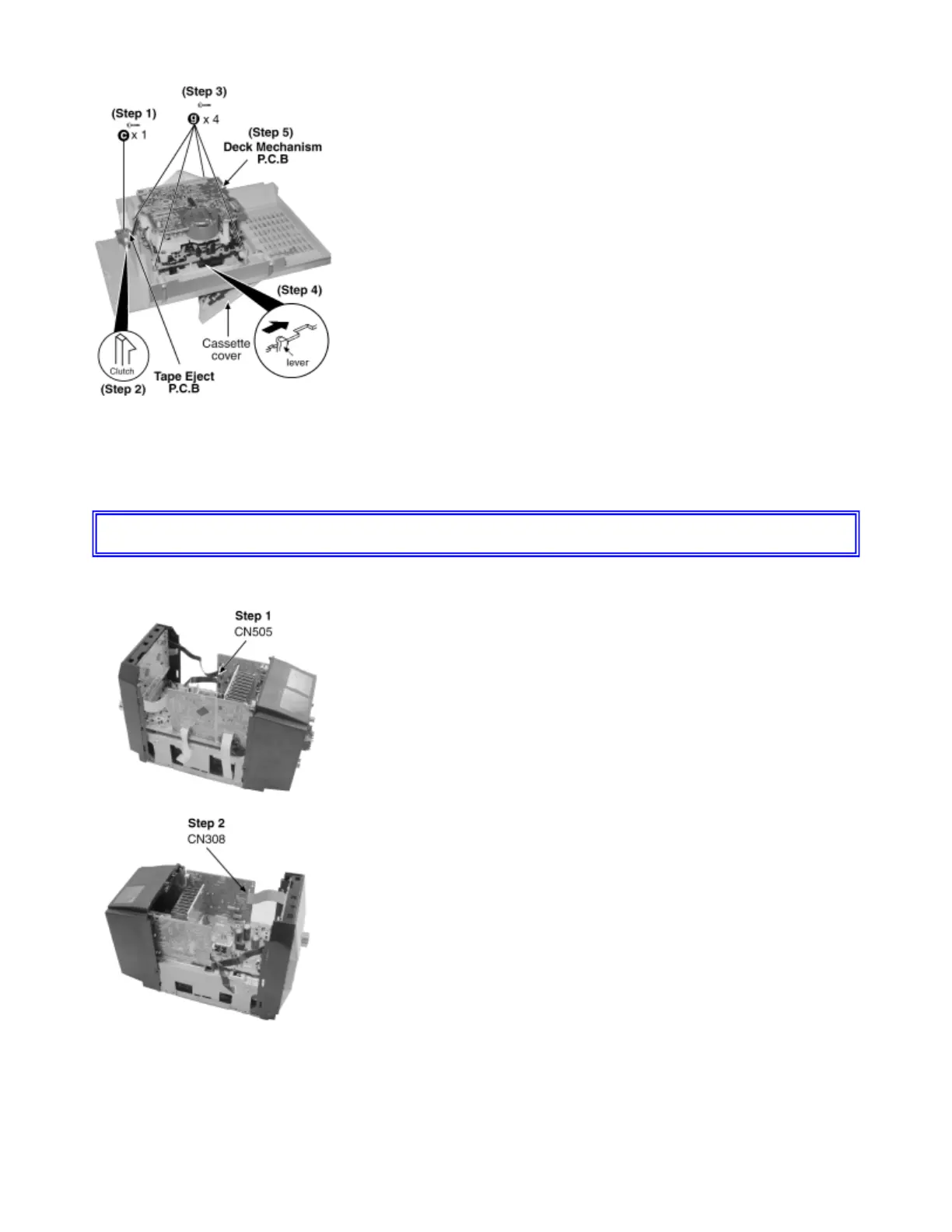
Step 1 : Remove the screw.
Step 2 : Release Clutch.
Step 3 : Remove all the screws.
Step 4 : Press the lever to open the cassette cover.
Step 5 : Remove the cassette mechanism unit.
11.5 Disassembly of Front Panel
z Follow the (Step 1) - (Step 6) of Item 11.2.
z Follow the (Step 1) - (Step 3) of Item 11.3.
Step 1 : Remove the CN505 Connector.
Step 2 : Remove the FFC CN308.









 To Next Page