Step 2 : Unsolder the terminals of Power Amp IC, transistor and replace the component.
11.13 Procedure for Replacing Cassette Holder
z Follow the (Step 1) - (Step 6) of Item 11.2.
z Follow the (Step 1) - (Step 3) of Item 11.3.
z Follow the (Step 1) - (Step 5) of Item 11.4.
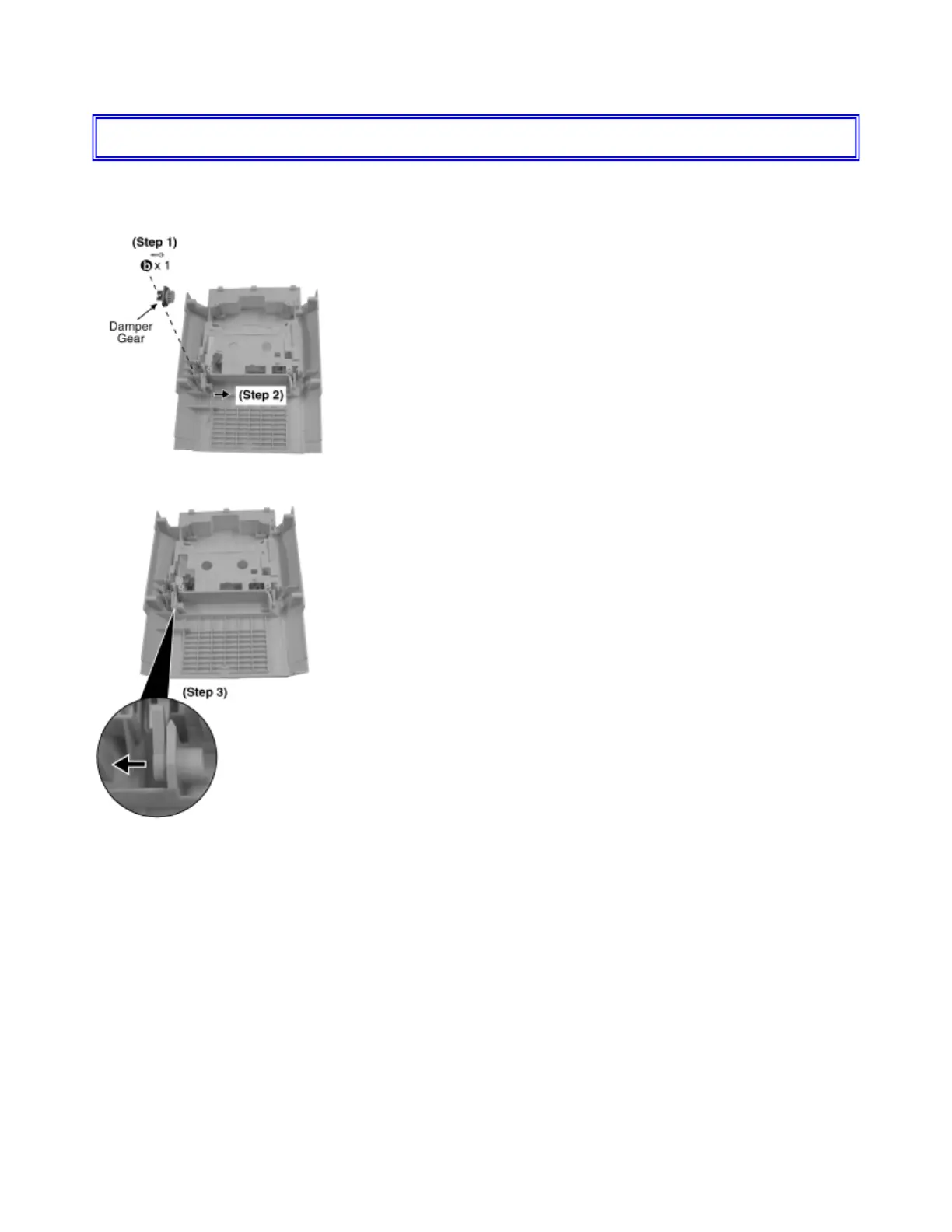
Step 1 : Remove the screw.
Step 2 : Remove the cassette open spring as arrow shown.
Step 3 : Remove the left cassette holder as arrow shown.



 To Next Page