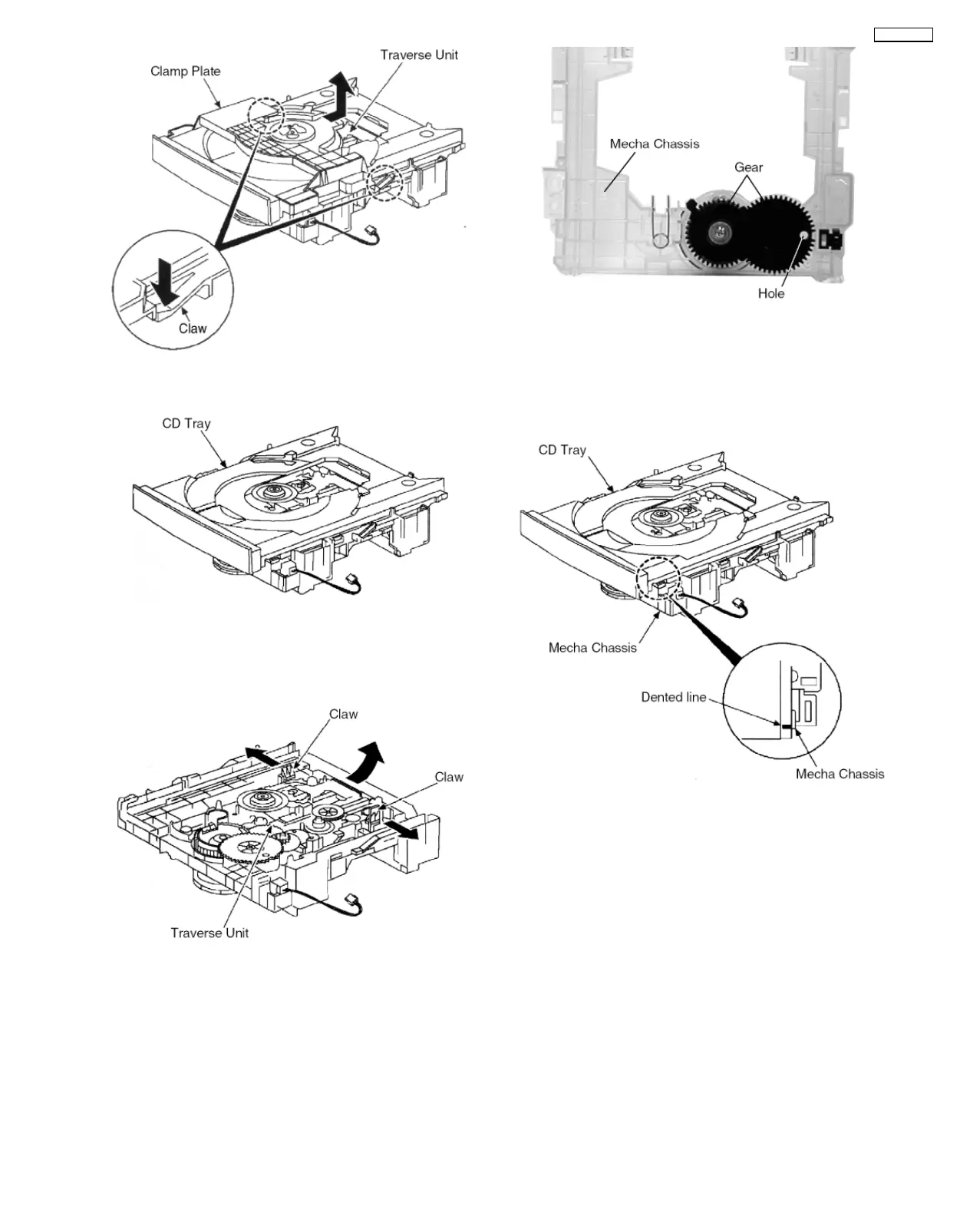
Step 2 Release the 2 claws and remove the clamp plate in the
direction of the arrow.
Step 3 Lift up the CD Tray to remove it.
8.2.2. Disassembly of the CD Traverse
Unit.
Step 1 Release the 2 claws and remove the CD Traverse Unit
in the direction of the arrow.
NOTE :
1. Follow the reverse procedure to replace the CD Traverse
Unit and CD Tray.
2. Make sure that the 2 gear is in position shown above and
the hole on the right gear is align with the hole below it
when replacing the CD Traverse Unit and CD Tray.
NOTE : When replacing the CD Tray, make sure the Dented
line is at the position as shown.
13
SA-PM30MD









 To Next Page