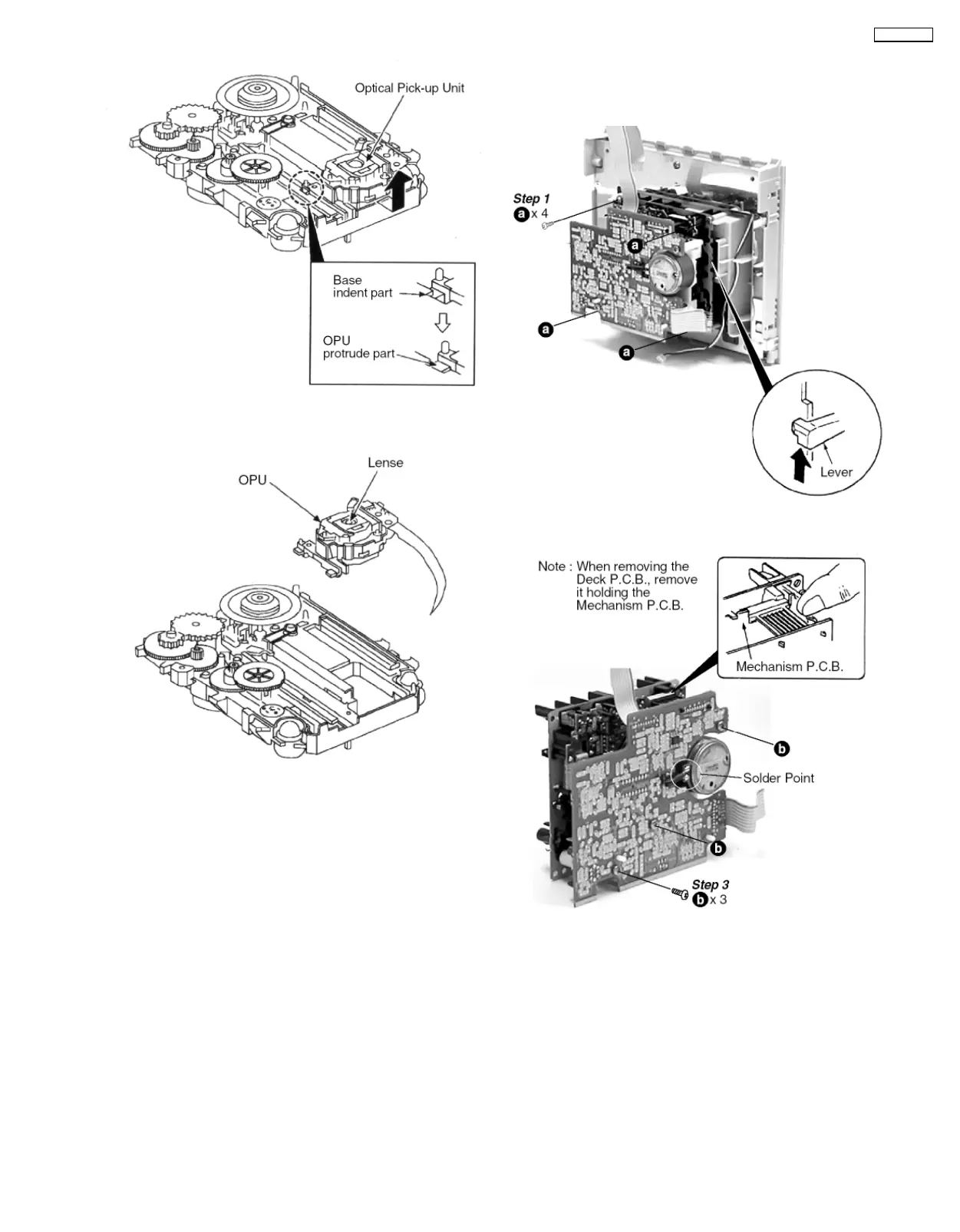
Step 7 Slide out the Optical Pick-up Unit from the indent
opening.
NOTE : Do not touch the Lense on the OPU.
8.3.2. Removal of the Deck P.C.B. and
Mechanism P.C.B. for replacing
parts.
Step 2 Push the lever upward to open the cassette lid and
remove the deck unit.
Step 4 Desolder the motor wires.
Step 5 Remove the Deck P.C.B.
15
SA-PM30MD









 To Next Page