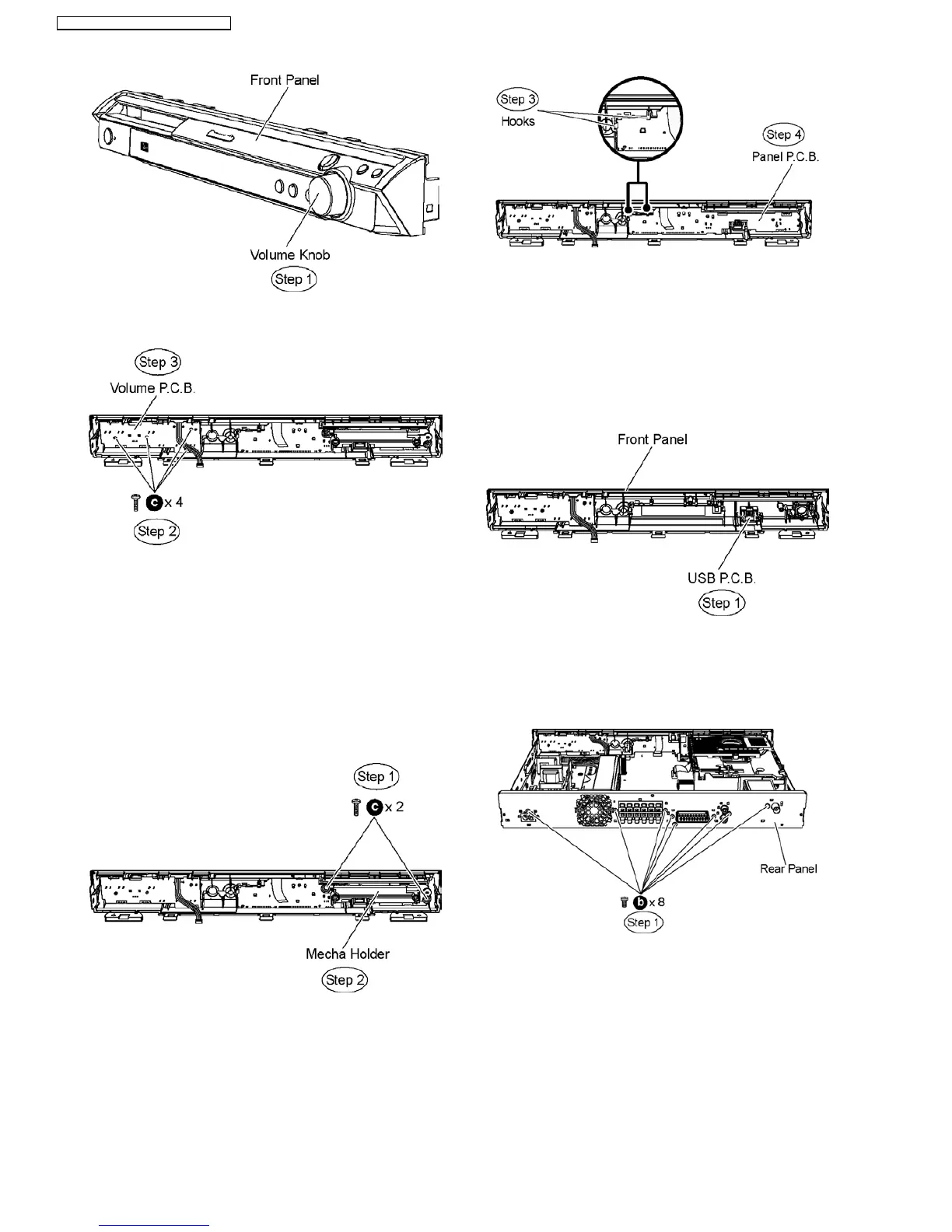
Step 2 Remove 4 screws from Volume P.C.B..
Step 3 Remove Volume P.C.B.
9.7. Disassembly of Panel P.C.B.
•
• •
• Follow (Step 1) to (Step 3) of Item 9.3.
•
• •
• Follow (Step 1) to (Step 4) of Item 9.4.
•
• •
• Follow (Step 1) to (Step 7) of Item 9.5.
•
• •
• Disassembly of Mecha Holder.
Step 1 Remove 2 screws.
Step 2 Remove the mecha holder.
•
• •
• Disassembly of Panel P.C.B.
Step 3 Release 2 hooks.
Step 4 Remove Panel P.C.B.
9.8. Disassembly of USB P.C.B.
•
• •
• Follow (Step 1) to (Step 3) of Item 9.3.
•
• •
• Follow (Step 1) to (Step 4) of Item 9.4.
•
• •
• Follow (Step 1) to (Step 7) of Item 9.5.
•
• •
• Follow (Step 1) to (Step 4) of Item 9.7.
Step 1 Remove USB P.C.B.
9.9. Disassembly of Rear panel
•
• •
• Follow (Step 1) to (Step 3) of Item 9.3.
Step 1 Remove 8 screws from the rear panel.
Step 2 Remove the fan wire clamper to detach the fan unit
connector (CN5704) on Main P.C.B.
Step 3 Release the tab on each side of the rear panel in the
direction of arrows.
Step 4 Remove the rear panel.
40
SA-PT160E / SA-PT160EB / SA-PT160EG












 To Next Page