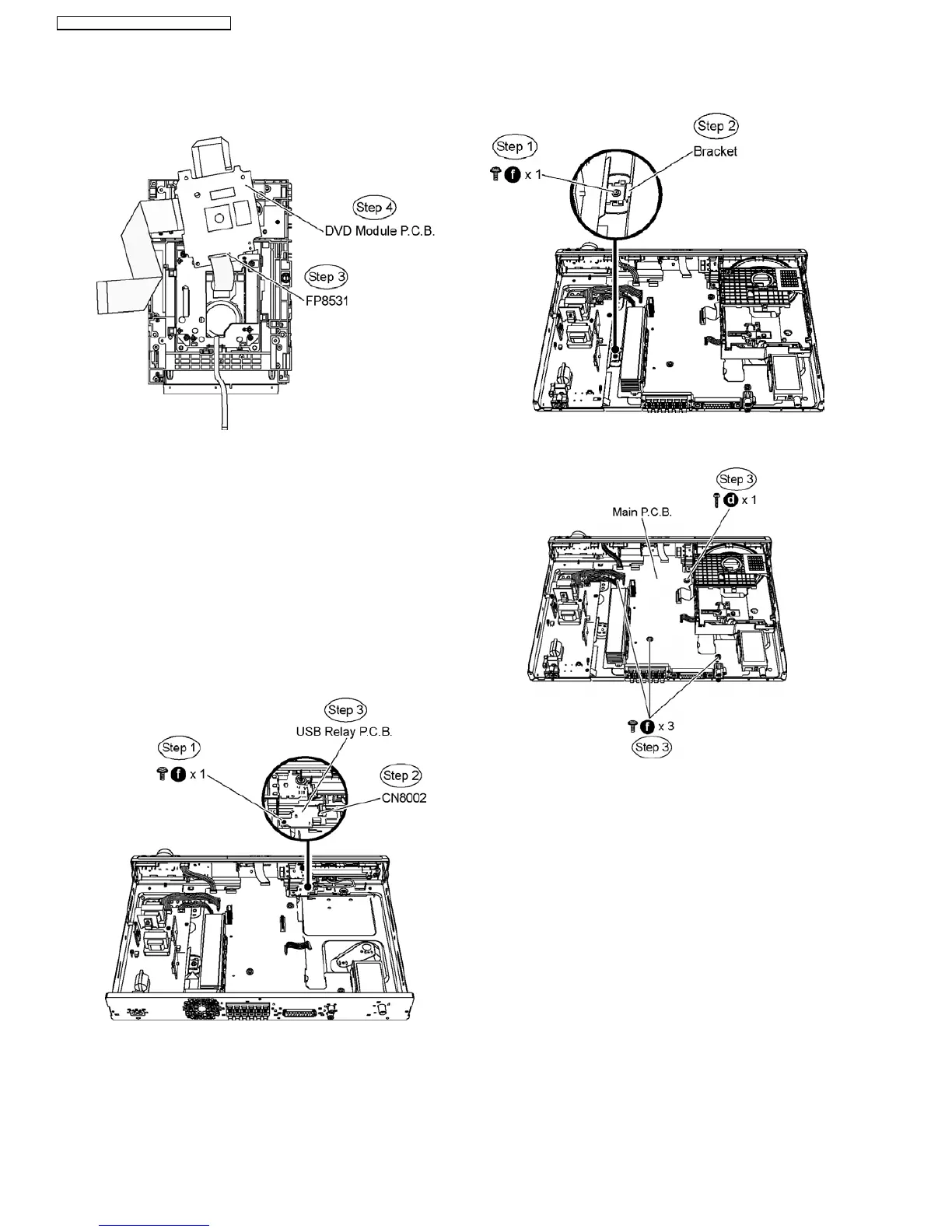
Step 3 Turn over DVD Module P.C.B. and detach FFC cable
from the connector (FP8531).
Step 4 Remove DVD Module P.C.B.
Caution : Do not use strong or excessive force to avoid
damage to FFC cables.
9.12. Disassembly of USB Relay
P.C.B.
•
• •
• Follow (Step 1) to (Step 3) of Item 9.3.
•
• •
• Follow (Step 1) to (Step 4) of Item 9.4.
•
• •
• Follow (Step 1) to (Step 4) of Item 9.10.
Step 1 Remove 1 screw.
Step 2 Detach FFC cable from the connector (CN8002).
Step 3 Lift up and remove USB Relay P.C.B.
9.13. Disassembly of Main P.C.B.
•
• •
• Follow (Step 1) to (Step 3) of Item 9.3.
•
• •
• Follow (Step 1) to (Step 4) of Item 9.9.
•
• •
• Disassembly of Bracket.
Step 1 Remove 1 screw from the bracket.
Step 2 Remove the bracket.
•
• •
• Disassembly of Main P.C.B.
Step 3 Remove4screwsonMainP.C.B.
Step 4 Detach FFC cable from the connectors (CN2 & CN3) on
SMPS Module P.C.B., (CN2001,CN2005 & CN2007) on Main
P.C.B. and (CS901) on Tray Loading P.C.B.
Step 5 Remove Main P.C.B.
42
SA-PT160E / SA-PT160EB / SA-PT160EG












 To Next Page