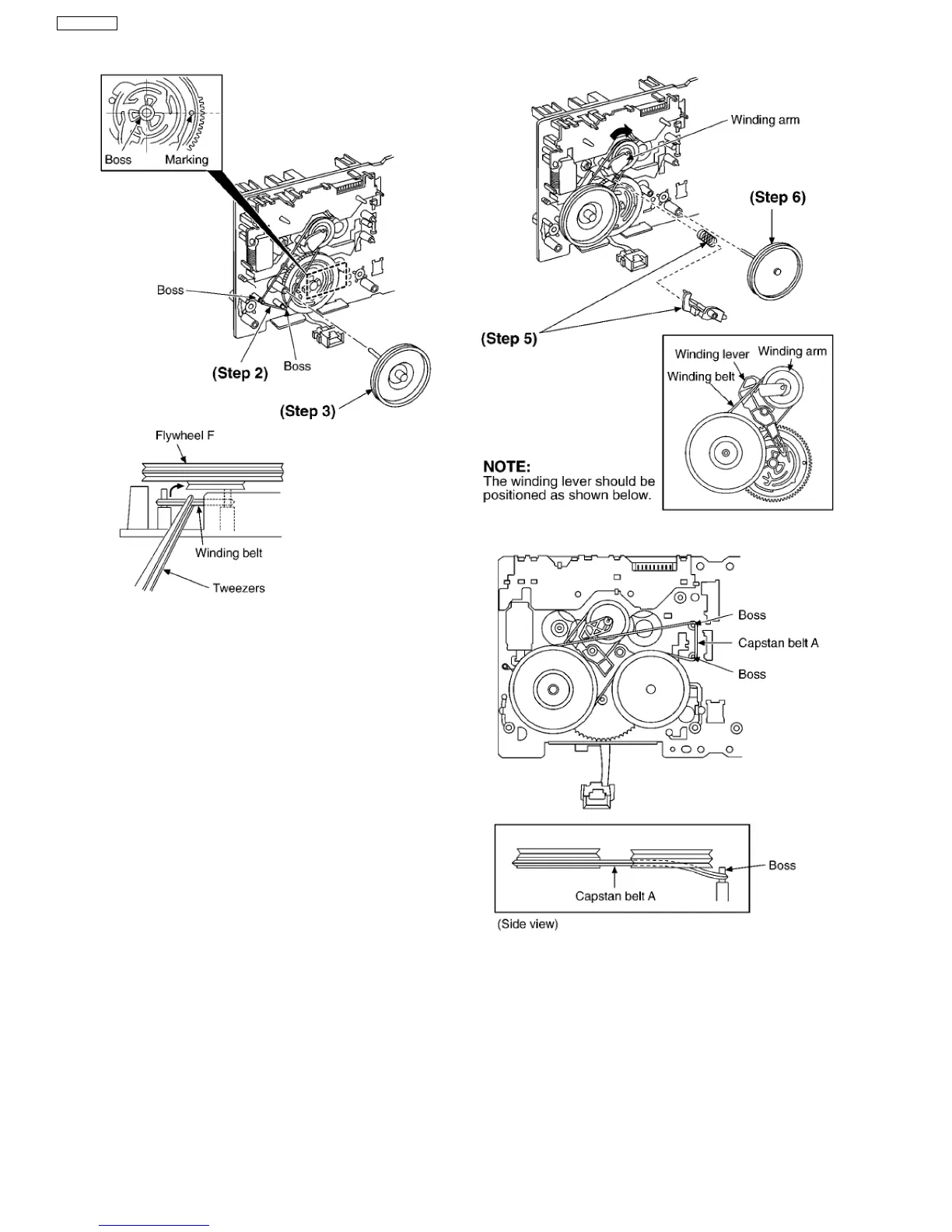
Step 2 Put the winding belt on the pulley temporarily.
Step 3 Install the flywheel F.
Step 4 Put the winding belt on the flywheel F.
Step 5 Install the winding lever and spring while pressing the
winding arm in the direction of arrow.
Step 6 Install the flywheel R.
Step 7 Put the capstan belt A temporarily as shown below.
Step 8 Put the capstan belt B on the motor ass’y pulley.
Step 9 Install the sub chassis to the mechanism, and then
tighten screws.
52
SA-VK61DGS












 To Next Page