12
Disc operations
RQT7509
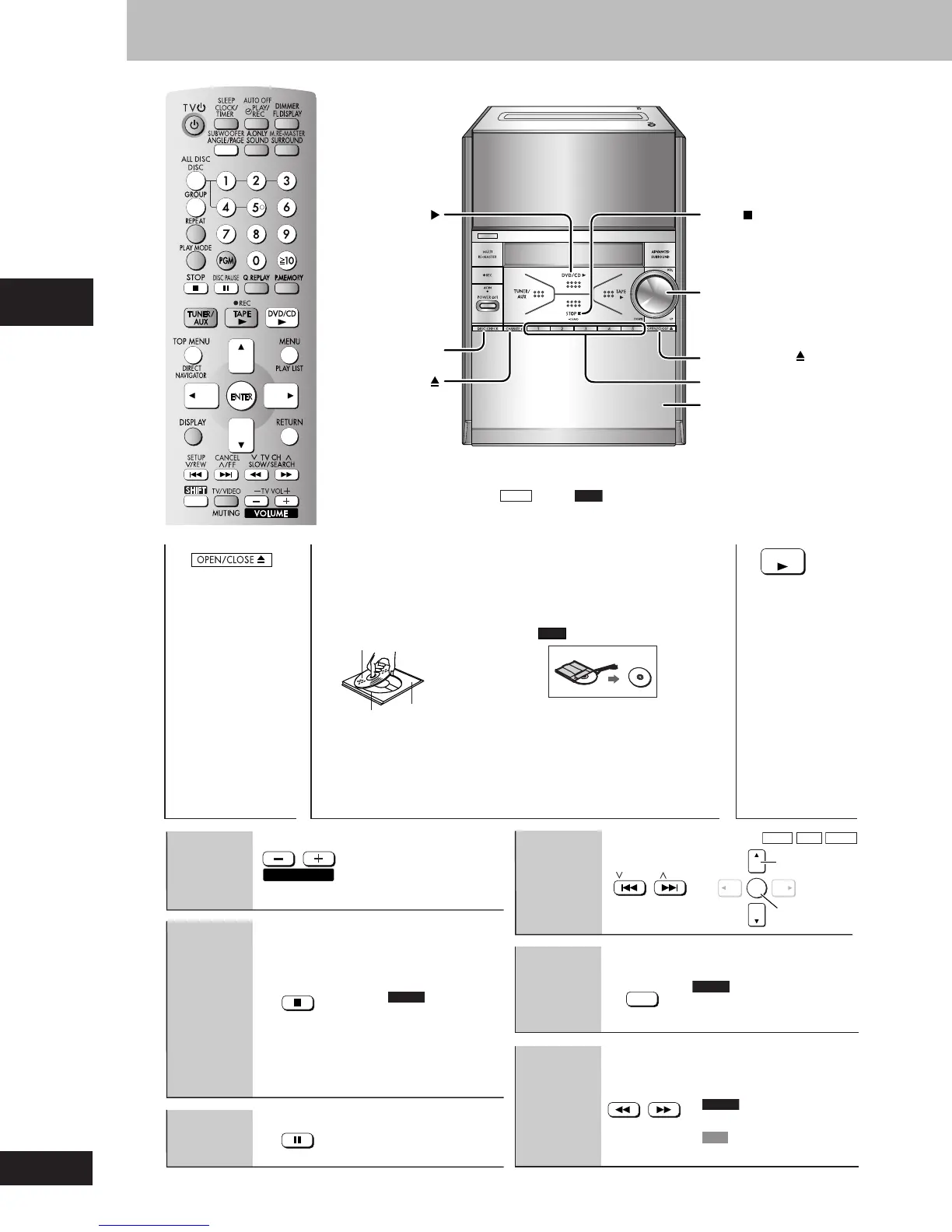
Discs — Basic play
•
If the disc contains both audio data (WMA and MP3) and JPEG, select “Audio” to
play WMA/MP3, “Picture” to play JPEG or “All” to play both audio and picture while the
menu is displayed (except
JPEG
files on
RAM
disc). You can also access the menu by
pressing [TOP MENU].
1
Open the disc
tray.
•
The unit turns on
automatically and
a tray opens.
3
Close the disc
tray.
2
Place disc.
•
Load double-sided discs
so the label for the side
you want to play is facing
up. (A page 37, Tray/disc
handling procedure)
•
Remove TYPE 2 and 4
discs from their cartridges
before use.
Read the instructions for the
disc carefully.
4
Start play.
The stopped play position is
memorized when “RESUME” is
displayed.
•
Press [: DVD/CD] to
resume.
DVD-V
To review
the previous chapters
(A page 14, Position
memory).
•
Press [L STOP] to clear the
position.
•
Press [: DVD/CD] to restart
play.
(Group skip
WMA
MP3
JPEG
)
DVD-A
•
To select still pictures.
•
Up to 5 steps.
•
Press [: DVD/CD] to restart
play.
•
DVD-A
Motion picture parts
only.
•
VCD
Slow motion, forward
direction only.
VOL UP/DOWN
STOP ,
–DEMO
1– 5
Disc trays
DISC
CHECK
CHANGE
OPEN/CLOSE
DVD/CD
Label must face
upward.
Disc tray
Tray
number
Stop
1
RAM
DVD
/
CD
STOP
Page skip
(during play
or pause)
Skip
Pause
DISC PAUSE
Volume
adjustment
/
FF
/
REW
ANGLE
/
PAGE
Search
(during play)
Slow-motion
(during pause)
SLOW
/
SEARCH
VOLUME
ENTER
Select
Confirm
RQT7509_12_21_new2 2/18/04, 1:22 PM12















 To Next Page