Other functions
28
RQT7509
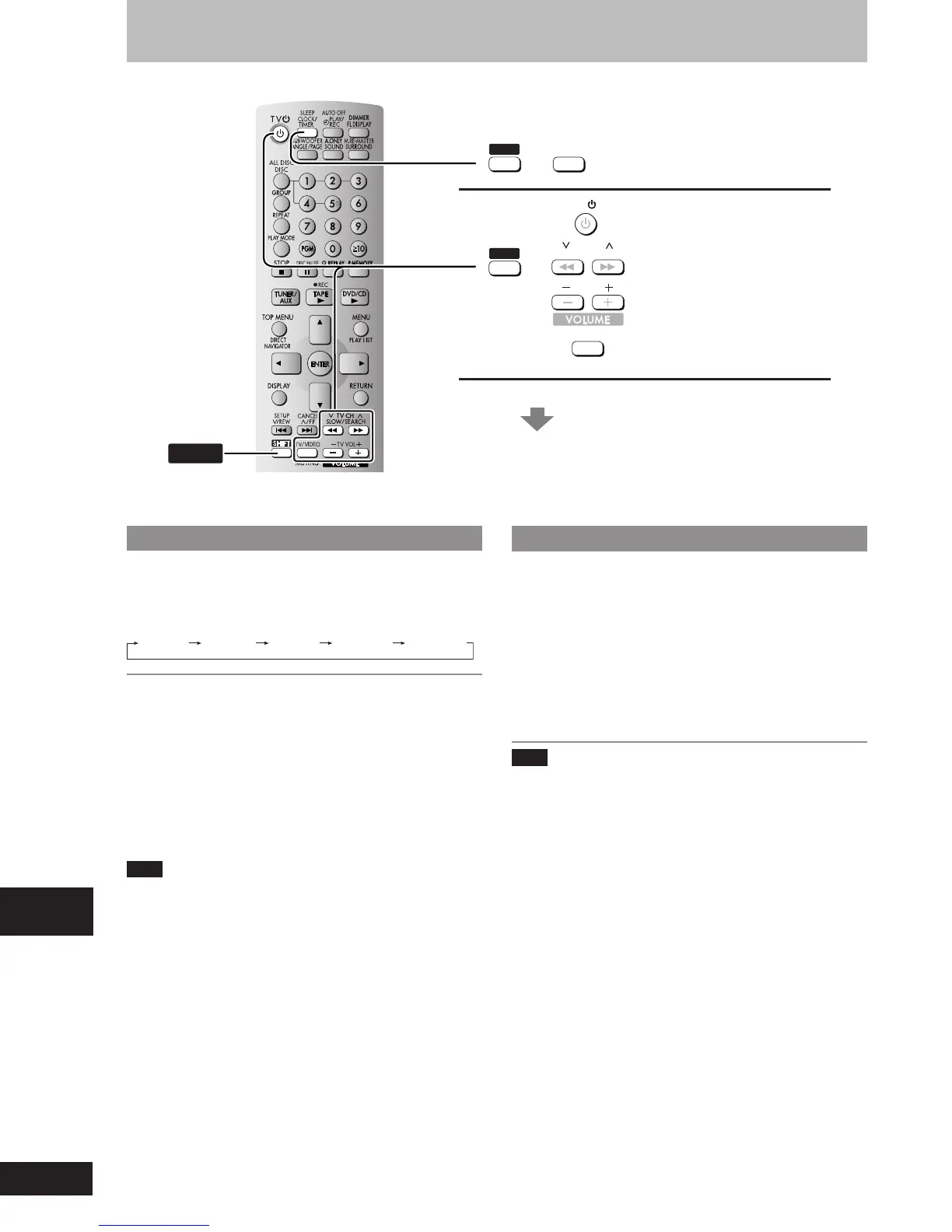
The sleep timer
This timer turns the unit off after a set time.
While enjoying the desired source:
Press [SHIFT] + [SLEEP] to select the time (minutes).
Every time you press the button:
SLEEP 30
SLEEP 60 SLEEP 90 SLEEP 120
SLEEP OFF
To cancel the sleep timer
Press [SHIFT]+[SLEEP] to select “SLEEP OFF”.
To confirm the remaining time
Press [SHIFT]+[SLEEP] once.
The remaining time is shown for about 5 seconds.
To change the setting
Press [SHIFT]+[SLEEP] to select the new setting.
You can use the sleep timer in combination with the play/record
timer.
Make sure the unit is off before the play/record timer’s start time.
Note
The sleep timer will be turned off when you start recording from a
disc.
Operating a television
Face the remote control at the television for the following opera-
tions.
Turning the television on/off
Press [SHIFT] + [TV
ff
ff
f].
Switching the television’s video input mode
Press [SHIFT] + [TV/VIDEO].
Changing channels
Press [SHIFT] + [
4 4
4 4
4 TV CH] or [SHIFT] + [TV CH
33
33
3].
Adjusting the volume
Press [SHIFT] + [– TV VOL] or [SHIFT] + [TV VOL +].
Note
Some models cannot be operated by this remote control.
SHIFT
Sleep timer
TV operation
See below for details.
SHIFT
+
SLEEP
CLOCK/
TIMER
SHIFT
+
SLOW
/
SEARCH
TV CH
TV
/
VIDEO
MUTING
TV VOL
TV
Convenient functions
RQT7509_26_32 2/10/04, 7:32 PM28















 To Next Page