18
Disc operations
RQT7509
ENTER
DIRECT
NAVIGATOR
Select
Select
ENTER
1
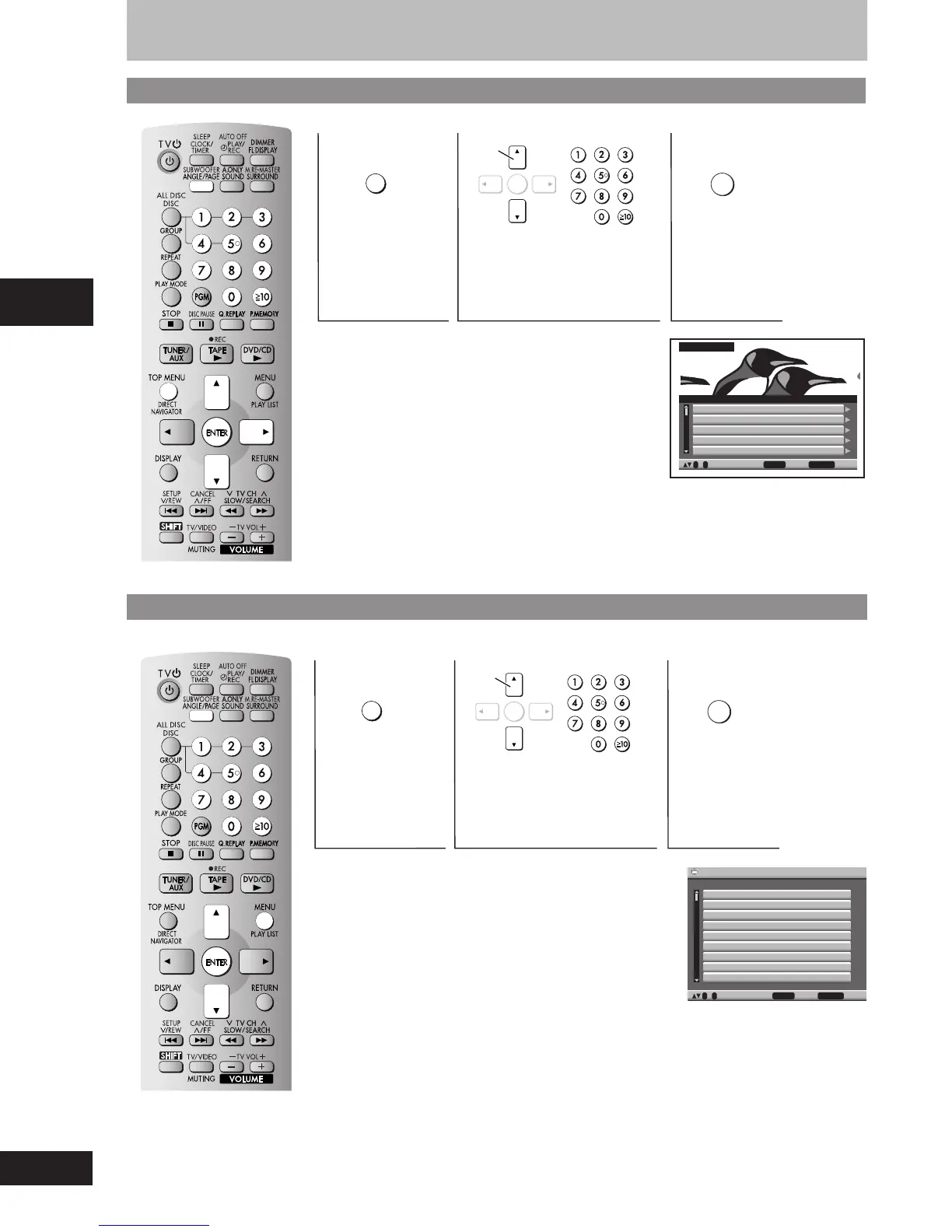
Shows the
program list.
Discs — Using navigation menus
2
Select the item.
The selected program
plays in the background.
•
Titles appear only if you have entered them.
•
You cannot change program and disc titles.
•
Press [-] to show the contents of the program.
•
Press [ANGLE/PAGE] to skip 5 lines at a time.
Indication on the unit’s display.
PG: Program number
Using the play list on DVD-RAM
ENTER
Select
Select
ENTER
PLAY
LIST
1
Shows the
play list menu.
2
Select the item.
You can play a group of scenes and a play list created on
other equipment such as a DVD video recorder.
•
The play list can be selected only if the disc contains a play list.
•
Press [ANGLE/PAGE] to skip 10 lines at a time.
Indication on the unit’s display.
PL: Play list number
Playing programs on DVD-RAM
1 11/ 1(WED) 12:05 Friends of a feather
2 1/ 1(MON) 1:05 Sunny day
3 2/ 2(TUE) 2:21 Penguins habitat
4 3/ 3(WED) 3:37 Irresistible
5 4/ 10(THU) 11:05 Hot cakes
No. Date On Title Contents
RETURN to exit
0 ~ 9 to select and press ENTER
DIRECT NAVIGATOR
1 11/
1 0:00:01 I’m only a woman
2 1/
1 0:01:20 Sunny day
3 2/
2 1:10:04 Breathless
4 3/
3 0:10:20 Irresistible
5 4/
10 0:00:01 Hot cakes
No. Date Length Title
RETURN to exit
0 ~ 9 to select and press ENTER
Playlist
3
Press to
confirm.
3
Press to
confirm.
RQT7509_12_21_new2 2/23/04, 1:40 PM18















 To Next Page