25
RQT7509
Sound field and sound
quality operations
Advanced Surround
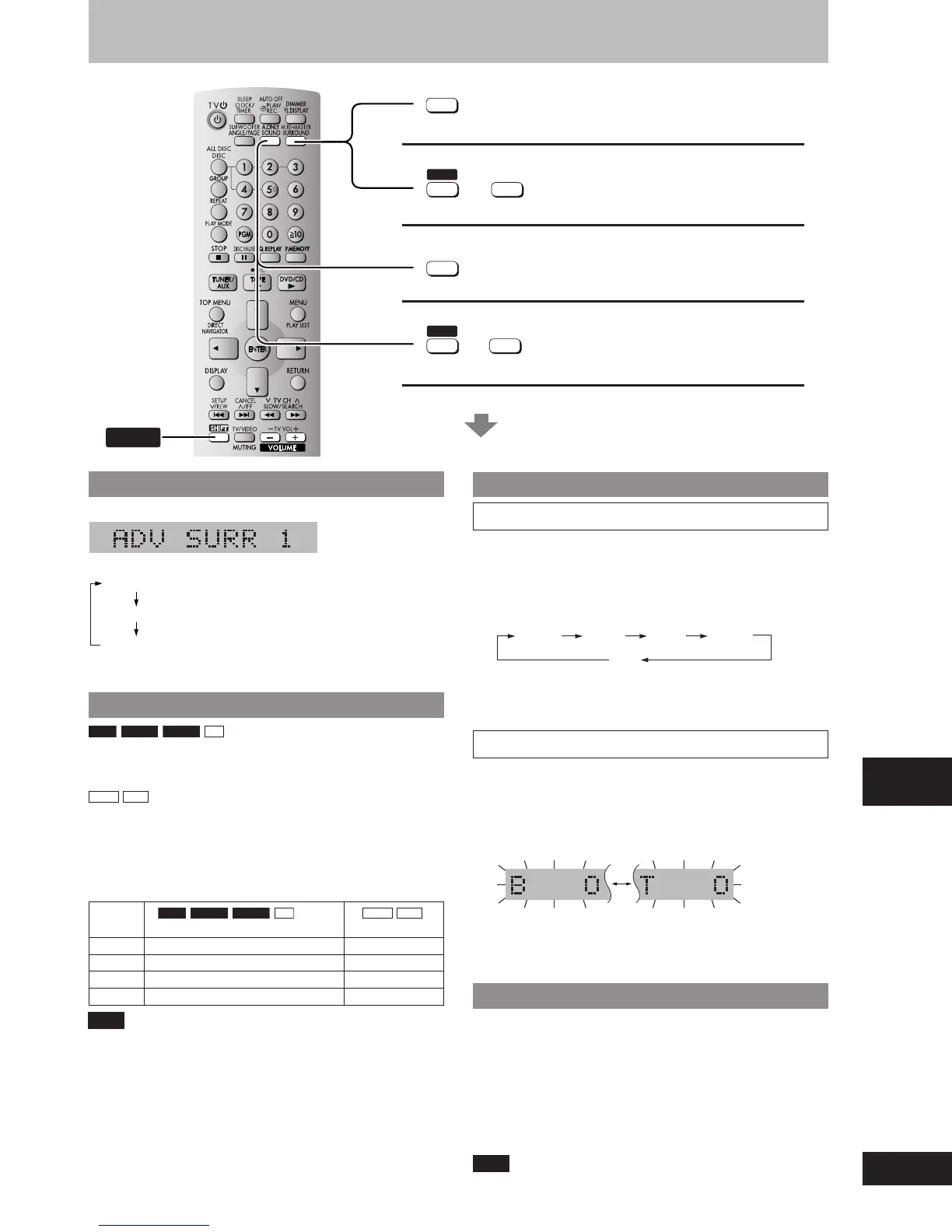
Press [SURROUND] (main unit: [ADVANCED SURROUND]).
Every time you press the button:
ADV SURR 1: Natural effect
ADV SURR 2: Enhanced effect
SURR OFF: Cancel (factory preset)
(A page 20, Audio Menu)
Multi Re-master — Enjoying more natural sound
RAM
DVD-A
DVD-V
CD
Discs recorded with multi channels LPCM at 44.1 kHz or 48 kHz
This feature gives you a more natural sound by adding the higher
frequency signals not recorded on the disc.
WMA
MP3
Discs recorded at 44.1 kHz or 48 kHz
This feature reproduces the frequencies lost during recording to give
you a sound closer to the original.
During play
Every time you press [SHIFT]+[M.RE-MASTER]
(main unit: [MULTI RE-MASTER]):
Setting
RAM
DVD-A
DVD-V
CD
WMA
MP3
Type of music Effect level
1 High tempo (e.g., pops and rock) Light
2 Various tempos (e.g., jazz) Medium
3 Low tempo (e.g., classical) Strong
Off Off Off
Note
The actual output sampling frequency depends on the PCM Digital
Output setting (A page 31, PCM Digital Output) when using a digital
connection (A page 32, Home Theater — Enjoying more powerful
sound).
Sound field and sound quality
SHIFT
M.RE-MASTER
SURROUND
Advanced Surround
Changing sound field and quality
To enjoy even higher quality sound
Multi Re-master
(During play)
See below for details.
SHIFT
M.RE-MASTER
SURROUND
A.ONLY
SOUND
A.ONLY
SOUND
+
SHIFT
+
Changing sound field and quality
Preset EQ
1 Press and hold [SOUND] to select “PRESET EQ”.
Every time you press and hold the button:
MANUAL EQ
↔
PRESET EQ
2 Press [SOUND] to select a setting.
Every time you press the button:
HEAVY CLEAR SOFT VOCAL
OFF
HEAVY: Adds punch to rock
CLEAR: Clarifies higher sounds
SOFT: For background music
VOCAL: Adds gloss to vocal
Manual EQ
1 Press and hold [SOUND] to select “MANUAL EQ”.
Every time you press and hold the button:
MANUAL EQ
↔
PRESET EQ
2 Press [SOUND] to select a setting.
Every time you press the button:
Bass Treble
3 Press [–, +, VOLUME] while either “B” (Bass) or
“T” (Treble) is flashing to change the level.
To enjoy even higher quality sound—AUDIO ONLY
You can enjoy higher quality audio by stopping the video output.
During play
Press [SHIFT] + [A.ONLY].
•
AUDIO ONLY is cancelled if you press [SHIFT]+[A.ONLY] again or
switch the unit to standby.
•
There is output to the screen only when:
–
the disc is stopped.
–
performing operations such as searching.
–
on screen display is displayed.
Note
The feature may not work depending on the discs’ recording.
RQT7509_25 2/19/04, 4:37 PM25















 To Next Page