30
TH-50VX100U / TH-50VX100E
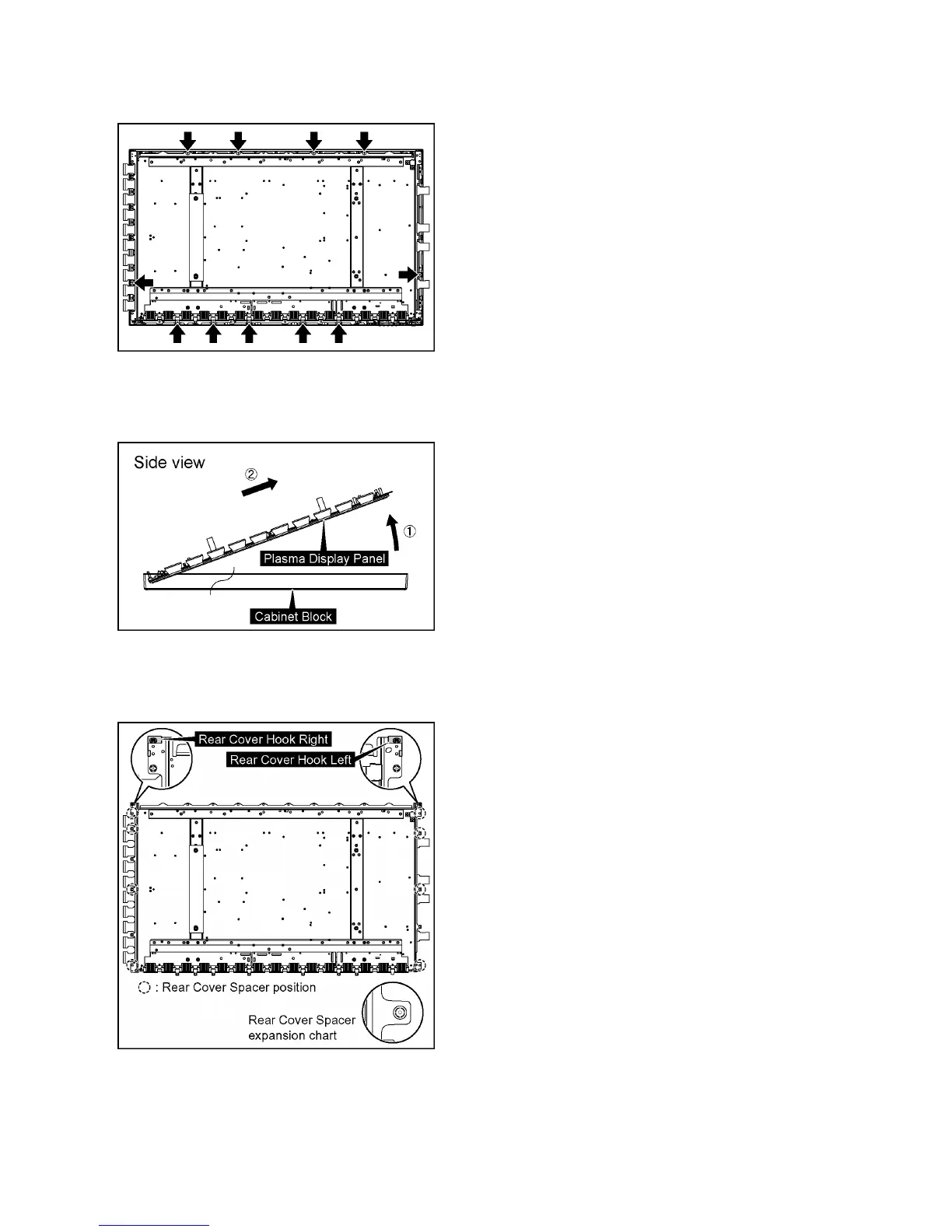
27. Remove 11 screws.
28. Pull the bottom of the Plasma Display Panel forward
(arrow1).
29. Slide the Plasma Display Panel and then remove the
Plasma Display Panel (arrow2).
30. Remove the Rear Cover Hook Right and Rear Cover
Hook Left from the Plasma Display Panel.
31. Remove 8 Rear Cover Spacers and 8 Rear Cover Spacer
Rings from the Plasma Display Panel.
Caution:
• Please confirm the installation place of Rear Cover Hook
Right, Rear Cover Hook Left, Rear Cover Spacers and
Rear Cover Spacer Rings when you exchange the
Plasma Display Panel, and install them in an original
installation place after exchanging the Plasma Display
Panel.



 To Next Page