57
English
■ [Vertical scale]
Set the vertical scale in the multi display.
1 to 10 (1 to 2 for USB input)
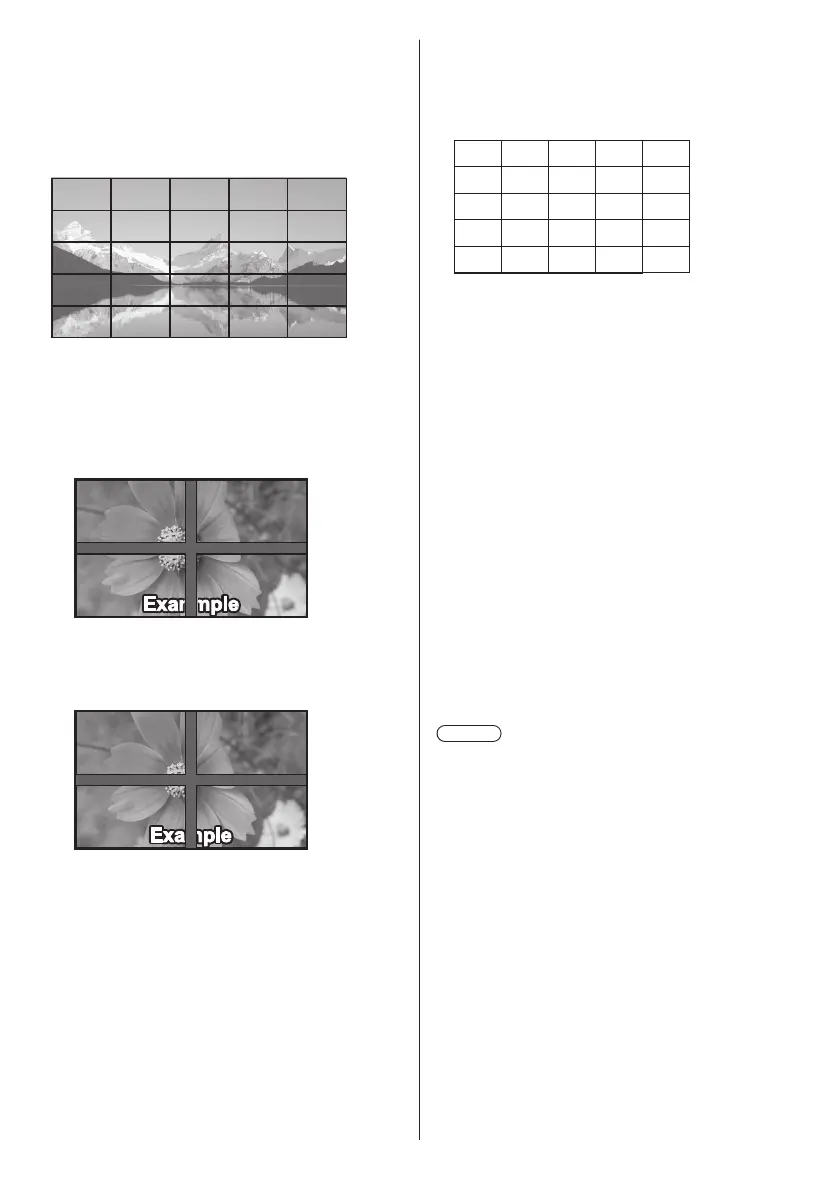
Example:
[Horizontal scale] [5] and [Vertical scale] [5] is set in the
multi display
■ [Bezel H adjustment], [Bezel V adjustment]
Adjust the area of image hidden in the joint horizontally
and vertically respectively.
0 to 100
Display example
Setting value: 0
Displays the entire image including the joint area.
(Suitable when displaying character information on
PC.)
Setting value: 100
Does not display the image of the joint area.
(Suitable when displaying motion pictures.)
■ [Location]
Assign the multi display position.
Example:
[Horizontal scale] [10], [Vertical scale] [10]
A1 A2
....
....
....
....
B1 B2
.... ....
A9
B9
....
J1 J2 J9
I1 I2 I9
A10
B10
....
I10
J10
Select from A1 to J10.
●
The displayed content for setting changes
according to the settings for the [Horizontal scale]
and [Vertical scale].
●
By setting [Multi display setting] to [Off], it is
possible to check the location on the screen while
the setting menu is displayed.
■ [Frame control]
Adjusts the image display timing to display motion
pictures more naturally in one screen composed of
multiple screens.
[Auto]:
When [Multi display setting] is set to [On], the image
display timing is automatically set in accordance with
[Location] of vertical direction.
However, when [Multi display setting] is set to [Off],
the image display timing adjustment value is fixed to
[0] (not adjusted).
1 to 5:
Image display timing adjusted value (manual setting)
This function is operated regardless of the setting in
[Multi display setting] ([On] / [Off]).
Note
●
When any of [1] to [5] is set, and signals over a
vertical frequency of 60Hz are input, the unit may not
perform control operation as intended.
Also, if signals over 1080 dots in a longitudinal
direction are input, a screen error may occur.
●
When changing the setting of this function, picture
disturbance may occur. This is not a malfunction.










 To Next Page