EasyManua.ls Logo

Panasonic TH-65SF2U - User Manual

Panasonic TH-65SF2U
127 pages
Print Icon
To Next Page IconTo Next Page
Loading...
Operating Instructions
Functional Manual
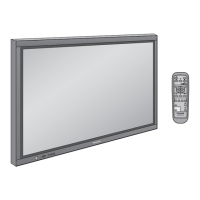
FULL HD LCD Display For business use
Model No. TH-65SF2U
65-inch model
TH-65SF2E
65-inch model
TH-55SF2U
55-inch model
TH-55SF2E
55-inch model
TH-49SF2U
49-inch model
TH-49SF2E
49-inch model
TH-43SF2U
43-inch model
TH-43SF2E
43-inch model
English
Please read these instructions before operating your set
and retain them for future reference.
*
This manual is common to all the models regardless of suffixes of the
model number.
U : for US, Canada and Mexico
E : for EU and CIS
DPQP1157ZA
EU

Table of Contents

Other manuals for Panasonic TH-65SF2U

Questions and Answers

  • G
    Gregory CoxSep 9, 2025
    How to fix RS-232C when it's uncontrollable on Panasonic TH-65SF2U (TH-65SF2E)?
    • R
      Robert FisherSep 9, 2025
      If the RS-232C is uncontrollable on your Panasonic Monitor (TH-65SF2E), check the connection. To control RS-232C with the Display’s SERIAL IN terminal: Check that [Network settings] - [Serial control] is set to [SERIAL IN]. To control RS-232C with the twisted pair cable transmitter: Check that [Network settings] - [Serial control] is set to [DIGITAL LINK], [Network settings] - [Network control] is set to [On] and [DIGITAL LINK mode] is set to [Auto], [DIGITAL LINK] or [Long reach].
  • K
    Kenneth DanielsSep 12, 2025
    Why can't I use the [Controller ID function] on my Panasonic TH-65SF2U Monitor?
    • M
      Marissa DiazSep 12, 2025
      If the [Controller ID function] cannot be used on your Panasonic Monitor (when using an ID remote controller), check whether [Controller ID function] is set to [On], or switch is set to . When [Controller ID function] is set to [On], you need to set switch to and set the ID number.
  • A
    Angela LopezSep 14, 2025
    What to do if there is no picture or sound from Panasonic TH-65SF2U's [DIGITAL LINK] terminal?
    • Z
      zrobertsSep 14, 2025
      If there is no picture or sound from the [DIGITAL LINK] terminal on your Panasonic Monitor, check the connection between the video (output) equipment and twisted pair cable transmitter, and between the transmitter and the monitor. Also, ensure that [Network settings] - [DIGITAL LINK mode] is not set to [Ethernet].
  • A
    ashley46Sep 16, 2025
    Why can a file play on Panasonic TH-65SF2U's “USB media player” but not “Memory viewer”?
    • H
      Henry WilsonSep 16, 2025
      Check the playback file specifications of “USB media player” and “Memory viewer” for your Panasonic Monitor.

Summary

Accessories

Connections

AC cord connection and fixing; Cable fixing

Instructions for connecting and securing the AC power cord.

Setup menu

Signal

Settings for signal input, including YUV/RGB, noise reduction, etc.

Using Network Function

Necessary environment for computers to be connected

Requirements for connecting computers to the network.

Using Web Browser Control

Before Using Web Browser Control

Prerequisites and setup for using the web browser.

USB media player

About HDMI-CEC function

Data Cloning

Copying data to other display via LAN

Process for copying display data over a network.

ID Remote Control Function

Troubleshooting

Panasonic TH-65SF2U Specifications

General IconGeneral
Screen Size65 inches
Panel TypeIPS
Brightness350 cd/m²
Contrast Ratio1200:1
Response Time8 ms
Refresh Rate60 Hz
HDMI Ports3
USB Ports2
Output TerminalsAudio Out
VESA Mounting400 x 400 mm
Operating Temperature0°C to 40°C
Resolution3840 x 2160
Viewing Angle178°
Input TerminalsHDMI, USB
Built-in SpeakersYes
Operating SystemNone (Commercial Display)

Related product manuals