29
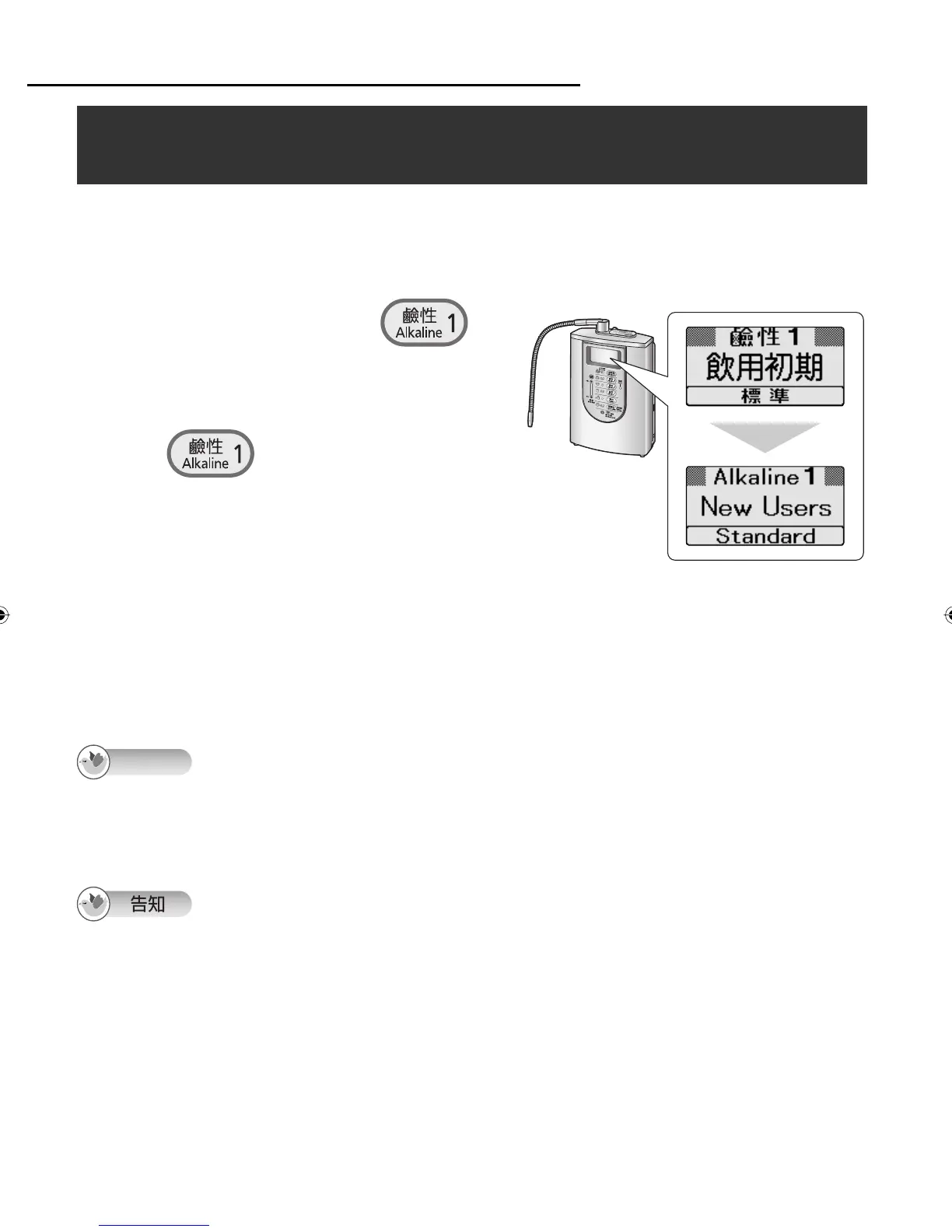
Turn off the faucet, and press
repeatedly until the buzzer beeps four times
(about 3 seconds).
〦ᖛ㕻ㆊŊ᳅ӷȵܶܶܶܶȶ⊖פ 4 ᓝ
ྈ ņ₎ 3 ấ⾝Ň
When the button is pressed again for about
3 seconds, the language of the LCD displays
returns to Chinese.
Ҫྈ 3 ấ⾝Ŋ֯רߊӷʑᄽㆴḻȯ
1
Before Operation/ᮢԊ
The language of the LCD displays can be selected from English or Chinese. The default setting is
Chinese.
ᇘㆴḻ᱿⦝⤵רⴆႹᄽʑᄽȯ⫵⫀ᆹ⥑હᣅʑᄽȯ
Selecting the language of the LCD displays/
ⴆႹᇘㆴḻ᱿⦝⤵
Note
The steps to switch the displays to English cannot be taken while water is running through the
Alkaline Ionizer or while the setting mode or check mode is established.
Even if the displays are switched to English, displays in the setting or check mode will remain in
Chinese.
ⳇᖛʑᆯ⥑હȮ⦓ᑁೣᆹŊᤀᘍⳖ⠗ӡဘᄽㆴḻȯ
֯ӡဘໞᄽㆴḻŊ⥑હȮ⦓ᑁೣ᱿ㆴḻ˜ᣅʑᄽȯ
ZGS0TK7585HKE0Z.indb 29ZGS0TK7585HKE0Z.indb 29 2009/12/09 9:50:282009/12/09 9:50:28












 To Next Page