48
Ș Correcting the water output display
ӛᖛ⸇ㆴḻ᱿⡵ᔌ
There is a slight difference between the water
output display and actual output of water. (This
depends on the usage conditions, water
pressure and other factors.) If there is a
significant difference, correct the water output
display.
ӛᖛ⸇ㆴḻُ૪も᱿ӛᖛ⸇ሷదᯌᆹȯņሳטӷᮢ
ᨊ๗ᖛࣱ᱿ഛㅨȯŇదᯌᆹŊ⦼ϝӛᖛ⸇ㆴḻ⡵
ᔌȯ
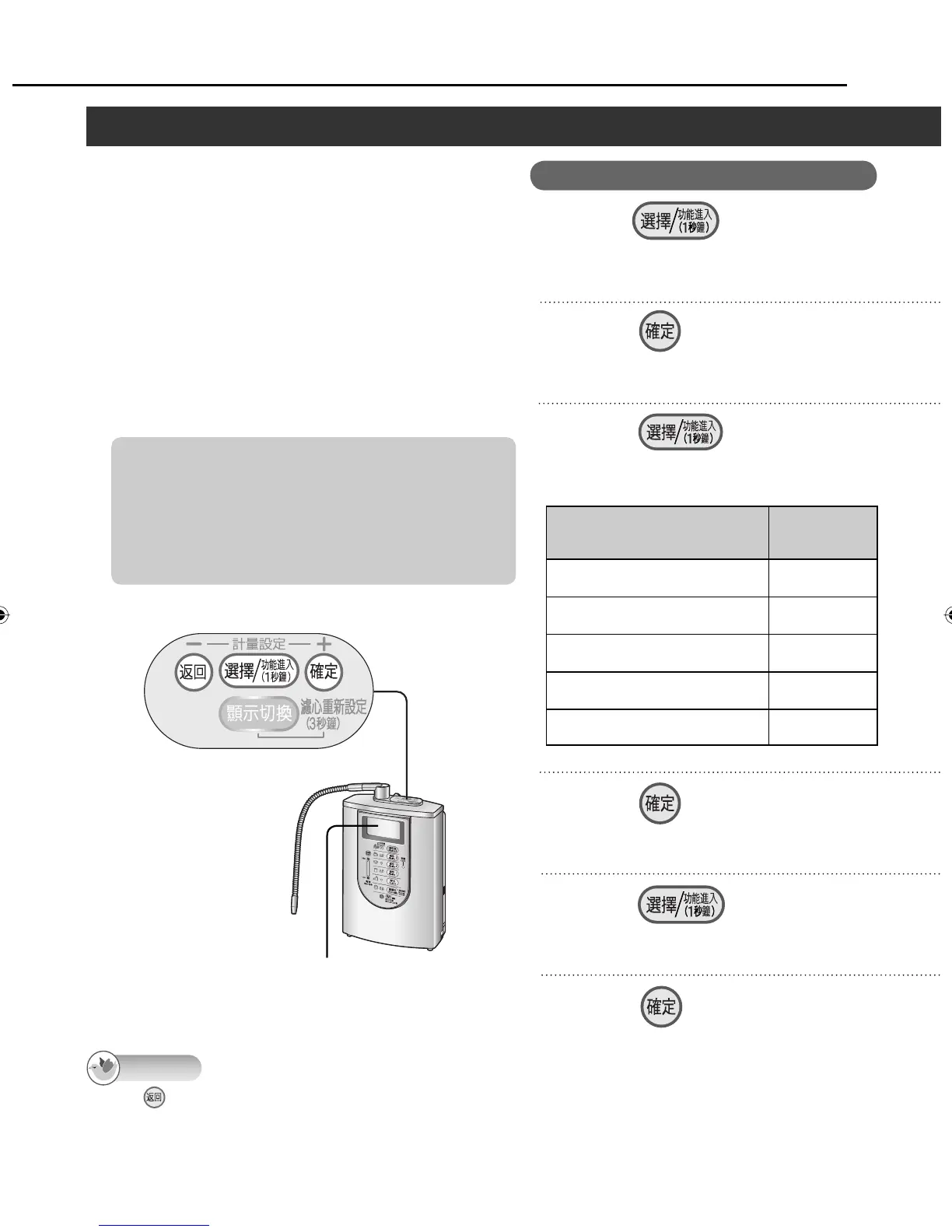
Press , and select
“ ⡵ᔌ ”.
5
Press .
6
After performing steps 1 to 4 of “Setting the
difference in height between the main spout and
acidic water spout” on page 46, perform the steps
below.
ᤫ 46 ㅪȵ⥑હӛᖛםُᖛӛᖛם᱿㋧దȶᔎ
㊾1Ɯ4ϝŊҪ↧↲˫ʁ᱿Ⴝᔎ㊾ȯ
Press , and select one
of the correction values listed in
the table.
7
Press , and select
“ ᆯ ”
9
Press .
<The setting is finished>
8
Press .
10
Control panel/ Ⴝㄇኈ
LCD display
ᇘㆴḻ
When is pressed in steps 5 to 7, the previous screen is restored. After the settings are completed, the previous screen
will not be restored even when the button is pressed.
Once the settings have been set, they will be stored in the memory until other settings are established (until they are
changed).
Displays on the screens indicated by the asterisks will be in Chinese even if the English display mode is established.
Note
Difference between water
output displayed and actual
water output
Correction
value
When the actual water output is
about 20% more than the display
–20%
When the actual water output is
about 10% more than the display
–10%
When the difference is less than
10%
±0% Ʃ
When the actual water output is
about 10% less than the display
+10%
When the actual water output is
about 20% less than the display
+20%
Ʃ No compensation
Measuring the water output volume (continued)/ ᛵ⸇ӛᖛ⸇ņ↲Ň
Operation
For Your Operating Convenience (continued)/ ᅞ͵ᮢņ↲Ň
ZGS0TK7585HKE0Z.indb 48ZGS0TK7585HKE0Z.indb 48 2009/12/09 9:50:462009/12/09 9:50:46












 To Next Page