17
S w a p --- P r o g r a m m e s w a p p i n g
The Swap option allows you to swap two programme positions.
Programme Swap
with
Programme 01 CH44 BBC 1
Programme 02 CH41 ITV
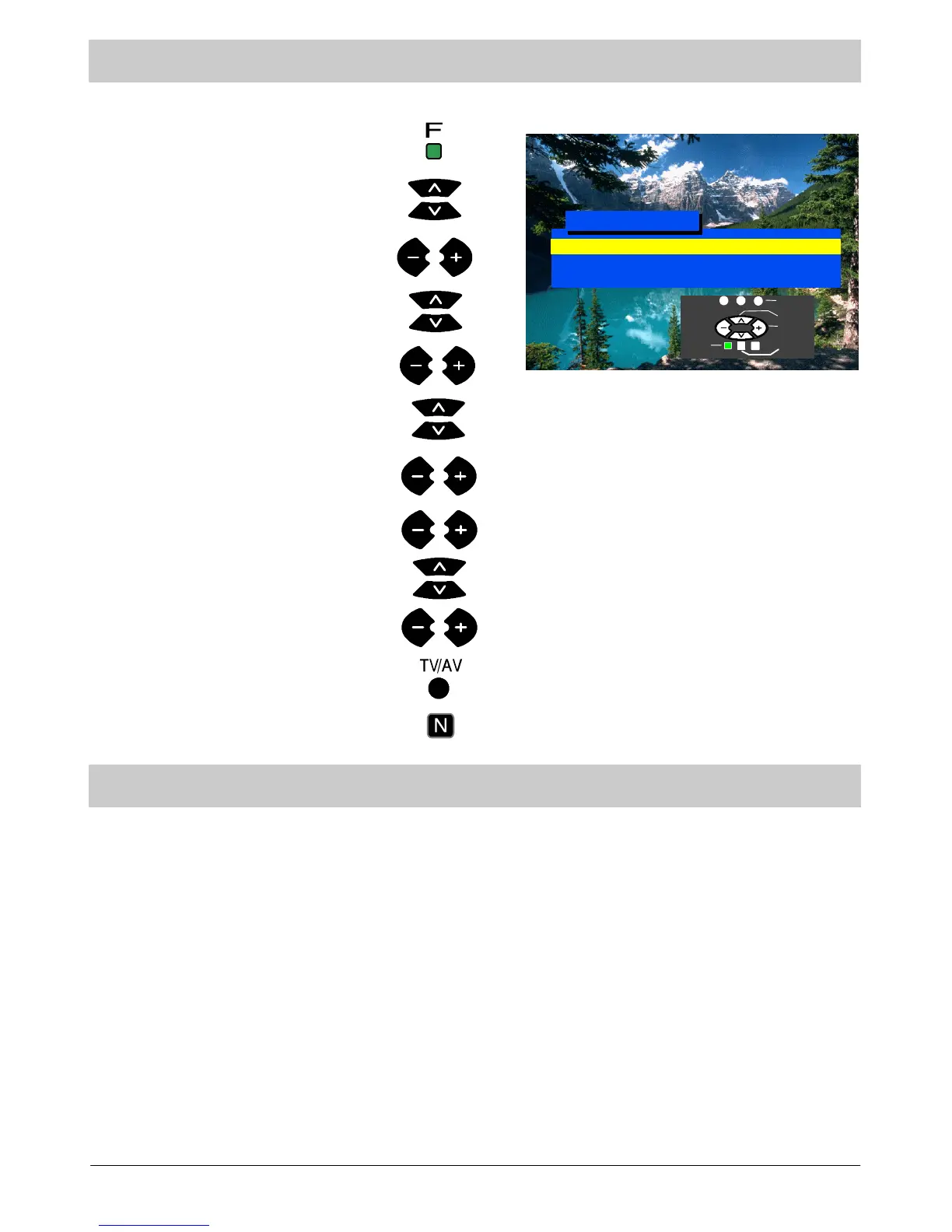
Press the F button.
Select Setup menu.
Select Tuning menu.
Select Programme Swap.
Access Setup menu.
Access Tuning menu.
Select first programme position.
Confirm by pressing the TV/AV button.
Select second programme position.
Access Prog ramme Swap.
Press the N button to exit.
Select
Adjust
Return
Exit
Swap
Move down to “Programme 02 row”.
AV selection --- AV mode
` To select AV mode press the TV/AV button. If another receiver is connected to the AV connectors (VCR, Satellite
Receiver, camera, etc. see page 21) and if it is in operation, its signal w ill be displayed and AV will appear in the top
left corner of the TV screen regardless of the selected programme position (TV tuner is ignored).
` This TV may automatically switch over to the AV mode if the connected device sends a switch signal to the SCART
cable connector. In this case a signal from the connected audio/video device will be displayed and “EC” or
“EC/RGB” (when an RGB signal is input) will appear in the upper left corner of the screen. The output displayed will
not change if you change the TV channel.
` You may switch back to the television by pressing the TV/AV button or by disconnecting the AV device.
` Do not connect tw o AV devices to the TV simultaneously, as their signals will overlap.
` IntheAVmodetheSetup Menu OSD is extended to include Volume Correction.
` If an NTSC signal is connected via the AV input the TV will automatically detect the signal and switch over to the
NTSC standard. The Main Menu OSD is extended to include Tint, which may be adjusted with buttons “+” and
“--”.



 To Next Page