EasyManua.ls Logo

Panasonic TX-86PW100A - Page 19

Panasonic TX-86PW100A
48 pages
Print Icon
To Next Page IconTo Next Page
To Previous Page IconTo Previous Page
Loading...
stereo
reproduction
normally
uses
left
and
right
speakers,
but
Digital
Theater
System
and
Pro
Logic
Surround
go
further,
adding
a
centre
and
other
channels
so
you
are
immersed
in
sound
and
special
effects."
Digital
Theater
Systems
(DTS)
/
Dolby
Digital
Both
DTS
and
Dolby
Digital
split
soundtrack
Information
into
6
separate
channels
of
sound
which
are
output
through
the
speaker
setup:
five
full
range
channels
(left,
center,
right,
left
surround,
right
surround)
and
a
'O.T
(i.e.:
limited
range)
bass
channei.
This
gives
you
superb
sound
quality
from
DTS
/
Dolby
Digital
encoded
tracks
when
a
compatible
speaker
system
is
connected
to
your
TV.
Most
dialogue
comes
from
the
centra
channel,
which
enhances
dialogue
and
focuses
it
so
it
seems
to
come
from
the
action
on
screen.
The
separate
rear
left
and
right
channels
give
a
dramatic
sense
of
space,
with
sounds
travelling
in
all
directions
between
front,
centre
and
rear
channel
speakers
(e.g.:
a
rocket
going
overhead
starts
behind
you
to
the
left
and
explodes
in
front
of
you
to
the
right).
The
'0.1’
IQVJ
Frequency
Effects
(LFE)
channel
gives
impact
to
bass
sounds
and
to
special
effects
more
felt
than
heard
(e.g.:
the
thud
of
a
dinosaur
footfall
or
the
rumble
of
thunder).
While
DTS
and
Dolby
Digital
are
both
high
quality,
‘5.1’
channel
surround
systems,
the
two
systems
differ
in
how
they
break
down
and
store
sound
information
They
also
differ
in
how
they
work
with
existing
speaker
setups.
Dolby
Digital
has
been
designed
to
be
backwardly
compatible
with
Dolby
Pro
Logic
and
conventional
stereo
setups.
DTS
on
the
other
hand,
focuses
on
the
high
quality,
5.1
channel
surround
output
choosing
not
to
develop
backward
compatibility
with
existing
sound
systems.
nn
isoi^vi
D
!
G
I
r
A
!,
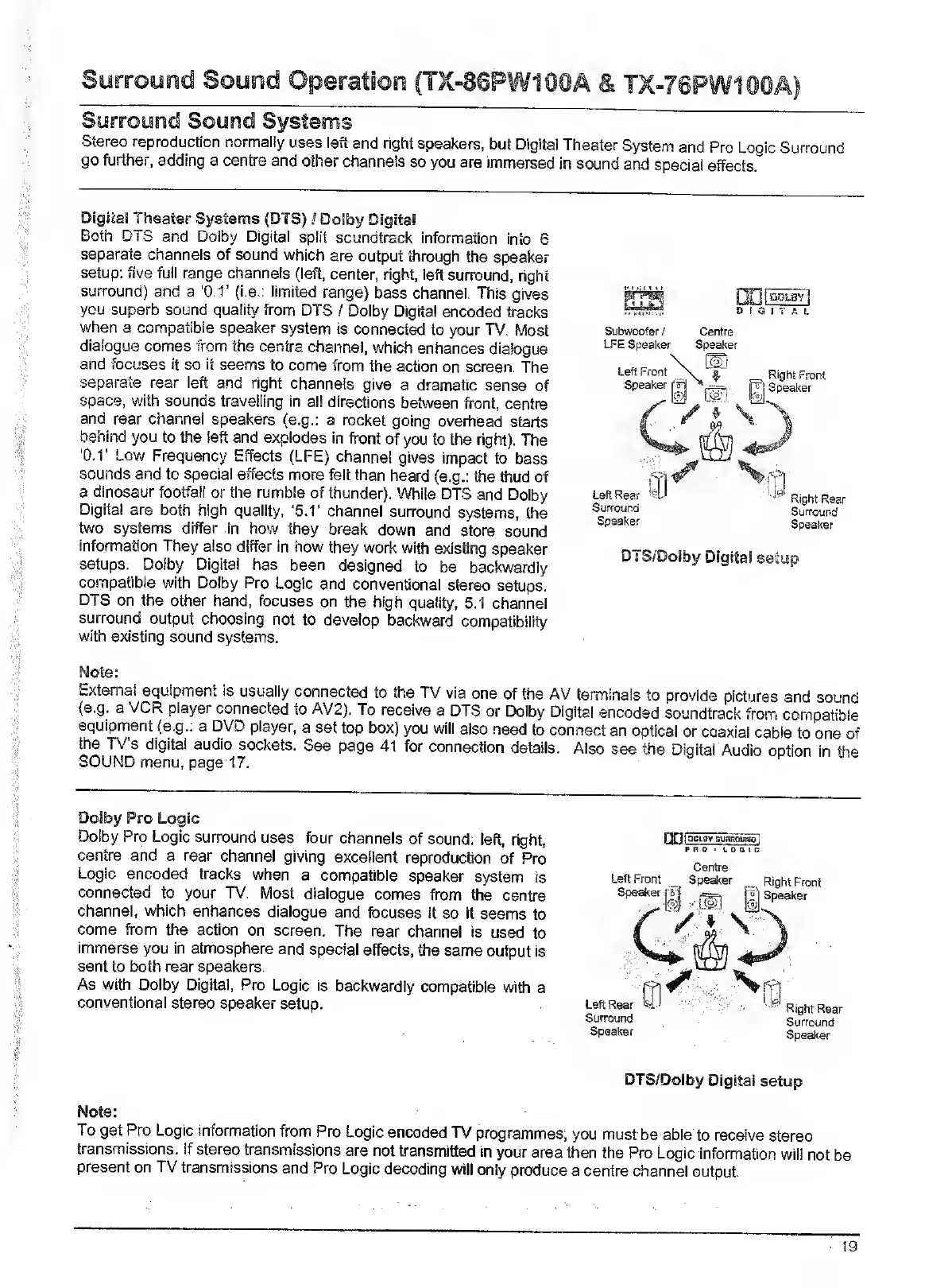
Subwoofer
/
Centre
LFE
Speaker
Speaker
Note:
External
equipment
is
usually
connected
to
the
TV
via
one
of
the
AV
terminals
to
provide
pictures
and
sound
(e.g.
a
VCR
player
connected
to
AV2).
To
receive
a
DTS
or
Dolby
Digital
encoded
soundtrack
from
compatible
equipment
(e.g.;
a
DVD
player,
a
set
top
box)
you
will
also
need
to
connect
an
optica!
or
coaxial
cable
to
one
of
the
TV’s
digital
audio
sockets.
See
page
41
for
connection
details.
Also
see
the
Digital
Audio
option
in
the
SOUND
menu,
page
17.
Dolby
Fro
Logic
Dolby
Pro
Logic
surround
uses
four
channels
of
sound:
left,
right,
centre
and
a
rear
channel
giving
excellent
reproduction
of
Pro
Logic
encoded
tracks
when
a
compatible
speaker
system
is
connected
to
your
TV.
Most
dialogue
comes
from
the
centre
channel,
which
enhances
dialogue
and
focuses
it
so
It
seems
to
come
from
the
action
on
screen.
The
rear
channel
is
used
to
immerse
you
in
atmosphere
and
special
effects,
the
same
output
Is
sent
to
both
rear
speakers.
As
with
Dolby
Digital,
Pro
Logic
is
backwardly
compatible
with
a
conventional
stereo
speaker
setup.
nniacLoTsunROUMpl
PRO
'
I.
0
a
I
c
Centre
Left
Front
_
Speaker
Speaker
Right
Front
Speaker
Left
Rear
Surround
Speaker
Right
Rear
Surround
Speaker
DTS/Dolby
Digital
setup
Note:
To
get
Pro
Logic
information
from
Pro
Logic
encoded
TV
programmes;
you
must
be
able
to
receive
stereo
transmissions,
if
stereo
transmissions
are
not
transmitted
In
your
area
then
the
Pro
Logic
information
will
not
be
present
on
TV
transmissions
and
Pro
Logic
decoding
wiH
only
produce
a
centre
channei
output.

Related product manuals