EasyManua.ls Logo

Panasonic TX-86PW100A - Page 25

Panasonic TX-86PW100A
48 pages
Print Icon
To Next Page IconTo Next Page
To Previous Page IconTo Previous Page
Loading...
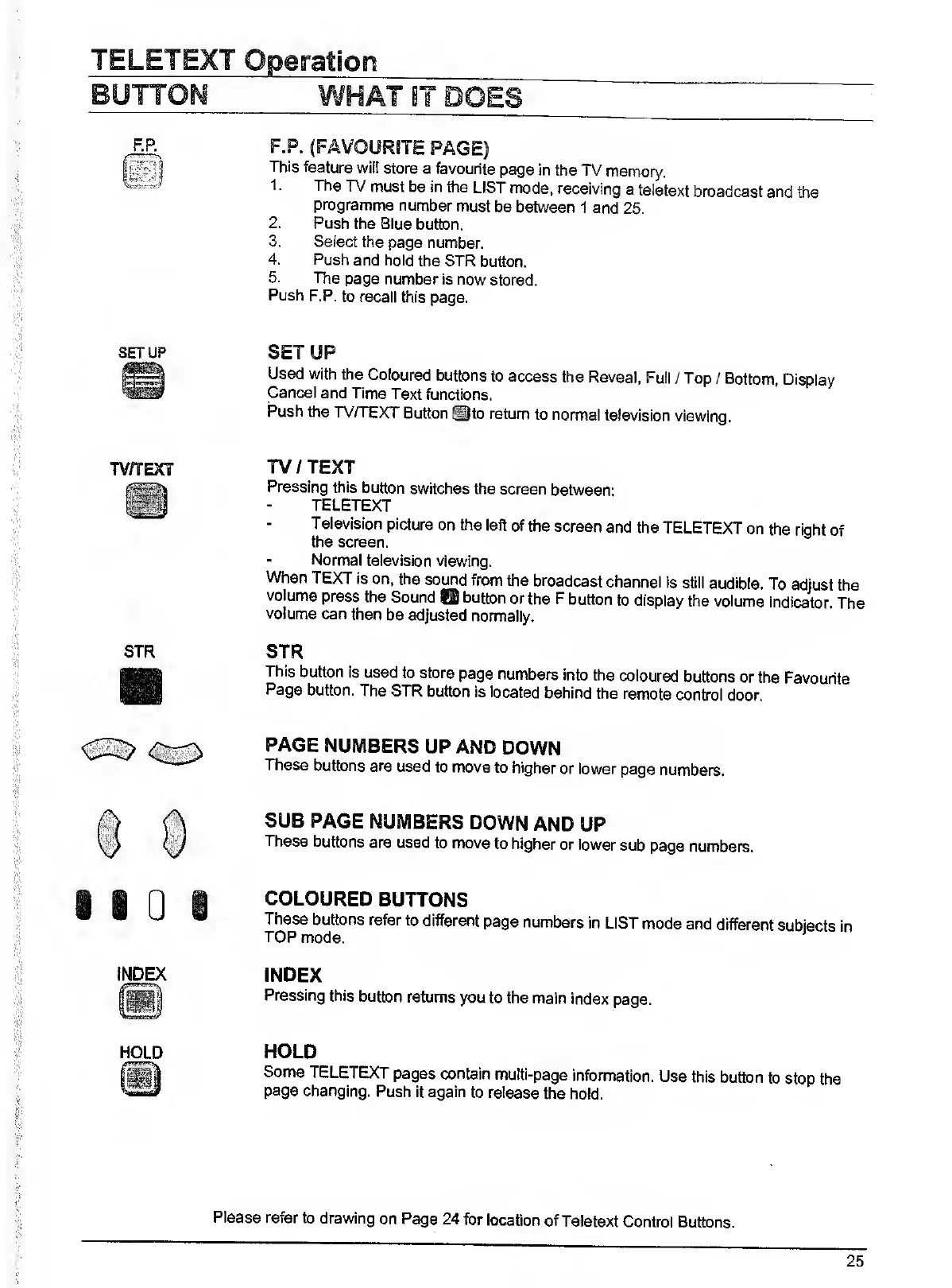
SETUP
STR
F.P.
(FAVOURITE
PAGE)
This
feature
will
store
a
favourite
page
in
the
TV
memory.
1.
The
TV
must
be
in
the
LIST
mode,
receiving
a
teletext
broadcast
and
the
programme
number
must
be
between
1
and
25.
2.
Push
the
Blue
button.
3.
Select
the
page
number.
4.
Push
and
hold
the
STR
button.
5.
The
page
number
is
now
stored.
Push
F.P.
to
recall
this
page.
SETUP
Used
with
the
Coloured
buttons
to
access
the
Reveal,
Full
/
Top
/
Bottom,
Display
Cancel
and
Time
Text
functions.
Push
the
TV/TEXT
Button
^to
return
to
normal
television
viewing.
TV/TEXT
Pressing
this
button
switches
the
screen
between:
TELETEXT
Television
picture
on
the
left
of
the
screen
and
the
TELETEXT
on
the
right
of
the
screen.
-
Normal
television
viewing.
When
TEXT
is
on,
the
sound
from
the
broadcast
channel
is
still
audible.
To
adjust
the
volume
press
the
Sound
O
button
or
the
F
button
to
display
the
volume
indicator.
The
volume
can
then
be
adjusted
normally.
STR
This
button
is
used
to
store
page
numbers
into
the
coloured
buttons
or
the
Favourite
Page
button.
The
STR
button
is
located
behind
the
remote
control
door.
PAGE
NUMBERS
UP
AND
DOWN
These
buttons
are
used
to
move
to
higher
or
lower
page
numbers.
SUB
PAGE
NUMBERS
DOWN
AND
UP
These
buttons
are
used
to
move
to
higher
or
lower
sub
page
numbers.
COLOURED
BUTTONS
These
buttons
refer
to
different
page
numbers
in
LIST
mode
and
different
subjects
in
TOP
mode.
INDEX
Pressing
this
button
returns
you
to
the
main
index
page.
HOLD
Some
TELETEXT
pages
contain
multi-page
information.
Use
this
button
to
stop
the
page
changing.
Push
It
again
to
release
the
hold.
Please
refer
to
drawing
on
Page
24
for
location
of
Teletext
Control
Buttons.
25

Related product manuals