EasyManua.ls Logo

Panasonic TX-86PW100A - Page 27

Panasonic TX-86PW100A
48 pages
Print Icon
To Next Page IconTo Next Page
To Previous Page IconTo Previous Page
Loading...
;
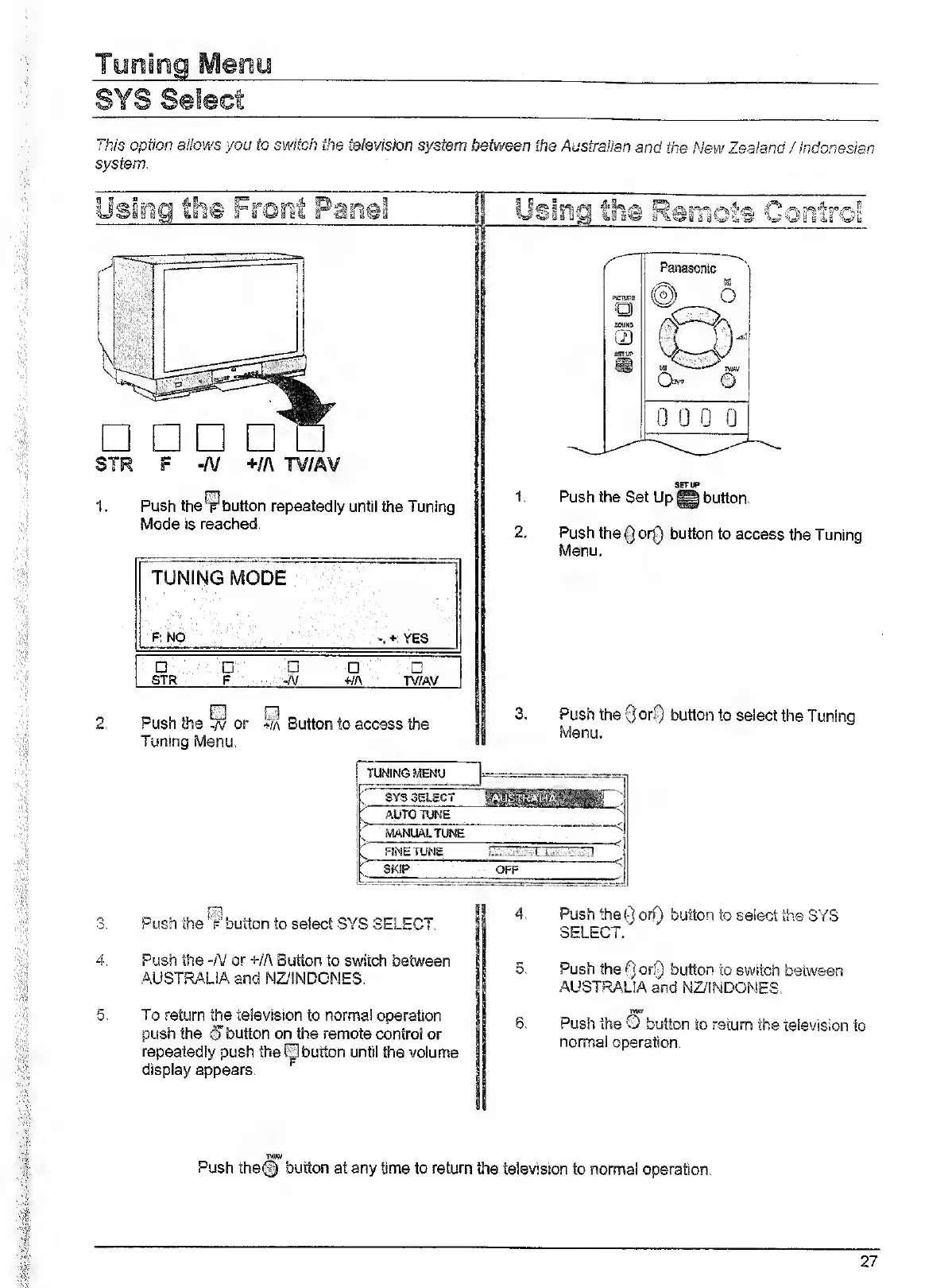
his
option
allows
you
to
switch
the
television
system
between
the
Australian
and
the
New
Zealand
/
Indonesian
system.
1.
Push
the
y
button
repeatedly
until
the
Tuning
Mode
is
reached.
TUNING
MODE
F:
NO
+;
YES
STR
F
-A/
+/A
TV/AV
2
.
E]
R
Push
the
^
or
^a
Button
to
access
the
Tuning
Menu.
fslog
th©
Remots
Centres
Panasonic
VKIlRtS
©
6
o
UUKO
il)
SSTU^
B
10
jviai
©
0
0
0
0
1.
Push
the
Set
Up
@
button.
2.
Push
the
Qor0
button
to
access
the
Tuning
Menu.
3.
P
ush
the
QorSj
button
to
select
the
Tuning
Menu.
r
_
_____
SYS
SELECT
AUTO
TUNE
MANUALTUNE
FJNETUNE
SKIP
OFF
"
Push
the
®
button
to
select
SYS
SELECT.
Push
the
-N
or
+/A
Button
to
switch
between
AUSTRALIA
and
NZ'INDONES.
5.
To
return
the
television
to
normal
operation
push
the
©button
on
the
remote
control
or
repeatedly
push
the
0
button
untii
the
volume
display
appears.
4.
Push
the
Q
orQ
button
to
select
the
SYS
SELECT.
5.
Push
the
Q
orQ
button
to
switch
between
AUSTRALIA
and
NZ/INDONES.
6.
Push
the
O
button
to
return
the
television
to
normal
operation.
TfIM
Push
the@
button
at
any
time
to
return
the
television
to
normal
operation.
27

Related product manuals