EasyManua.ls Logo

Panasonic TX-86PW100A - Page 28

Panasonic TX-86PW100A
48 pages
Print Icon
To Next Page IconTo Next Page
To Previous Page IconTo Previous Page
Loading...
This
television
has
been
factory
tuned
to
all
major
city
channels.
Use
the
automatic
tuning
procedure
only
if
you
wish
to
reset
ALL
Programme
Location
Numbers.
Refer
to
“Manual
Tune"
on
page
29
If
you
only
want
to
retune
one
or
two
Programme
Location
Numbers.
The
television
should
be
switched
ON
and
the
TV/AV
Switch
set
to
TV.
When
you
start
the
automatic
search,
the
television
will
automatically
search
for
television
broadcasts
through
both
VHP
bands
and
the
UHF
band.
During
this
process
all
of
the
available
television
broadcast
channels
will
be
automatically
allocated
to
sequential
Programme
Number
locations.
1.
Push
the
F
button
repeatedly
until
the
Tuning
Menu
is
reached.
2.
Push
the
*
/
\/
or
“i-
/
A
button
to
access
the
Tuning
Menu.
(See
page
27).
3.
Push
the
F
button
to
access
the
Auto
Tune.
4.
Push
-
/
V
or
-S’
/
A
button
to
start
the
search.
1.
Push
the
SET
UP
^
button.
2.
Push
the
A
or
V
button
to
select
the
Tuning
Menu.
(See
page
27).
3.
Push
the
-
or
button
to
access
the
Tuning
Menu.
4.
Push
the
A
or
V
button
to
select
the
Auto
Tune.
5.
Push
the
-
or
+
button
to
start
the
Auto
Tune
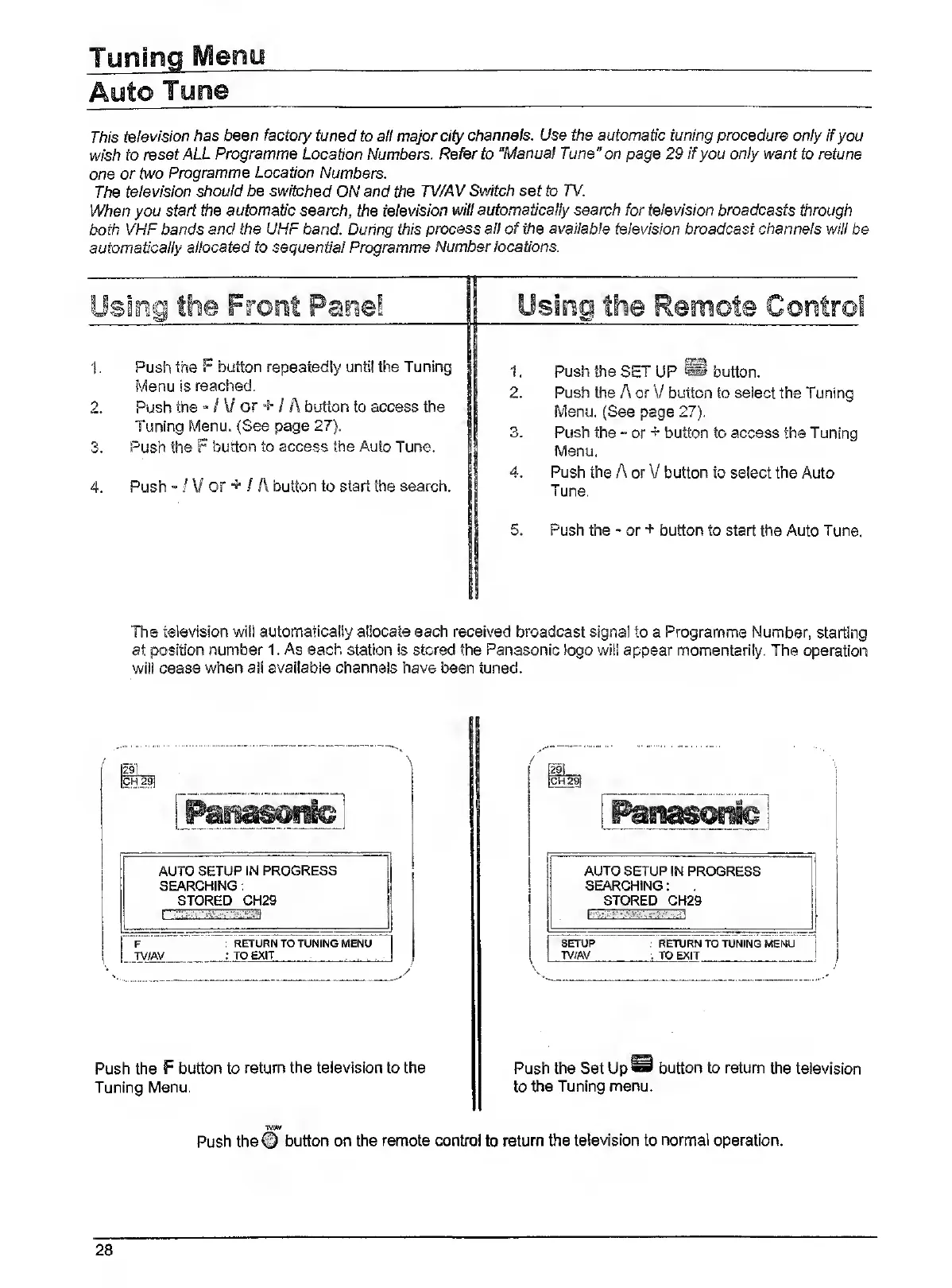
The
television
wili
automatically
allocate
each
received
broadcast
signal
to
a
Programme
Number,
starting
at
position
number
1.
As
each
station
is
stored
the
Panasonic
logo
will
appear
momentarily.
The
operation
will
cease
when
all
available
channels
have
been
tuned.
AUTO
SETUP
IN
PROGRESS
SEARCHING;
STORED
CH29
F.
~
.
T
'return
to
tuning
menu
TV/AV
;
TO
EXIT
Push
the
F
button
to
return
the
television
to
the
Tuning
Menu.
I
[29.
i
ICH
29[
AUTO
SETUP
IN
PROGRESS
SEARCHING:
STORED
CH29
I
SETUP
:
RETURN
TO
TUNING
MENU
I
TV/AV
:
TO
EXIT
!
i
Push
the
Set
Up®
button
to
return
the
television
to
the
Tuning
menu.
TV//W
Push
the©
button
on
the
remote
control
to
return
the
television
to
normal
operation.
28