EasyManua.ls Logo

Panasonic TX-86PW100A - Page 29

Panasonic TX-86PW100A
48 pages
Print Icon
To Next Page IconTo Next Page
To Previous Page IconTo Previous Page
Loading...
Manual
Tune
This
Television
has
been
factory
tuned
to
all
the
major
city
channels.
Use
this
tuning
procedure
only
if
you
wish
to
reset
individual
Programme
Numbers.
The
television
should
be
switched
ON
and
the
TV/AV
Switch
set
to
TV.
Using
the
Front
Panel
Using
the
Remote
Control
1.
Push
the
F
button
repeatedly
until
the
Tuning
Menu
is
reached.
2.
Push
the
-
/
V
or
+
/
A
button
to
access
the
Tuning
Menu,
(See
page
27).
3.
Push
the
F
button
to
access
the
Manual
Tune,
4.
Push
the
-
/
V
or
+
/
A
buttons
to
select
the
Manual
Tune.
1.
Push
the
Set
Up®
button,
2.
Push
the
A
or
V
button
to
select
the
Tuning
Menu.
(See
page
27).
3.
Push
the
-
or
+
button
to
access
the
Tuning
Menu.
4.
Push
the
A
or
V
button
to
select
the
Manual
Tune.
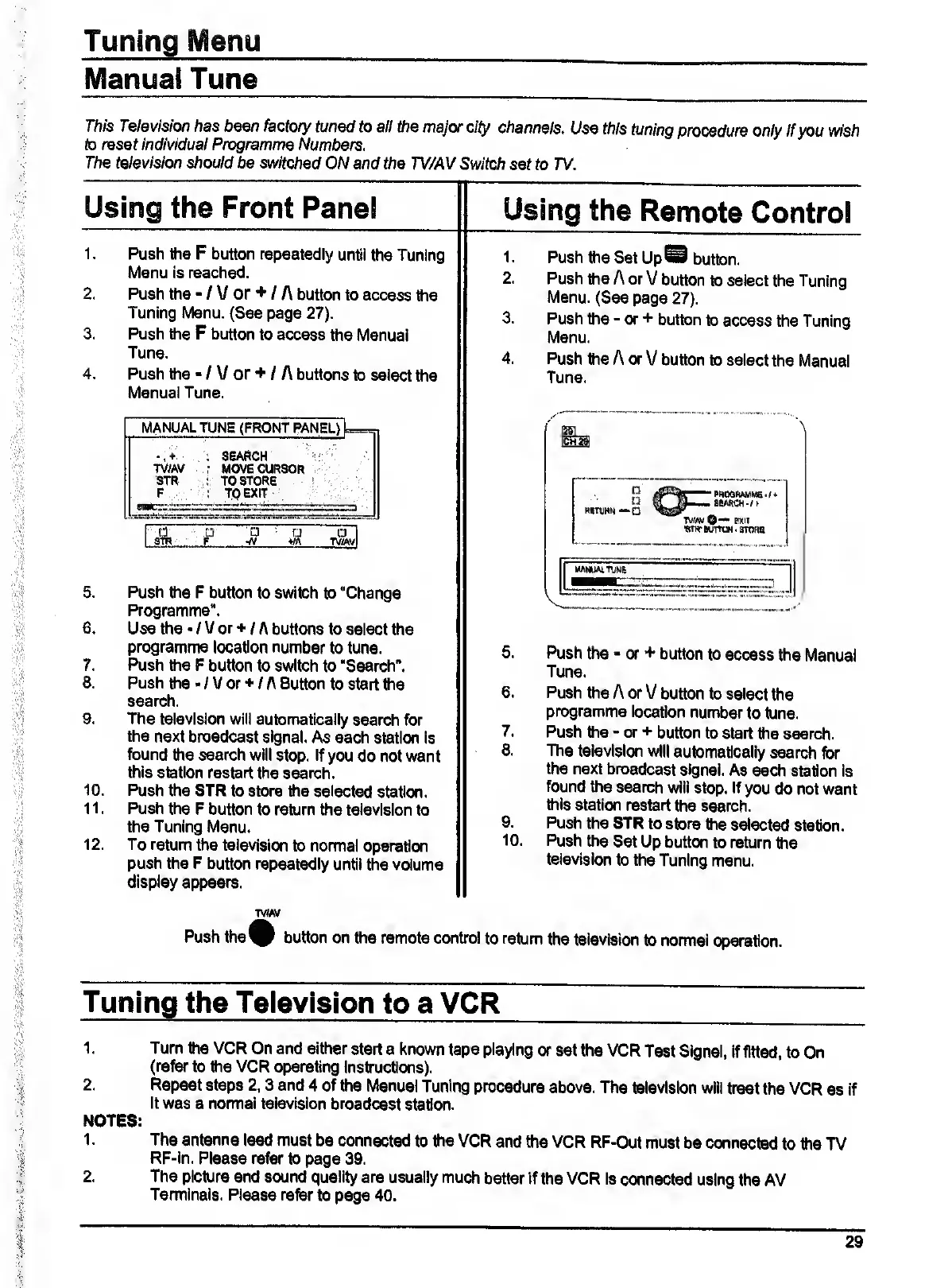
MANUAL
TUNE
(FRONT
PMiEL)
:
SEARCH
TV/AV
;
MOVE
CURSOR
STR
:
TO
STORE
F
:
TO
EXIT
A
_
P
^
A
5.
Push
the
P
button
to
switch
to
"Change
Programme".
6.
Use
the
/
V
or
+
/
A
buttons
to
select
the
programme
location
number
to
tune.
7.
Push
the
P
button
to
switch
to
"Search".
8.
Push
the
-
/
V
or
/
A
Button
to
start
the
search.
9.
The
television
will
automatically
search
for
the
next
broadcast
signal.
As
each
station
is
found
the
search
will
stop.
If
you
do
not
want
this
station
restart
the
search.
10.
Push
the
STR
to
store
the
selected
station.
11.
Push
the
P
button
to
return
the
television
to
the
Tuning
Menu.
12.
To
return
the
television
to
normal
operation
push
the
P
button
repeatedly
until
the
volume
display
appears.
5.
Push
the
or
+
button
to
access
the
Manual
Tune.
6.
Push
the
A
or
V
button
to
select
the
programme
location
number
to
tune.
7.
Push
the
-
or
+
button
to
start
the
search.
8.
The
television
will
automatically
search
for
the
next
broadcast
signal.
As
each
station
is
found
the
search
will
stop.
If
you
do
not
want
this
station
restart
the
search.
9.
Push
the
STR
to
store
the
selected
station.
10.
Push
the
Set
Up
button
to
return
the
television
to
the
Tuning
menu.
TVM/
Push
the
V
button
on
the
remote
control
to
return
the
television
to
normal
operation.
Tuning
the
Television
to
a
VCR
1,
Turn
the
VCR
On
and
either
start
a
knovm
tape
playing
or
set
the
VCR
Test
Signal,
If
fitted,
to
On
(refer
to
the
VCR
operating
instructions).
2.
Repeat
steps
2.3
and
4
of
the
Manual
Tuning
procedure
above.
The
television
will
treat
the
VCR
as
if
it
was
a
normal
television
broadcast
station.
NOTES:
1.
The
antenna
lead
must
be
connected
to
the
VCR
and
the
VCR
RF-Out
must
be
connected
to
the
TV
RF-ln.
Please
refer
to
page
39.
2.
The
picture
and
sound
quality
are
usually
much
better
if
the
VCR
is
connected
using
the
AV
Terminals.
Please
refer
to
page
40.
29

Related product manuals