EasyManua.ls Logo

Panasonic TX-86PW100A - Page 30

Panasonic TX-86PW100A
48 pages
Print Icon
To Next Page IconTo Next Page
To Previous Page IconTo Previous Page
Loading...
in
areas
of
poor
reception
or
constant
interferenca
a
slight
adjustment
to
the
tuning
may
improve
the
picture
quality.
1.
Select
the
Programme
location
number
you
want
to
fine-tune.
2.
Push
the
F
button
repeatedly
until
the
Tuning
Mode
is
reached.
(See
page
27).
3.
Push
the
-
/
y
or
^
/
A
button
to
access
the
Tuning
Menu.
4.
Push
the
F
button,
to
access
Fine
Tune.
j
1.
Select
the
Programme
location
number
you
1
want
to
fine-tune.
1
2.
Push
the
Set
Up
^
button.
1
3.
Push
the
A
or
V
button
to
select
the
Tuning
j
^ytenu.
(See
page
27).
j
4.
Push
the
-
or
+
button
to
access
the
Tuning
1
Menu.
j
5.
Push
the
A
or
V
button
to
select
the
Fine
Tune.
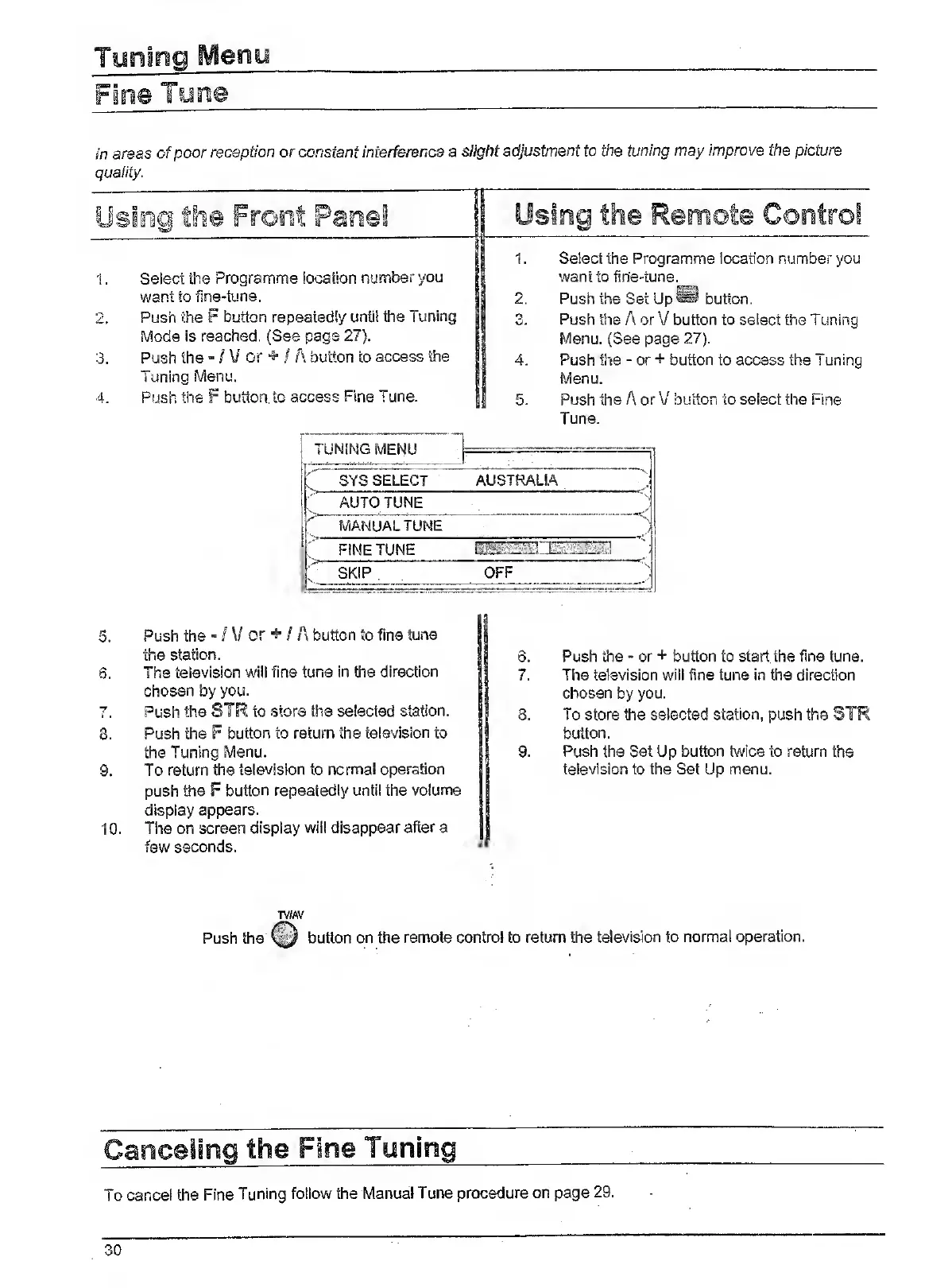
TUNING
MENU
;
SYS
SELECT
AUSTRALIA
J
AUTO
TUNE
V
^
MANUAL
TUNE
'
j
FINE
TUNE
SKIP
OFF
5.
Push
the
-
/
V
or
^
/
A
button
to
fine
tune
the
station.
6.
The
television
will
fine
tune
in
the
direction
chosen
by
you.
7.
Push
the
SIR
to
store
the
selected
station.
3.
Push
the
F
button
to
return
the
television
to
the
Tuning
Menu.
9.
To
return
the
television
to
normal
operation
push
the
F
button
repeatedly
until
the
volume
display
appears.
10.
The
on
screen
display
will
disappear
after
a
few
seconds.
6.
Push
the
-
or
+
button
to
start
the
fine
tune.
7.
The
television
will
fine
tun©
in
the
direction
chosen
by
you.
8.
To
store
the
selected
station,
push
the
SIR
button.
9.
Push
the
Set
Up
button
twice
to
return
the
television
to
the
Set
Up
menu.
TV/AV
Push
the
button
on
the
remote
control
to
return
the
television
to
normal
operation.
To
cancel
the
Fine
Tuning
follow
the
Manual
Tune
procedure
on
page
29.
30

Related product manuals