19English 19
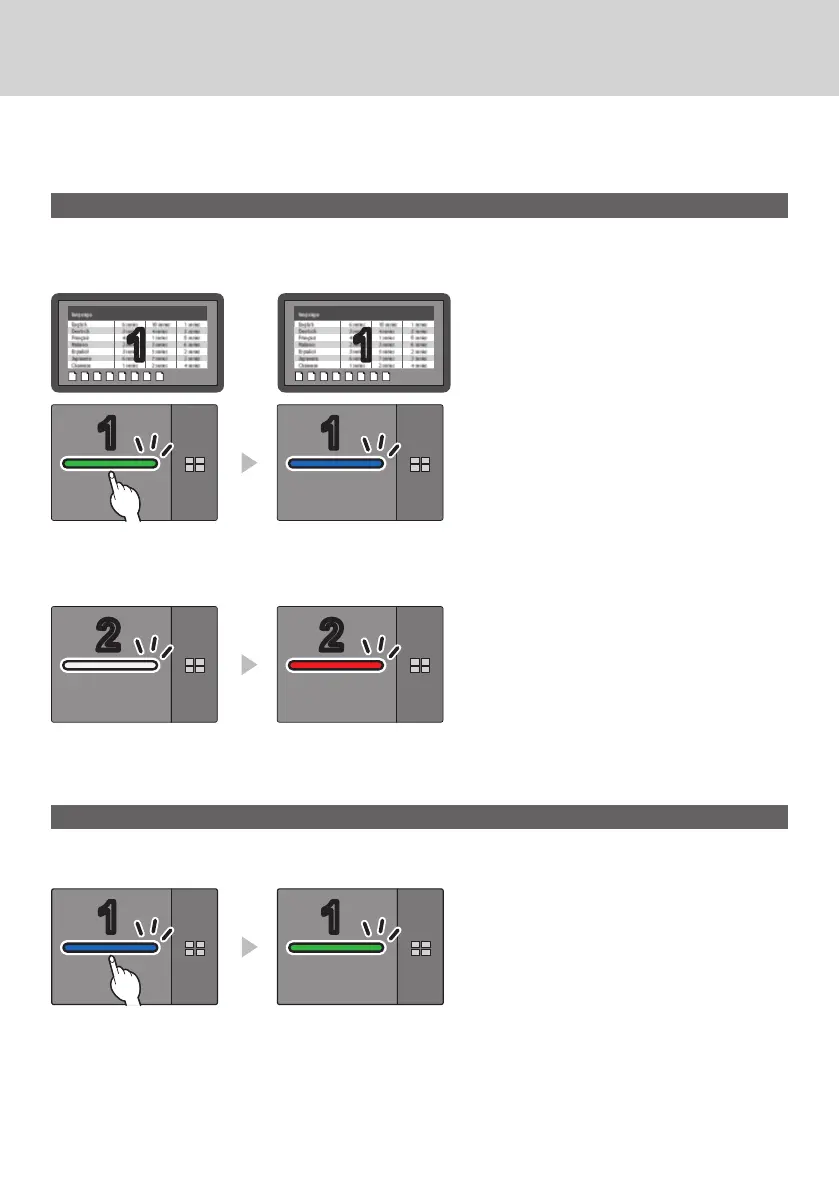
When images of 1 transmitter are displayed with multiple transmitters paired and used, you can make a
setting that prohibits switching to images of another transmitter.
This setting prevents accidental image-switching operation.
Setting the fixed mode
Press and hold the main button of the transmitter for 1 second or more while an
image of one transmitter is displayed.
The main LED changes from green illumination to blue illumination, and the fixed mode is enabled.
11 11
Green illumination Blue illumination
(fixed mode)
Other transmitters
White illuminatio
(standby)
Red illumination
(operation disabled)
Canceling the fixed mode
Press and hold the main button of the transmitter for 1 second or more.
The main LED changes from blue illumination to green illumination, and the fixed mode is canceled.
Blue illumination
(fixed mode)
Green illumination
(fixed mode canceled)
Fixing image switching (fixed mode)



 To Next Page