55English 55
Recommended example for installing on the projector professional model
1
Mount the base bracket (A-1) to the receiver.
2
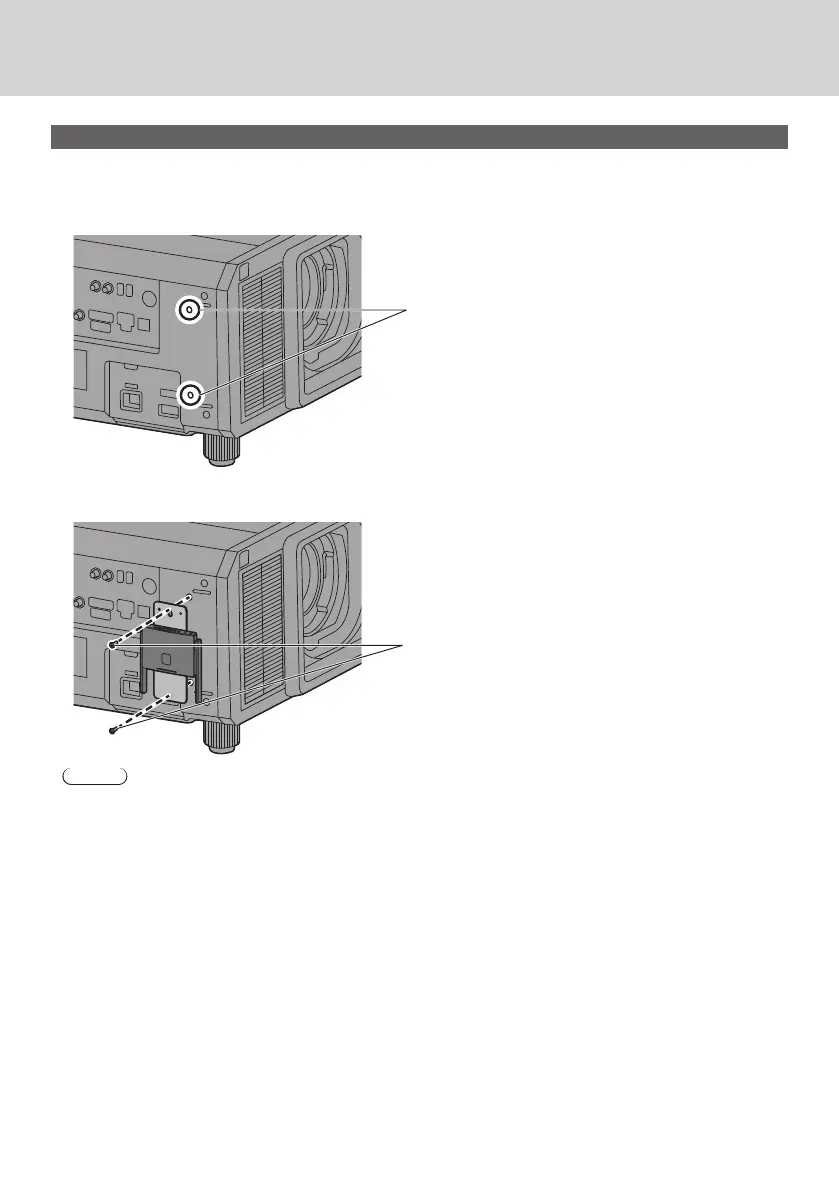
Remove 2 round covers from the side of the projector.
Screw holes for installing the receiver are exposed.
Cover
3
Install the receiver on the projector with 2 screws (C-3).
Install the receiver with marking “UP” of the base bracket facing upward.
C-3
Note
• The illustrations show the PT-RZ21K model.
• Depending on the model of projector, the above method may not be used for installation.



 To Next Page