54 English54
4
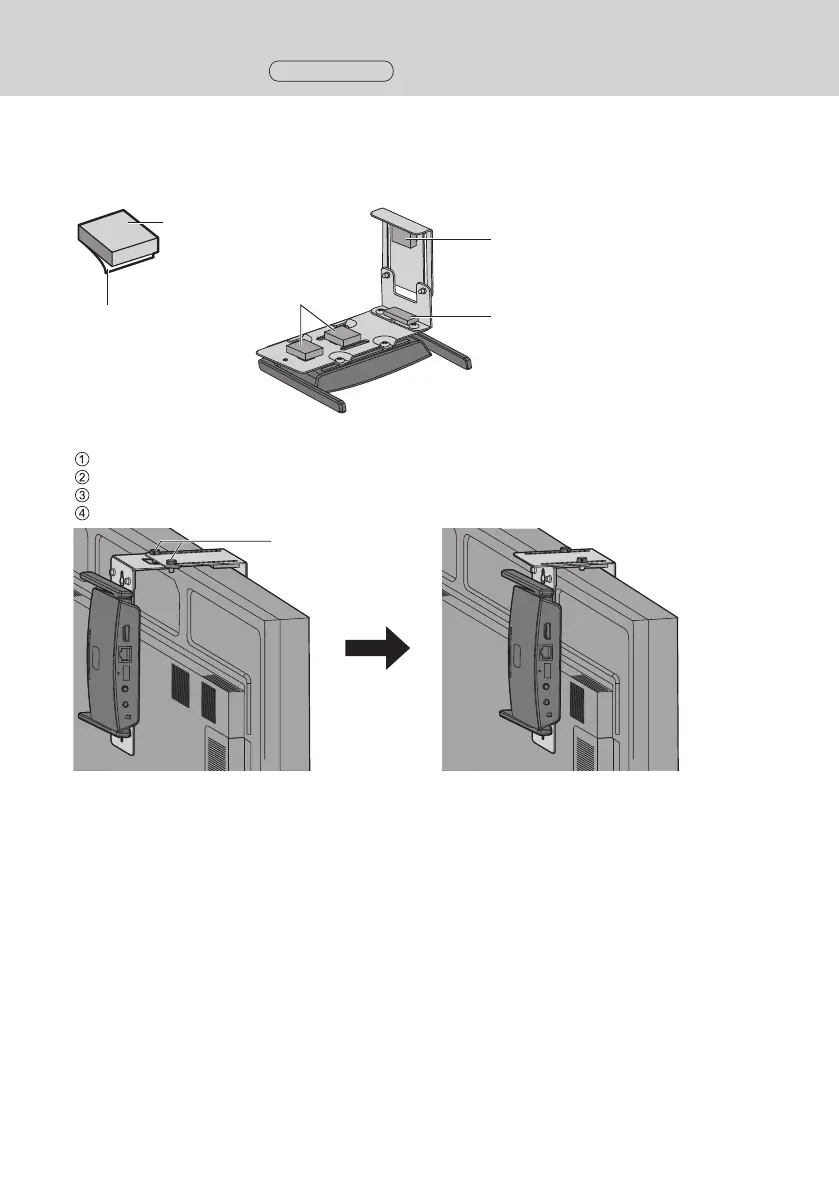
Attach 1 sheet A (B-1) and 3 sheets B (B-2) to the brackets along the marking-off
lines
Remove the double-sided taped release paper from those sheets and attach them to the brackets. Then remove
the protection films.
B-2
B-2
B-1
Release paper
Protection film
5
Install the receiver on the display.
Loosen 2 knurled screws (C-1).
Hang the tip of the mounting bracket on the display.
Hold the display with the mounting bracket to install the receiver.
Tighten 2 knurled screws (C-1).
C-1
Installing the Receiver
Continued



 To Next Page