EasyManua.ls Logo

Panasonic WV-SC384 - User Manual

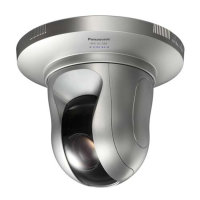
Panasonic WV-SC384
244 pages
Print Icon
To Next Page IconTo Next Page
Loading...
Operating Instructions
Network Camera
Model No. WV-SW390 Series
WV-SC380 Series
WV-SW170 Series
WV-ST160 Series
WV-SW175
WV-SW396
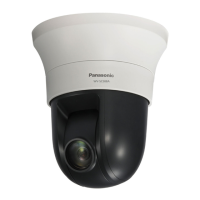
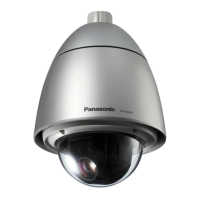
This manual covers the models: WV-SW390 Series (WV-SW396, WV-SW395, WV-SW396E, WV-SW395E,
WV-SW395R, WV-SW395PJ), WV-SC380 Series (WV-SC386, WV-SC385, WV-SC384, WV-SC386E,
WV-SC385E, WV-SC384E, WV-SC385R, WV-SC384R, WV-SC385PJ), WV-SW170 Series (WV-SW175,
WV-SW174W, WV-SW172, WV-SW175E, WV-SW174WE, WV-SW172E), and WV-ST160 Series (WV-ST165,
WV-ST162, WV-ST165E, WV-ST162E).
Before attempting to connect or operate this product, please read these instructions
carefully and save this manual for future use.
The model number is abbreviated in some descriptions in this manual.
WV-SW395R, WV-SC385R, and WV-SC384R do not support the HTTPS function.

Table of Contents

Other manuals for Panasonic WV-SC384

Questions and Answers

  • M
    Melissa GomezSep 15, 2025
    What to do if the power is not turned on in Panasonic Network cameras?
    • K
      Kevin JonesSep 15, 2025
      First, ensure the 12 V DC power cable plug is firmly inserted into the 12 V DC power terminals of the camera. Also, verify that the PoE device and the network connector on the rear of the camera are connected using a LAN cable (category 5, STP*). Finally, remember that depending on the PoE device, the power supply will stop when the demanded power exceeds its total power limit for all PoE ports. Refer to the operating instructions of the PoE device in use.
  • A
    Alexandria LambertAug 25, 2025
    How to fix Panasonic Network cameras when I cannot access the camera?
    • A
      Andrea SmithAug 25, 2025
      Check if you are using the correct IP address by using the Windows command prompt to ping the camera's IP address. If that doesn't work, reboot the camera and change the IP address using the Panasonic IP setup software within 20 minutes of the restart. Alternatively, reboot the camera while holding the [INITIAL SET] button to reset the IP address to the default setting '192.168.0.10'. Ensure that the IP addresses of your PC and the camera are in the same class.
  • T
    Terrance McclureAug 26, 2025
    Why is the power not turned on in my Panasonic WV-SC384?
    • U
      udillonAug 26, 2025
      If your Panasonic Security Camera isn't powering on, ensure the power plug is firmly connected. Also, check that the connection is appropriately established. For PoE devices, refer to their operating instructions for guidance.
  • K
    Kim JenkinsAug 26, 2025
    Why does the live indicator light or blink orange on my Panasonic WV-SC384 Security Camera when I turn it on?
    • C
      Carlos CurtisAug 26, 2025
      If the live indicator on your Panasonic Security Camera lights or blinks orange upon turning it on, make sure the LAN cable is properly connected. Also, verify that the hub or router you are using is functioning correctly. If the issue persists, try replacing the cable with a different one.
  • V
    Virginia ConleySep 16, 2025
    What to do if Panasonic Network camera live indicator lights or blinks orange?
    • A
      Anthony DennisSep 16, 2025
      Ensure the LAN cable is properly connected. Check if the hub or router connected to the camera is operating correctly. Also, verify that the LAN cable connected to the camera is not broken; if it is, replace it.
  • C
    calhoundanielSep 23, 2025
    Why Panasonic Network camera live indicator never lights up?
    • B
      Brendan WalkerSep 23, 2025
      Check if 'Off' is selected for 'Link/Access LED' on the 'Basic' page. If it is, select 'On' or 'On(Access)' for the indicator setting.
  • A
    Ashley DavisSep 7, 2025
    Why Panasonic WV-SC384 Security Camera live indicator never lights up?
    • P
      parkermatthewSep 7, 2025
      If "Off" is selected for "Link/Access LED" on the "Basic" page, select "On" or "On(Access)" for the indicator setting.
  • W
    walkerdianeSep 9, 2025
    What to do if no image is displayed on Panasonic WV-SC384 Security Camera?
    • L
      Leonard NavarroSep 9, 2025
      If no image is displayed on your Panasonic Security Camera, make sure you have installed the viewer software on your PC. Also, check your DirectX version; it should be version 9.0c or later. If it's older, upgrade it.
  • R
    Randy RiceSep 2, 2025
    What to do if Panasonic Security Camera cannot access the camera?
    • L
      Luke McgeeSep 2, 2025
      Ensure that you are accessing the camera using the correct IP address. Check the connection by using the Windows command prompt to ping the camera's IP address. If this doesn't work, reboot the camera and change the IP address using the Panasonic IP setup software. Alternatively, try rebooting the camera while holding the [INITIAL SET] button. Also, verify that the IP addresses (local addresses) of different classes are not used for the PC and the camera; if they are, change the IP address using the Panasonic IP setting software.
  • T
    Terry HendersonAug 31, 2025
    How to fix Panasonic Security Camera when power is not turned on?
    • L
      Larry Mccall Jr.Aug 31, 2025
      First, check the power cable and connection. If you are using a DC power supply, ensure the 12 V DC power cable plug is firmly inserted into the 12 V DC power terminals of the camera. If using a PoE device, verify the PoE device and the network connector on the rear of the camera are connected using a LAN cable (category 5, STP*). Also, the power supply may stop when the demanded power exceeds its total power limit for all PoE ports, so refer to the operating instructions of the PoE device in use.

Panasonic WV-SC384 Specifications

General IconGeneral
Camera TypeNetwork Camera
Lens TypeMotorized Zoom Lens
Video CompressionH.264, MPEG-4, JPEG
Frame Rate30 fps
Day/NightYes
Effective Pixels2.1 Megapixels
Resolution1920 x 1080
Angle of View (Horizontal)91.2° - 31.5°
Pan Range360°
Power SupplyPoE (Power over Ethernet)
Operating Temperature-10 °C to +50 °C
Image Sensor1/3" MOS Sensor

Related product manuals